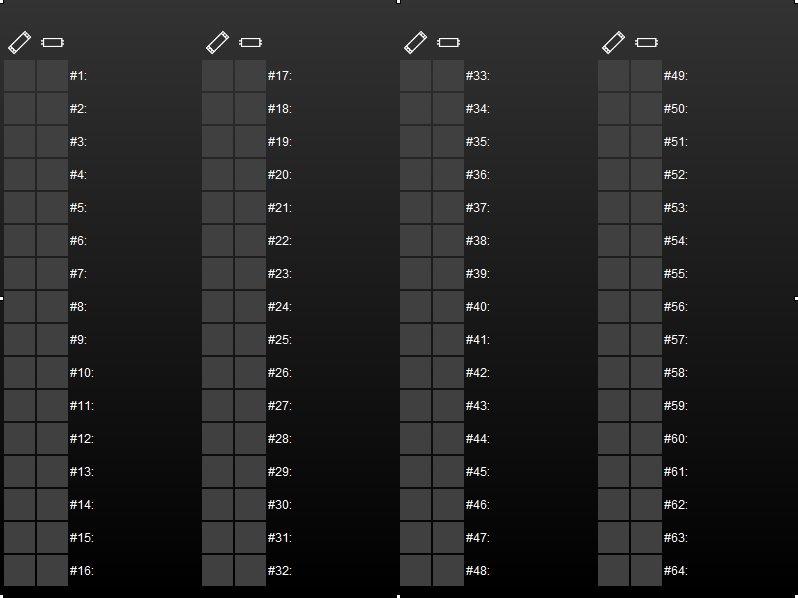
Visualization object Dali Monitor represents the display element of the Dali monitor job, which can be configured in job editor.
CONTROL L support
The element can also be used for CONTROL L
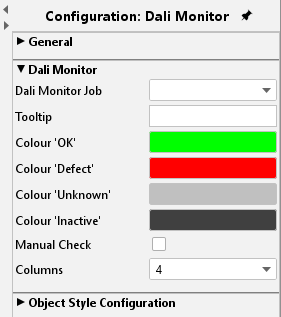
Dali Monitor Job
By the help of this drop-down menu, different Dali monitor jobs can be chosen, which were defined in job editor before.
Settings
Beside of object, the element has four different setting options.
Tooltip:
This text field defines which lettering are displayed, when the mouse pointer roll over the element
Colour:
Please define a colour for each of the state’s OK, defective, unknown and non-active.
Manual inspection:
By this check box, a Dali gateway can be separately required on demand.
Columns:
You can choose between a double-columned or a quadrifid presentation
Object style configuration
All other options are described in chapter General Element Parameter.