
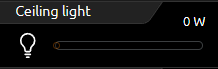
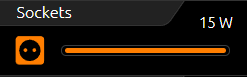
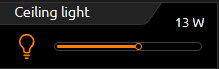
As the name suggests, the control element Switch/Dimmer has a switching and dimming function. The dimming function offers the special feature of sending telegrams to the bus while the luminaire is being "slid" to observe the change in brightness, for example.
The control element has a large number of symbols to choose from, so that in combination with the symbols and a concise identifier, a clear indication of the control element's function can still be given.
In addition, the control element offers a value object (top right of the control element) to display additional information. This is practical, for example, to always have the current dimming value, operating hours, or power consumption of this participant in view.
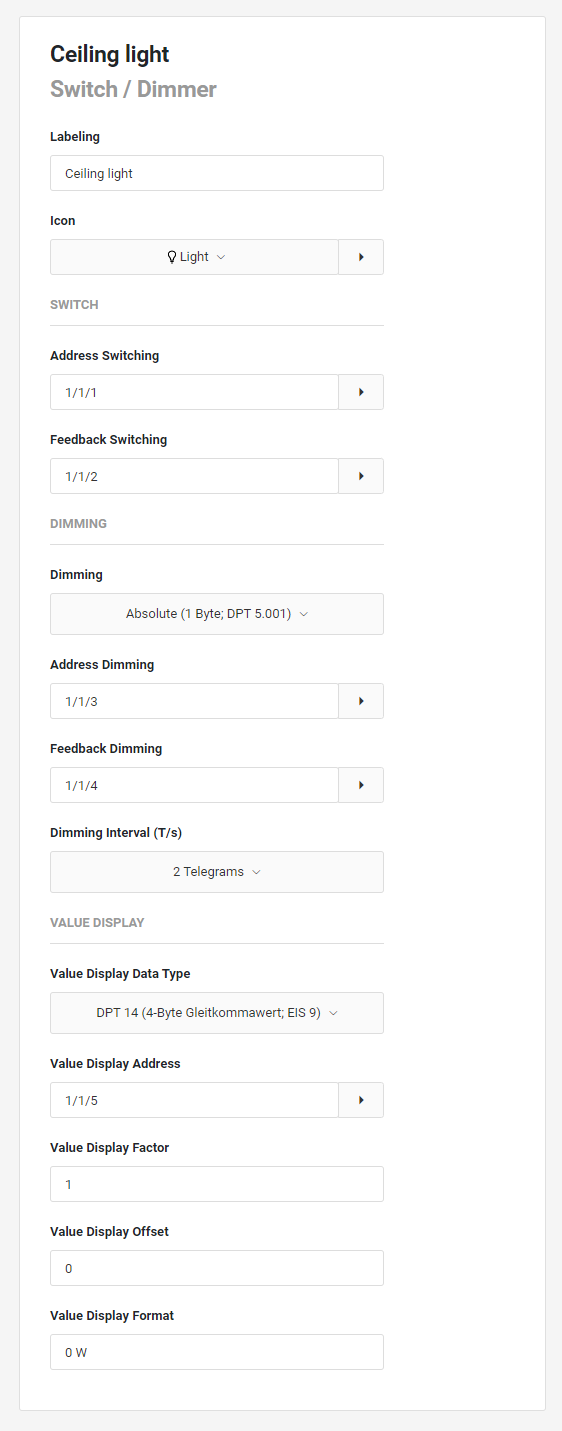
This control element has the following configuration fields (see figure on the left):
Labelling: The Label is displayed in the title bar of the element.
Icon: Use the pull-down menu to select an icon to display for the control element. A variety of standard icons are available. Use the extension icon to obtain information on the selected icon or use your own imported icons.
Address Switching: The address for switching an actuator. If no address for feedback is entered, this object also receives telegrams as status changes (DPT 1.001/ EIS1). A 1 is sent when switching on and a 0 when switching off.
You can take over the group address from the project database via the extension symbol.
Feedback Switching: This element can receive status changes via the feedback address. This group address is optional (DPT 1.001/EIS 1). The reported status is displayed in the icon. You can take over the group address from the project database via the extension icon.
Dimming: The type of dimmer can be selected between relative or absolute. The following settings are possible via the pull-down menu:
-
No dimming
-
Dimming Absolute (1 byte; DPT 5.001)
-
Dimming Relative (4 bit; DPT 3.007)
The bar (slider) is used to change the dimming value by sliding the bar to the left or right with the mouse or finger. The left side of the bar stands for the dimming value 0 and the right side for the dimming value 255. When dimming or sliding, the position of the dimming value is displayed.
Address Dimming: Telegrams for absolute dimming (0-100%) are sent via this object. This address is optional. If no address is entered, the element is only used for switching.
Feedback Dimming: This element can receive value changes via the feedback address. This address is optional.
Dimming interval (T/s). If this element is configured as a dimmer, you can use this parameter to set whether and with what interval telegrams are sent while the dimmer is operated. It is a cyclical sending with up to 4 telegraphs/second. This means that while the dimming value is being changed, telegrams are already being sent. This function can be switched off to reduce the bus load, in which case the dimming value is only sent when the slide is released. The following settings are possible via the pull-down selection:
-
No interval
-
2 telegrams
-
4 telegrams
A too high telegram rate can lead to problems on the bus.
Value Display Data Type. This parameter determines the data type of the value input.
The following can be selected:
-
DPT 5.001 (0...100%; EIS 6)
-
DPT 9.* (-670760 ... 670760; EIS 5)
-
DPT 12.001 (4-byte signed; EIS 11s)
-
DPT 13.001 (4-byte unsigned; EIS 11s)
-
DPT 14.* (4-byte floating point value; EIS 9)
Value Display Address. In addition to switching and dimming, the element offers the possibility of displaying any values.
Applications are, for example, current energy consumption, operating hours, etc.
This address serves as a value input.
Value Display Factor. Before the value is displayed, it is multiplied by this factor.
Value Display Offset. Before the value is displayed, it is calculated with this offset.
Value Display Format. The format can be used to define the display of the value:
-
"0": Fixed digit to be displayed
-
“#": Optional digit to be displayed (usually decimal place)
-
".": Decimal separator / decimal point.
A possible format specification would be, for example, "0.0 Watt": one fixed place before the decimal point, one fixed place after the decimal point and "Watt" as text.
TIPS:
-
Dimmer and push-button control elements can be distinguished by an orange circle in the bar. If a circle is visible in the bar, it is a dimmer control element. If the circle is missing, it is a pure switch.
-
With a switch control element, the entire surface of the control element reacts as a button.
With combined switch and dimmer control elements, a short tap on the entire surface switches the light.
-
Dimming is achieved by moving the circle, starting at the position where the dimming value is set. A longer press on any position in the bar causes this dimming value to be "jumped to". As long as the bar is not released, the dimming value can still be changed.
-
If no group addresses are assigned to the feedback objects, the values of the switching and dimming group addresses are displayed as the feedback status.
-
During dimming, the value object fades out and the current dimming value fades in. After dimming, the dimming value is hidden and the value object is shown again.
-
Formatting the value display. A "0" means a fixed position and is always displayed. A "#" is an optional digit (as is usually used for decimal places) and is only displayed if it is required. The "." point stands for the decimal separator. After this formatting, the unit can be appended.
An example: "00.0 Watt" is always displayed with two digits before the dot and one digit after the dot. The letters "Watt" are written out after the displayed value and serve as the unit for the value.