
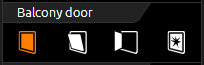
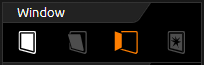
The window contact control element is used to display the status of windows. It shows the following positions or states:
-
Closed
-
Opened
-
Tilted and
-
Glass breakage
Each position and the glass breakage has its own symbol that is displayed in the control element. If a position is active, it is highlighted in orange. If no group address is assigned for a position or state, the corresponding symbol is not displayed.
The position of the window can be indicated by two different data types. These are the data types EIS14 (0-255) and EIS 1 (0 or 1). The difference between these two data types is the number of group addresses. This means that with data type EIS1 the position is set via the group address and with data type EIS14 the position is set via values.
Another function is that this control element can report glass breakage. Regardless of the data type, this control element always has its own group address.
Both versions of the data point type (DPT) use the same display element. Only activated functions are displayed brightly.
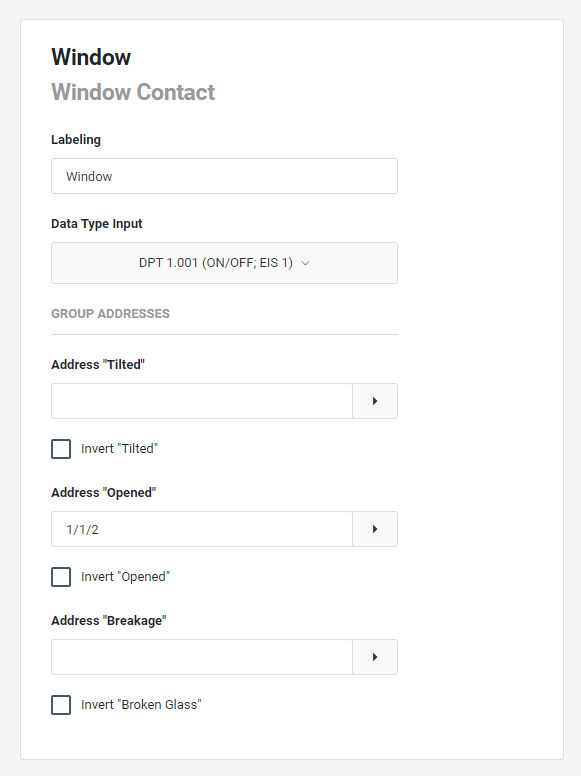
element - Configuration
Labelling:
The label is displayed in the title bar of the element.
Data type input:
The data type can be changed alternatively:
-
DPT 1.001 (on/off: EIS1)
-
DPT 5.010 (0...255; EIS 14u)
GROUP ADDRESS (for DPT 1.001)
-
Address "Tilted": The address for the tilted state.
-
1 = tilted;
-
0 = closed.
-
Invert "Tilted": To be activated if required.
-
-
Address "Open": The address for the open state.
-
1 = opened.
-
0 = closed.
-
Invert "Open": Is to be activated if required.
-
-
Address "Breakage":
If a glass breakage sensor is present, an optical warning can be displayed via this address.
Invert "Broken Glass": To be activated if required.
GROUP ADDRESSES (for DPT 5.010)
-
Address Position:
The address via which the status of the window is sent.-
Value "Closed": The value for the status "closed" (default 0).
-
Value "Opened": The value for the status "open" (default 255).
-
Value "Tipped": The value for the status "tilted" standard 83.
-
-
Address "Breakage":
If a glass breakage sensor is present, an optical warning can be displayed via this address.
Invert "Broken Glass": Is to be activated if required.