The Color Temperature control element is used to control Tuneable White lamps in the CUBEVISION visualisation, for which it is possible to set the colour temperature from warm to cool white. In addition, four predefined colour temperatures and brightness value combinations are available as preselections that can be called up directly. Via the CUBEVISION visualisation itself, it is also possible to mix up to four of these combinations and save them as favourites
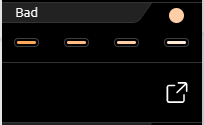
This control element has two views. A compact one with two height units, for the ICP or for the ECP, and another one in the EEV. The compact view shows a maximum of four combinations in the first line (see figure on the right).
In addition, the current set colour temperature and brightness value combination is displayed in the upper right corner of the element as feedback.
The second view shows the Color Temperature control element in the EEV with further operating options. In addition to the selection of preset colour temperatures and brightness values, the EEV also offers the user-selected favourite combinations.
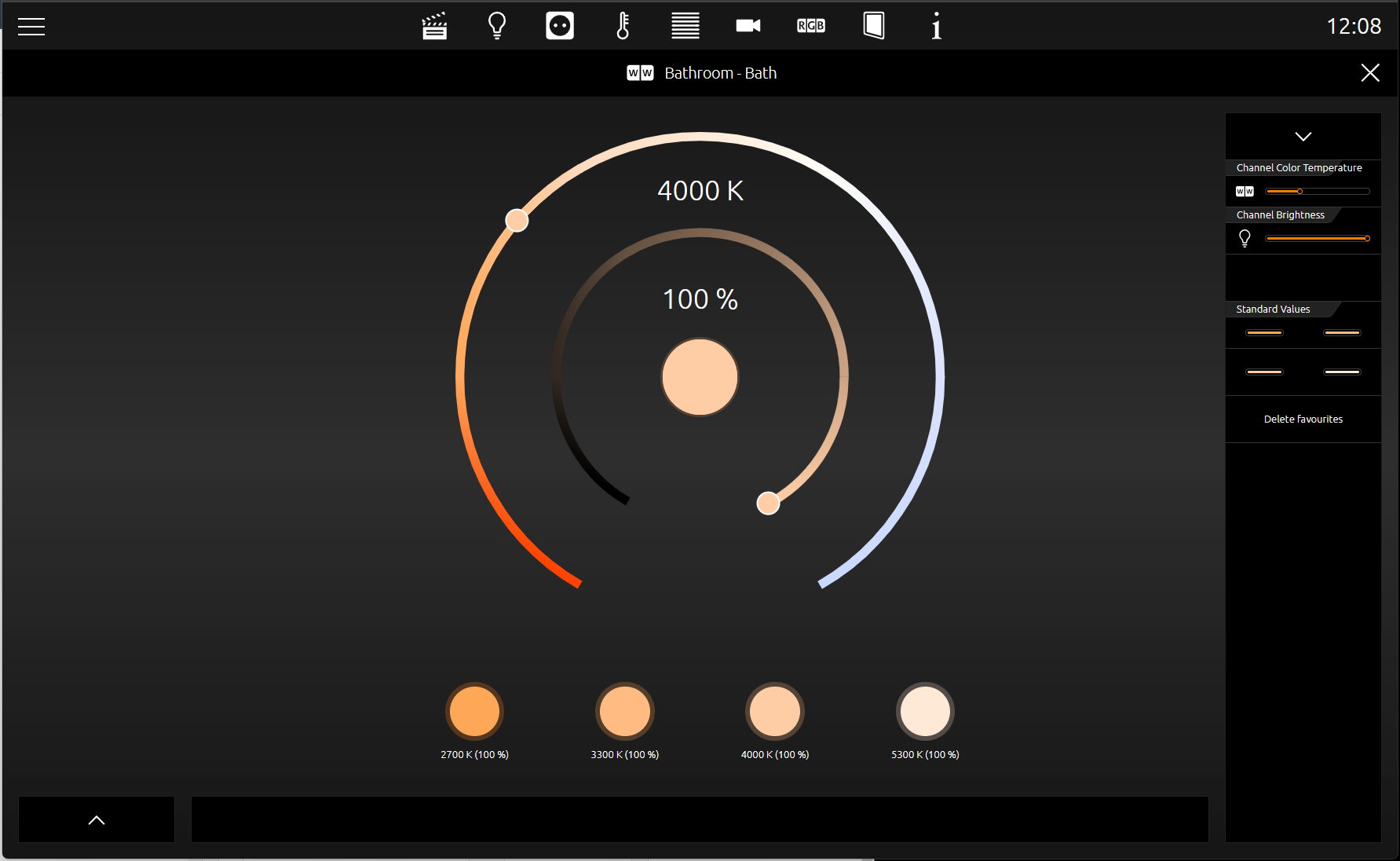
The figure below shows the Color Temperature (Tuneable White) control element in the EEV view. In the right column there are two "sliders" with which the colour temperature and brightness value can be set.
In the centre of this view, there are two circles that can be used to comfortably select the colour temperature and brightness value with a tap of the finger. Directly below there is a line with 4 buttons each for the favourite combination. Below these buttons, the respective value for the colour temperature and brightness value is also displayed for each colour temperature and brightness value combination. In the middle of the two circles, the round area shows the currently set combination.
A currently set combination can be saved as a favourite simply by drag&drop it onto one of these buttons.
To send the colour values to a Tuneable White lamp, enter the group address for all colour temperature and brightness values a separate group address. Here are the data types:
-
Colour temperature as 2byte value
-
Brightness as 1 byte value
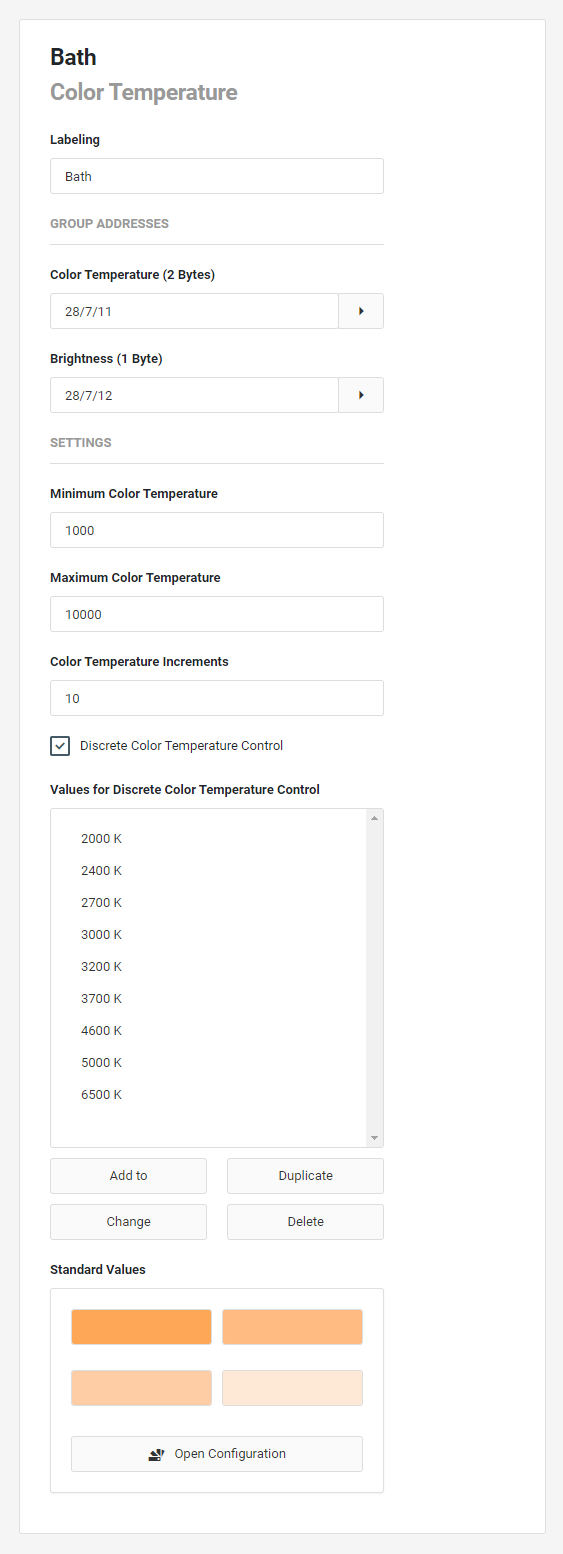
This control element has the following configuration fields (see figure on the left):
LABELLING:
The label is displayed in the title bar of the element.
GROUP ADDRESSES
Color Temperature (2 bytes):
The selected colour temperature in Kelvin. The minimum and maximum selectable values can be set at the bottom.
Brightness (1 byte):
The brightness from 0 = dark to 255 = maximum brightness.
SETTINGS
Minimum Color Temperature: The minimum selectable colour temperature.
Maximum Color Temperature: The maximum, selectable colour temperature.
Color Temperature Step width:
Fixed step width between two consecutive colour temperature values.
Discrete Color Temperature control:
If discrete colour temperature is to be used, this field must be activated.
Discrete Color Temperature control values:
In this submenu you can set discrete colour temperature values. Add, Duplicate. Change or Delete.
Favorite Settings:
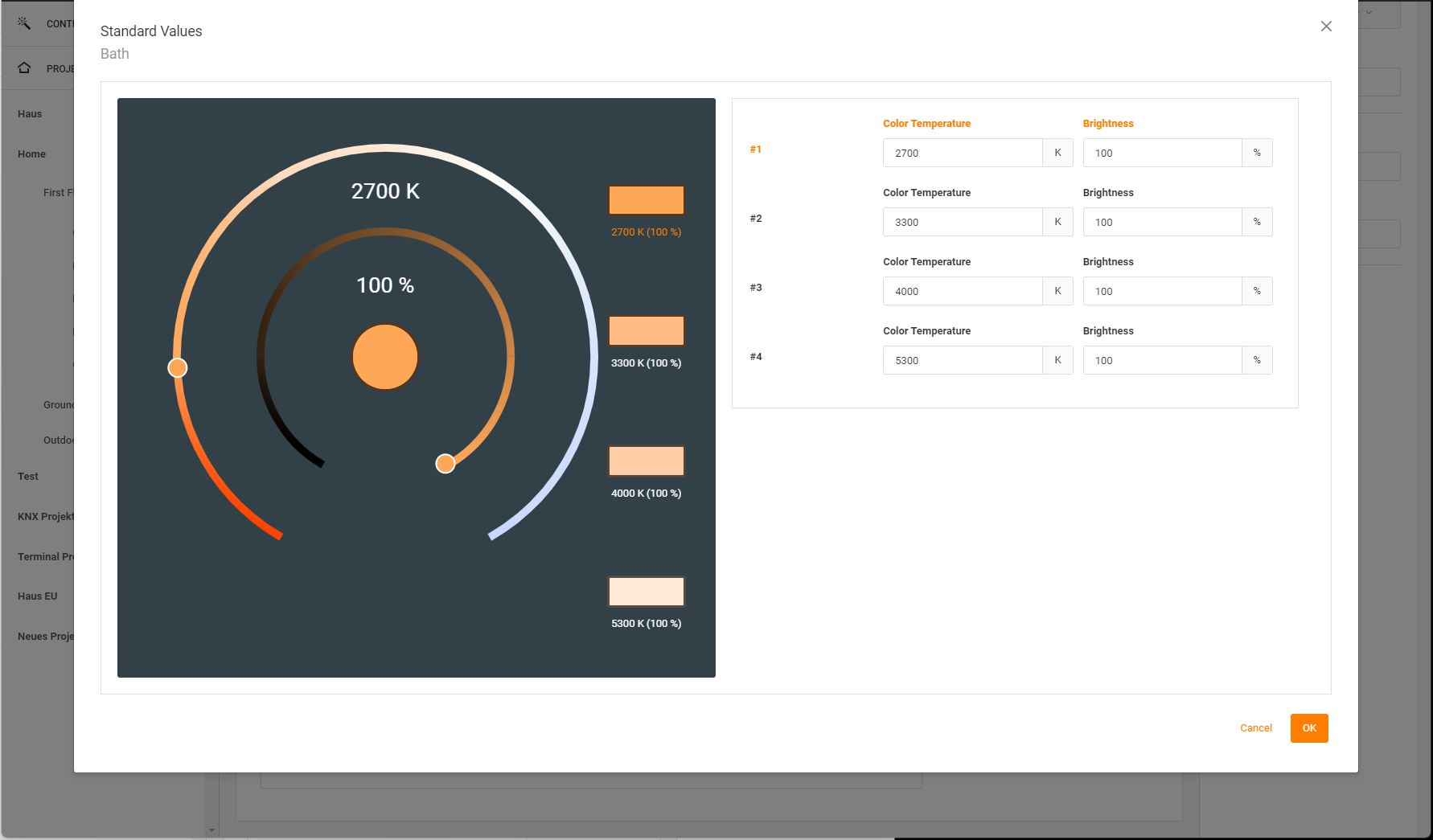
Favourite settings for colour temperature (Kelvin) and brightness (5). These settings are displayed as a separate button and can be activated with one click.
In the submenu for discrete colour temperature control, you can enter the colour temperature and brightness values for up to 4 favourites directly as values or you can use Picker and select your values for colour temperature and brightness via the setting circles and drag the result circle to one of the 4 favourite circles.