
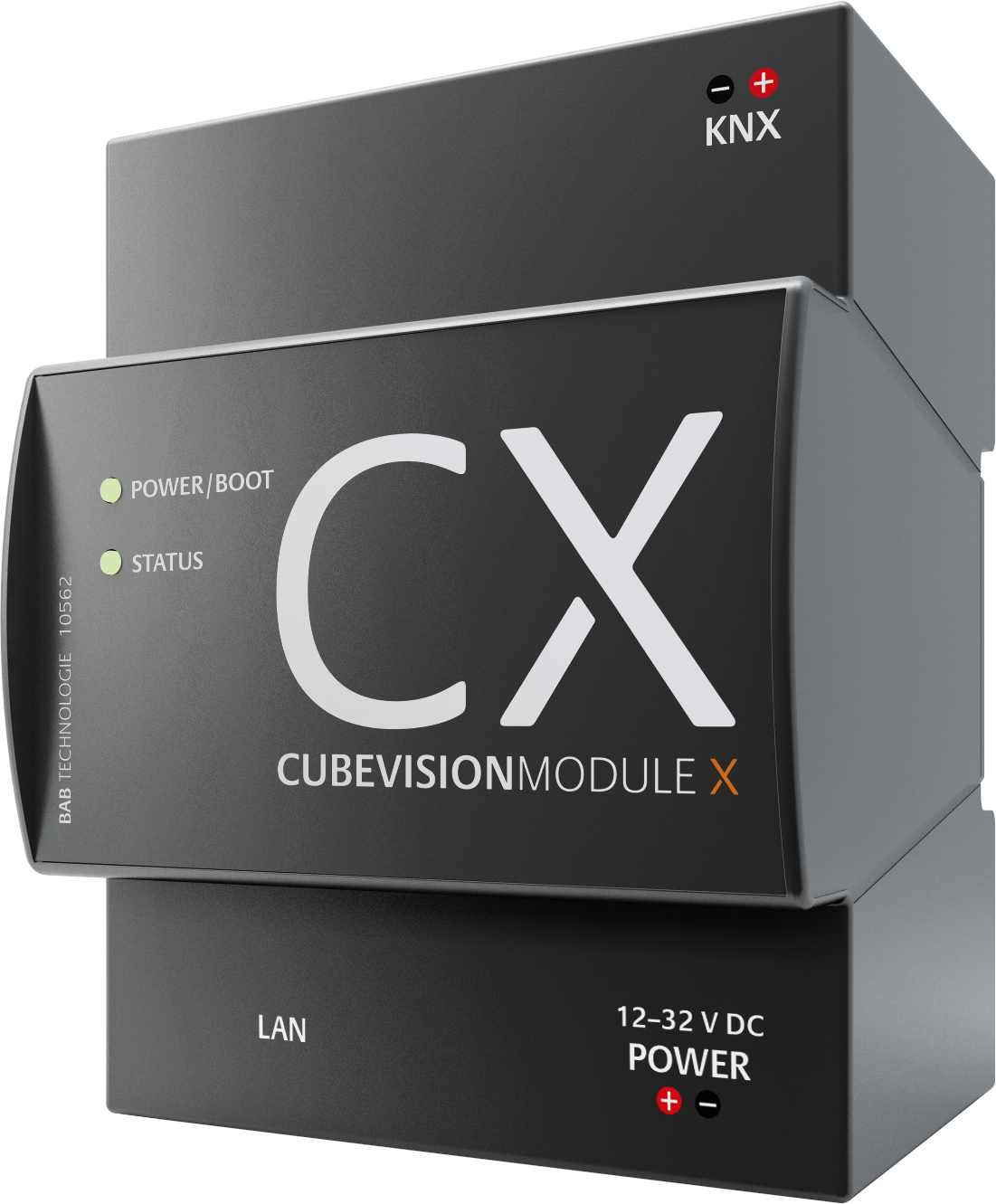
Thank you very much for placing confidence in us and purchasing CUBEVISIONMODULE X. CUBEVISION offers you an unparalleled visualization that is unique and intuitive. The CUBEVISIONMODULE X also contains a unique integration module, the App Manager, which you can customise using the apps from the BAB APPMARKET. This documentation will enhance your experience with the product and help you achieve your goals faster.
BAB TECHNOLOGIE GmbH
|
Product name: |
CUBEVISIONMODULE X |
|
Intended use: |
Visualization and IoT+ Gateway |
|
Design: |
Modular device (REG) housing 4 TP |
|
Interfaces: |
LAN, KNX |
|
Item number: |
10561 (KNX) |
Range of functions
The CUBEVISIONMODULE X is a visualization gateway between KNX and the Ethernet. It includes the established CUBEVISION visualization. CUBEVISION is a browser-based visualization based on HTML 5 technology, and free of licence costs: a visualization which can be operated intuitively and set and adjusted easily.
The integrated APPMODULE creates a connection between the building automation system and third-party applications that otherwise have no connection to the building control system. The connection is created by corresponding applications that are installed in the App Manager. The applications (Smart Home Apps) can be combined as required and purchased individually in the BAB APPMARKET (https://www.bab-appmarket.de/de/).
Functional overview:
-
Integrated multi-user browser visualization based on HTML 5, free of licence costs
-
Integrated, browser-based editor for creating visualizations, licence-free
-
Automatic creation of the visualisation through KNX project import
-
15 different visualisation elements for various functions
including 6 visualisation elements with extended function view -
Use of your own icons and symbols (SVG format)
-
File your own background images (jpg, png, gif)
-
Favourites function optionally arranges the elements according to frequency
-
Quick navigation to quickly navigate through the rooms
-
"Quick Floor Navigation" for quick, efficient navigation through the floors
-
Special interface for operating RGB and RGBW luminaires with scenes and favourite colours
-
Special interface for multimedia control of Squeezebox, AUDIOMODULE and playback control via UPnP
-
Special interface for displaying diagrams, with comparison and freeze function, bar graphs and data types from 1 bit to 4 bytes,
-
Special interface for displaying and retrieving weather data from the Internet with automatic configuration by simply entering the city or postcode,
-
Special interface for displaying weather data from KNX with temperature, wind speed, wind direction, brightness, atmospheric pressure, humidity, rainfall and any desired value,
-
Special interface for the display of IP camera pictures in MJPEG and JPEG incl. PTZ control and approach position
-
Switch / dimmer element with relative / absolute dimming, value display and different icons
-
Button element with toggle function, button, constant value, value display and different icons
-
Temperature / RTR element with heating / cooling, extension, operating mode switching,
-
Blind element with roller shutters, blinds, Venetian blinds and "Touch & Slide" operation
-
Window contact 1 bit, 1 byte and breakage of glass,
-
Value indicator, input with restriction, factor and offset,
-
Group / scene switch with over 50 different icons and data type 1 bit and 1 byte; use of own icons (SVG) possible
-
User administration with access restrictions up to individual pages possible
-
Optional and freely selectable categorization of all elements for separate central overview
-
Address status table for complete KNX address range
-
Freely adjustable virtual address range for deriving the object states (no bus initialisation required)
-
Circular buffer for 20,000 telegrams, exportable as CSV file
-
Smart Function Creator
-
User defined scenes
-
Integrated HOOC VPN solution
-
Data backup and recovery
-
Integrated update mechanism for software updates free of charge
-
KNXnet/IP server with integrated KNXnet/IP routing and tunneling
-
Time zone setting
-
Synchronization with NTP time server
-
User administration for the access to the configuration
-
Adressübernahme per KNX Projekt import
-
No data point restriction
INTEGRATED APPMODULE FUNCTIONAL PRINCIPLE
On delivery, the CUBEVISIONMODULE X at App Manager contains only the basic software. You can purchase and download the applications for the App Manager in the BAB APPMARKET. For that purpose you will need an APPMARKET account and the CUBEVISIONMODULE X registered in the APPMARKET.
In addition to the download of the purchased applications, there is the option of integration into the terminal configurator including the purchase of a Smart Home App.
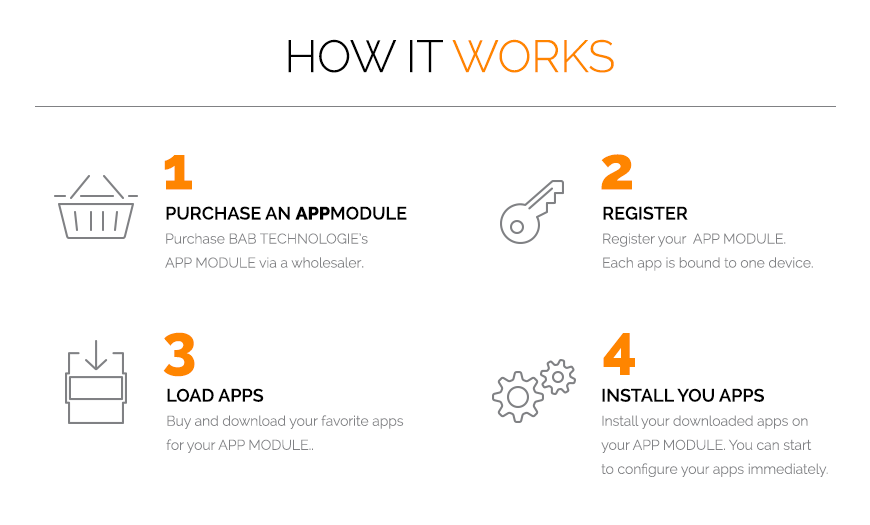
You can find the APPMARKET on https://www.bab-appmarket.de/
Technical data
Article No. 10561 (KNX)
-
Operating voltage: 12–32 V DC
-
Typical power consumption 300 mA at 12 V DC
-
Power consumption: <= 4 W
-
Connection: Power supply via screw-type terminal
-
Resistant to climate: EN 50090-2-2
-
Ambient temperature: –5 to + 35 °C
-
Rel. humidity (non-condensing): 5 % to 80 %
Mechanical data:
-
Assembly: Modular device (REG) housing 4 TE
-
Dimensions (W x H x D) in mm: 70 x 90 x 63
-
Housing: Plastic
-
Degree of protection: IP20 (according to EN 60529)
Interfaces:
-
Gigabit Ethernet via RJ-45 connector
-
KNX®: Twisted Pair via terminal (= 1.5 mm²)
Specific features:
-
Exclusive visualization design
-
Quick setup
-
Automatic scaling on all end devices
Software requirements:
-
Operating system: Platform-independent
-
Communication: Network interface
-
Modern standard browsers
-
Java Virtual Machine or BAB STARTER (only for configuration)
Scope of delivery
The scope of delivery of CUBEVISIONMODULE X includes the following content:
-
1x CD with the corresponding documentation and auxiliary programs
-
1x CUBEVISIONMODULE X
A power supply unit for the device is NOT included in the scope of delivery!
In addition to the connection for the power supply (12-32 V DC), the CUBEVISIONMODULE X has the following interfaces:
-
1x RJ-45: Ethernet 100Mbit/s Full Duplex
-
KNX® / TP connection
Serial number / Registration key
The Serial Number (SN) and Registration Key are required to register the CUBEVISIONMODULE X. You will find both as stickers on the packaging, in the quick start guide and as well on the backside of your device.
Updates
We reserve the right to offer firmware updates free of charge for the CUBEVISIONMODULE X. In our newsletter, you will be informed of any possible firmware updates. The update files are made available in the download section on our homepage.
Important information on the operating instructions
We reserve the right to make technical and formal changes to the product provided it is in the interest of technical progress. Therefore, the information in this documentation may deviate from the current state. Information on current CUBEVISIONMODULE X firmware and also on this description ("CUBEVISIONMODULE X documentation") can be found at www.bab-tec.de.
Functional safety
If there are certain requirements to minimize risks for people or objects (functional safety), additional measures are obligatory, which must be considered during planning and implementation. When using the APPs in the CUBEVISIONMODULE X, there are interactions with many devices/connections (e.g. Internet) in the system, which may lead to risks. Especially failure of individual devices or functions or connections can lead to malfunction of the system. There are different ways to minimise the risks. That depends on the system and customer requirements.
These measures must always have the required independence from the operation of the system (CUBEVISIONMODULE X with APP) and must always be available.
///