
The blind control element should be used to control roller shutters, blinds and other shading and privacy drives. In addition to the vertical position, the control element also graphically displays the angle of the slats.
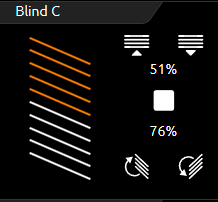
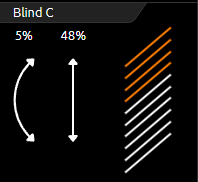
In addition to the graphical display, These positions are also shown in the form of values. These values are displayed as a percentage for the position (right-hand value) and angle (left-hand value) of the blind.
Two types of blind control element are shown in the following illustrations "Blind touch & slide element" and "Blind standard element". This control element can be controlled in two ways:
-
Standard (for pushing)
-
Touch & slide (for sliding)
As can be deduced from the name, buttons are used for the "standard" type and sliders for the "touch & slide" type.
Type “standard”
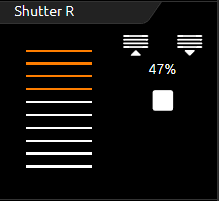
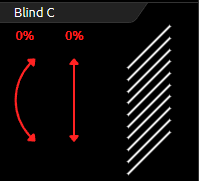
The illustrations show how the control element is controlled via the buttons (by clicking). Each function has its own button. In the top line of the element for "moving" the shade. In the middle line the stop command. In the bottom line the command for step/slat angle.
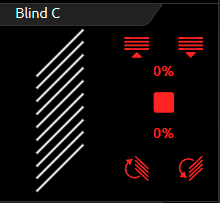
The illustration on the right shows the "Standard" blind control element when the wind alarm is active. In this state, the element is locked.
Type “touch & slide”
With "touch & slide", simply place your finger on the left-hand side for the angle control or on the right-hand side for the blind position and move your finger in the desired direction. During the finger movement, the user receives visual feedback about the angle or position of the blind. Once this position is reached, the blind moves to this position as soon as the control element is released.
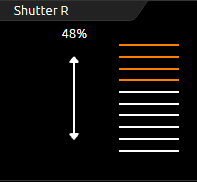
Three different types of shading can be controlled.
-
Blind: The classic blind with slats that can be tilted in both directions.
-
Shutter: Can only be raised and lowered.
-
Venetian blind: Like the classic venetian blind, except that the slats can only be tilted in one direction from the horizontal position.
According to the selected blind type, the control element also only displays the control elements that are actually needed. For example, no buttons or arrows for angle adjustment are displayed for the roller blind.
This control element also has feedback objects. In this control element it is position and angle (which are activated or deactivated depending on the type of shade). An input for wind alarm is of course also available.
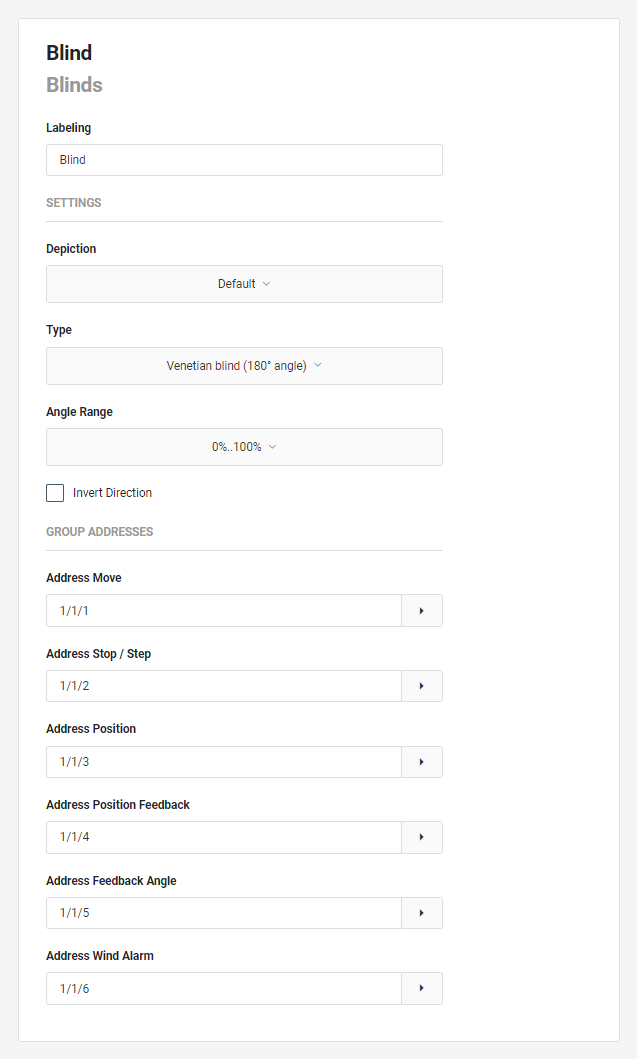
This control element has the following configuration fields (see figure on the left):
Labelling: The label is displayed in the title bar of the element.
SETTINGS
Display: The design of the blind can be selected from 2 options:
-
Default: The operation is done in the conventional way via buttons for the Move, Step and Stop functions.
-
Touch&Slide: Operation is via a new interface for direct approach of a position and / or slat angle.
Depiction (Default)
Type: The type selection of the blind offers the options:
-
Shutter: Only up/down without angle display.
-
Blind: Venetian blind with slats that can be tilted in two directions.
-
Venetian blind: Blind with slats that can only be tilted in one direction.
Angle range: An angle is displayed in the blind element when it is adjusted.
This parameter can be used to define whether the display of the angle is from 0% to100% or from -100% to+100%. Parameter selection:
-
0%...100%
-
-100%...+100%
Invert direction: If a change of direction is required, this function can be activated.
GROUP ADDRESSES
Address Move: The address for the function "Move".
Adress Stop / Step: The address for the "Stop" and "Step" functions.
Address Position: The output for moving directly to a position.
Address Position Feedback: Status changes can be received via the feedback address for the positions. This address is optional.
Address Angle Feedback: Status changes can be received via the feedback address for the angle. This address is optional.
Address Wind Alarm: The address for the wind alarm. If this address is active, this option is displayed in the element.
In the event of a wind alarm, the operation of the operating functions is blocked.
Note “Address Angle (Default)”: In the visualization as a default type, control is only carried out with "Move" and "Step", but the angular position can be displayed as a status. The position can only be controlled in the visualization element with the "Touch&Slide" type.
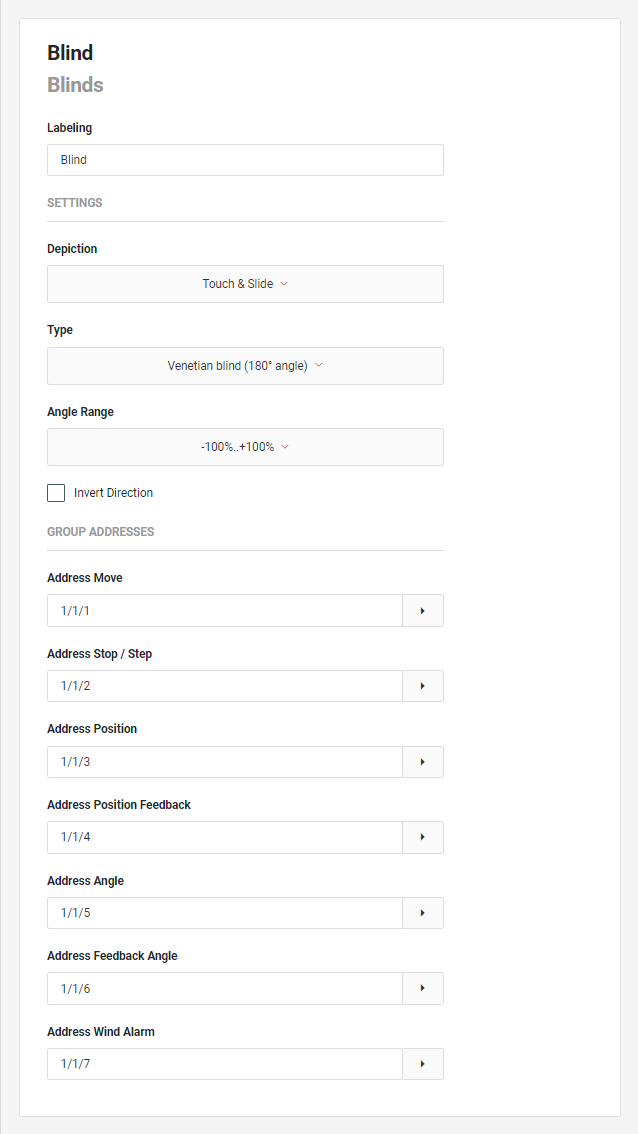
Depiction (Touch&Slide)
Type: The type-selection of the blind offers the options:
-
Shutter: Up/down only without angle display.
-
Blind: Blind with slats that tilt in two directions.
-
Venetian blind: Venetian blind with slats that can only be tilted in one direction.
Angle range: An angle is displayed in the blind element when it is adjusted.
This parameter can be used to define whether the display of the angle is from 0% to100% or from -100% to+100%. Parameter selection:
-
0%...100%
-
-100%...+100%
Invert direction: If a change of direction is required, this function can be activated.
GROUP ADDRESSES
Depending on the selected blind type, the group addresses are available as in the standard display.
Adress Stop / Step: The address for the "Stop" and "Step" functions.
Address Position: The output for moving directly to a position.
Address Position Feedback: Status changes can be received via the feedback address for the positions. This address is optional.
Address Angle: The output for directly approaching an angle.
Address Angle Feedback: Status changes can be received via the feedback address for the angle. This address is optional.
Address Wind Alarm: The address for the wind alarm. If this address is active, this option is displayed in the element. In the event of a wind alarm, the operation of the operating functions is blocked.