
UPnP is used for remote control of Hi-Fi system devices. Control takes place directly via the UPnP protocol, so that no KNX group addresses are assigned here.
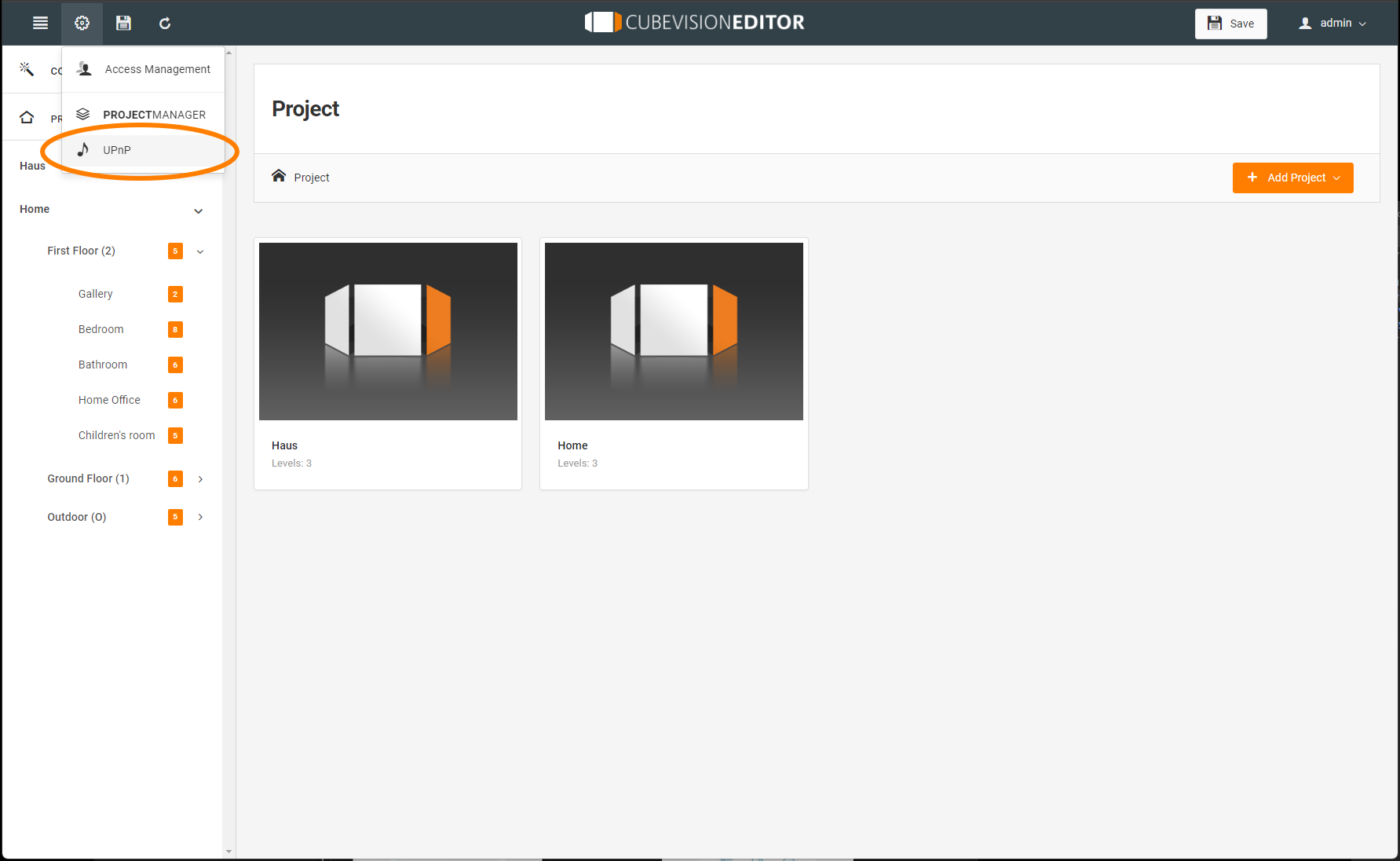
Prerequisites for operating UPnP devices via the EIBPORT:
-
One or more Sonos devices connected to the system with differentiated names (e.g.: device names, room names).
Radio
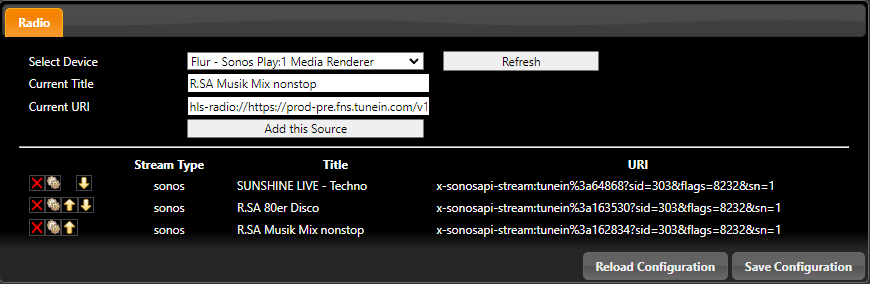
This window is used to assign and manage the transmitters to the CUBEVISIONMODULE X.
Select device:
In this menu you can see the available devices that can be controlled via this interface.
Current title
It shows which title is currently playing on this device.
Current URI
This shows you which URI is currently being used. The URI can be added to the Favourites list.
Add current stream
Add radio station to the Favourites list.
Refresh
Take over the radio station that is currently being played by the Sonos device.
Settings of the favourites list
Delete
Pressing the X of delete deletes the station (title).
Radio Edit
Manually change the title and the URI.
Arrow keys
The station IDs are sequential starting with 0. The order of the stations can be changed with the arrow keys.
///