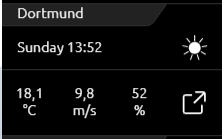
In addition to a KNX weather station, the CUBEVISION can also load weather data from the Internet. The control element has two views. In the view for the ICP and ECP, the current time, day of the week, current temperature, current wind speed, current humidity and an icon indicating the current weather situation are displayed (see figure on the right).
With several configured locations, as shown opposite, you get a very quick overview.
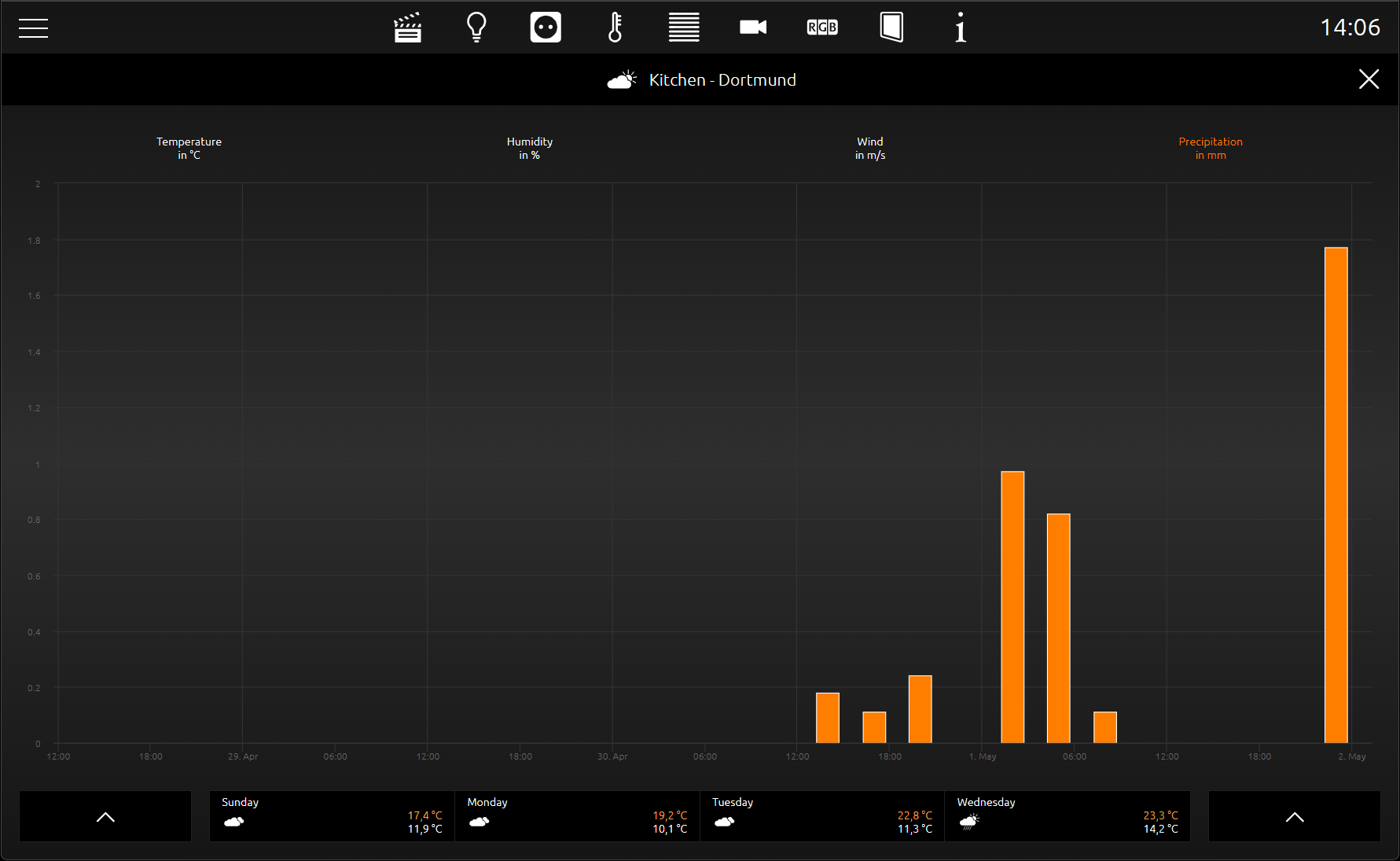
In the second view, the extended view (EEV), in addition to the weather data mentioned, air pressure, time of sunrise and sunset, a 4-day preview (incl. minimum and maximum temperature) and four diagrams (about temperature (incl. maximum and minimum temperature), humidity, wind speed and precipitation) are shown (see figure below).
Exact values from the diagram are displayed when the graph is "traced" with the finger or mouse. The values are displayed in a kind of text
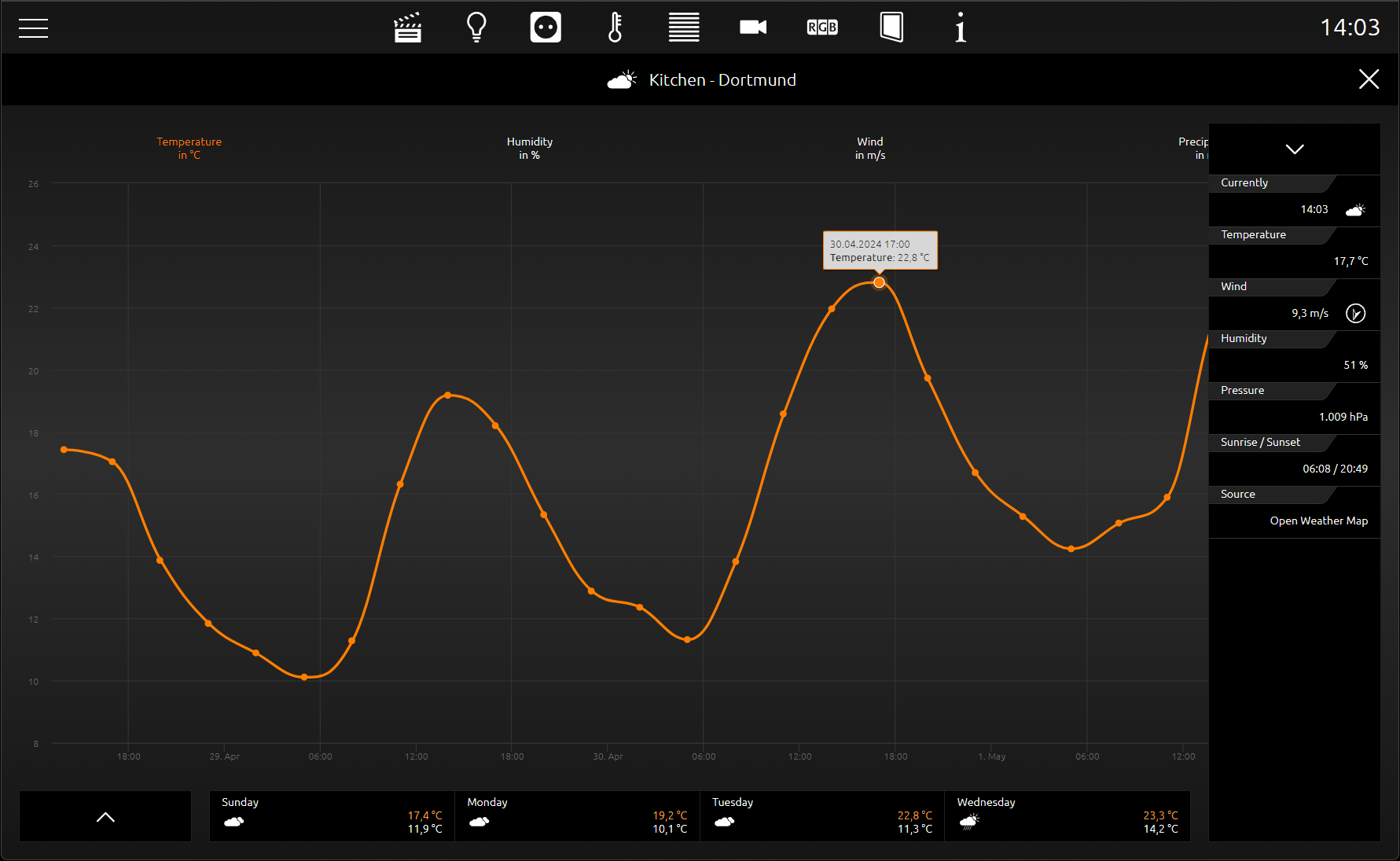
In addition to the main display, there is the extension display on the left and right; on the left for selecting the configured locations and on the right extended, current data for the displayed location.
Despite the extensive information and convenient display of the data, the configuration of this element consists of only a few fields that need to be filled in.
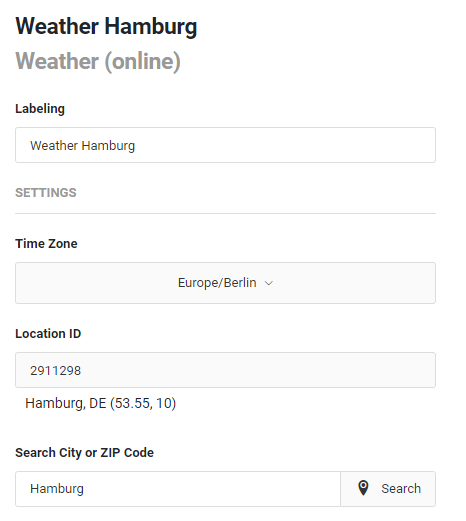
Labelling: The label is displayed in the title line of the element.
SETTINGS
Time Zone: The time zone is required for a concrete display of the sunrise and sunset times.
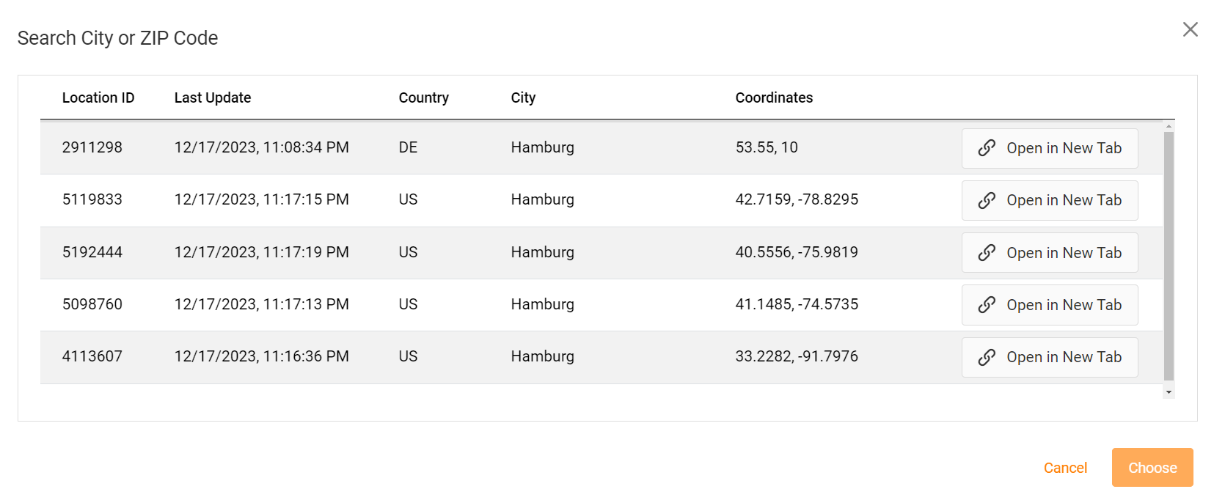
Location ID: The location ID is used to reference the location in OpenWeatherMap. This ID is specific to the OpenWeatherMap service. To find out the Location ID, you can search for a city or a postcode.
Search City or ZIP Code: Enter the respective values for the location search.
According to the hit list, select the correct place with the Location ID.
Wetter (Online) in the phone view
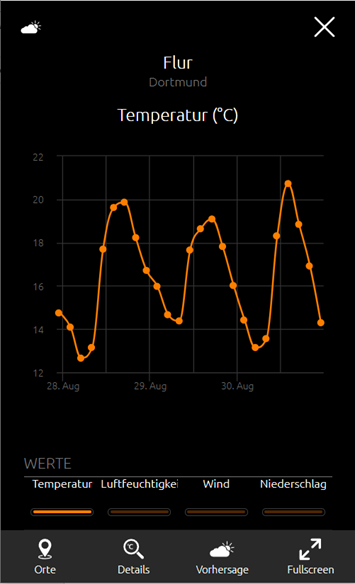
The visualisation in the phone view (EEV - extended display) differs in some points from the visualisation in the tablet display.
In the figure on the right, the temperature, humidity, wind and precipitation graphs are selected via the selection buttons for the Weather Internet display.
For a better representation of the graphs on a smaller display, select the additional function Fullscreen.
Use the menu item to select the configured locations for display.
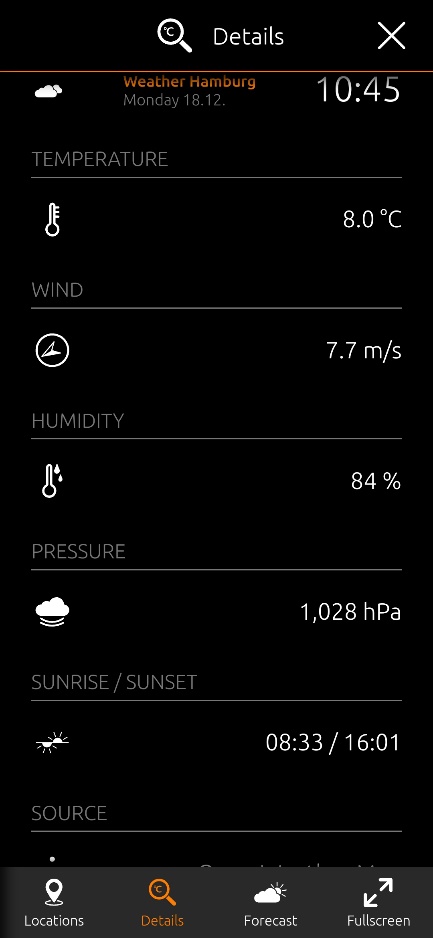
Details takes you to the current weather data for your selected location: the current day with time, temperature, wind speed, humidity, air pressure and sunrise/sunset.
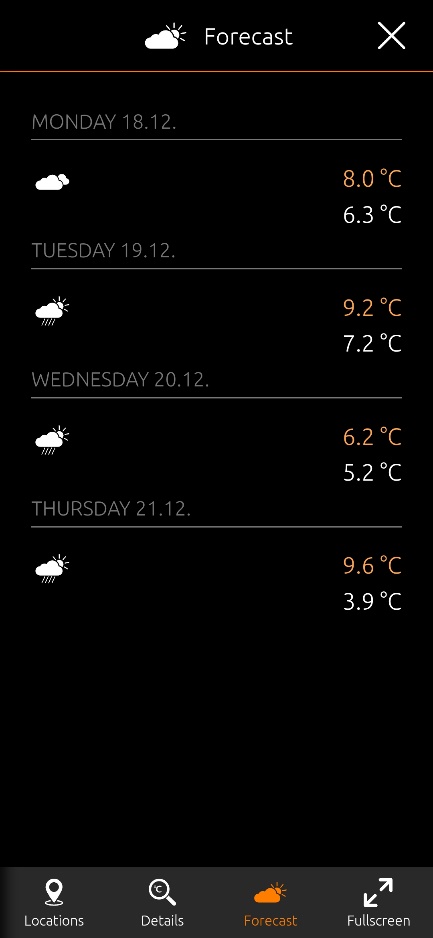
In contrast to the tablet display, the values for the weather forecast are not in the graph display but can be reached via the forecast button.