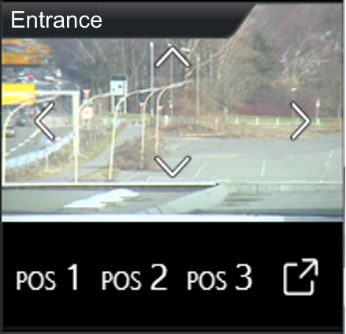
This camera control element in the CUBEVISION also has the compact and extended view. A small camera view (preview) with a small selection of functions for the ICP and ECP (see figure on the right). The second view is displayed in the EEV, in this view there are further options and functions in addition to a larger display of the camera image.
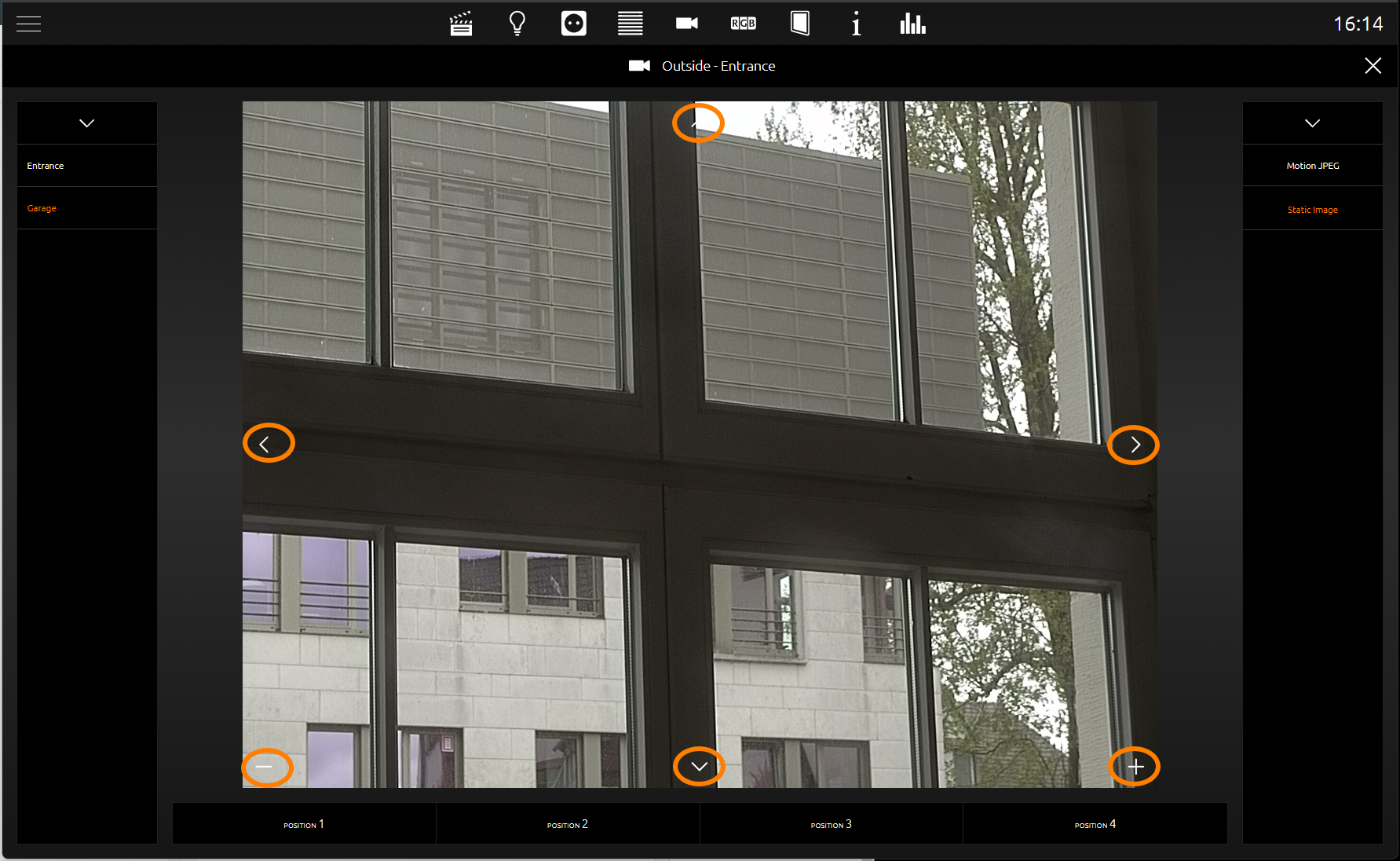
The functions in the smaller view include pan and tilt control and three fixed positions that can be called up. The movements are controlled with the arrow symbols directly in the camera image. Just below the camera image are the three position buttons to call up fixed positions. (see figure on the right). In the view for the EEV, on the other hand, there is still room for a fourth position switch, a zoom function and the possibility to switch between the formats Motion JPEG and Static JPEG (see figure below).
The configuration is simple. The beginning is the “Base URL”, which typically consists of the IP address of the camera and, if necessary, the http port. Then the paths to the motion and static JPG camera images, positions and the PTZ commands are entered. These are so-called http requests. If necessary, these are composed of the basic URL and the respective path.
Example: If the arrow symbol "left" is triggered in the visualisation, the visualisation "assembles" the basic URL + the path movement "left" into an http request and sends it.
The configuration of the http request control is optional. If paths for functions are omitted, the control element does not display them in the visualisation.
As a special feature, the camera control element offers the possibility to display camera images in three different formats. These are: 4:3, 16:9 and 16:10.
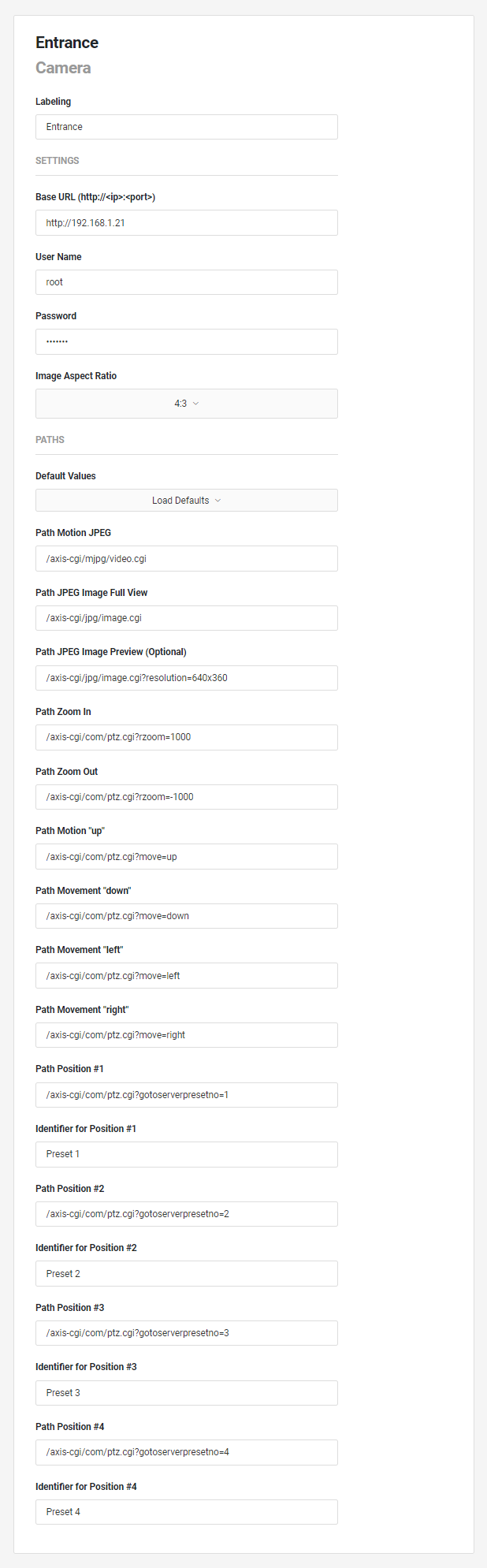
This control element has the following configuration fields (see figure on the left):
Labelling: The label is displayed in the title bar of the element.
SETTINGS
Base URL (http://<ip:<port>): The base URL consists of the protocol (http:// or "https://), the host name or IP address and the port number of the camera (if different from port 80.
For the other functions that are output via the paths, the base URL is joined with the corresponding path. If there is a "/" at the end of the base URL, the paths must not begin with another "/".
User Name: Automatic login takes place if the camera supports authentication via URL parameters or alternatively http basic authentication.
Password: An automatic login takes place if the camera supports authentication via URL parameters or alternatively http basic authentication.
Image Aspect Ratio: The expected aspect ratio of the camera image can be specified here so that the image is not distorted in the CUBEVISION:
-
16:10
-
16:9
-
4:3
Path
Please note that the paths for the configuration fields are composed of the individual values of the settings. I.e. the basic URL is always included and the path is supplemented by further settings. It should also be noted that a "/" must only ever be set once.
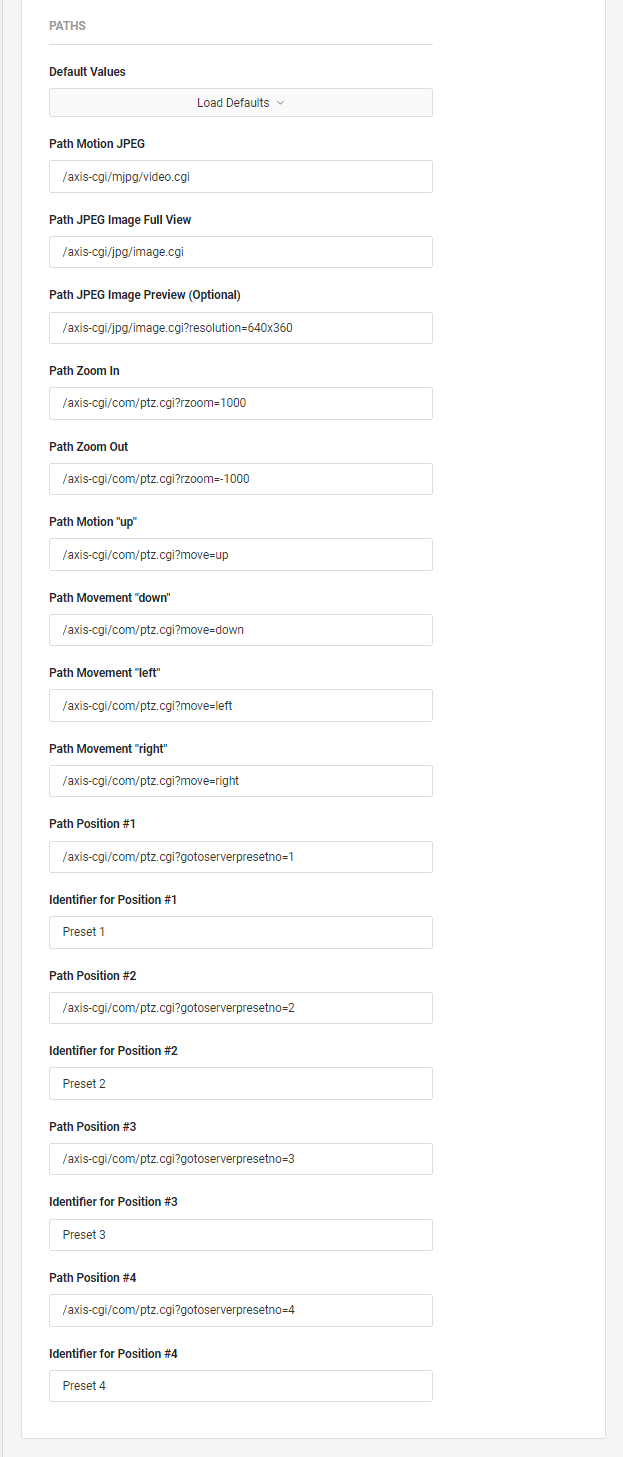
Default Values: Here you can specify your camera type more precisely. For certain cameras, the paths for control are filled in automatically. Possible choice of camera types:
-
Axis / with PTZ
-
Axis / without PTZ
-
Other / with PTZ
-
Other / without PTZ
Path Motion JPEG: Motion JPEG (MJPEG) provides a very smooth visualisation but is also very processor-intensive and often requires high data transfer rates.
Not all browsers support MJPEG. In any case, the path. to the JPEG image should be specified so that a camera image can be displayed.
CPath JPEG Image Full View: The JPEG is fetched at short intervals. And can be displayed in any browser.
Path JPEG Image Preview (Optional): If you are not in the Extended Element View of a camera, the image is displayed small. To save the resources of the CUBEVISION client, it is recommended, especially with modern full HD cameras, to load the image directly from the camera with a lower resolution. The JPEG image is fetched at short intervals. And can be displayed in any browser.
Path Zoom In: Path for the "Zoom In" function. Depending on whether the base URL ends with a "/" or not, this path must not begin with another "/".
Path Zoom Out: Path for the "Zoom Out" function. Depending on whether the base URL ends with a "/" or not, this path must not begin with another "/".
Path Movement "up": Path for the function Movement "Up". Depending on whether the base URL ends with a "/" or not, this path must not begin with another "/".
Path Movement "down": Path for the function movement "down". Depending on whether the base URL ends with a "/" or not, this path must not begin with another "/".
Path Movement "left": Path for the function movement "left". Depending on whether the base URL ends with a "/" or not, this path must not begin with another "/".
Path Movement "right": Path for the function movement "right". Depending on whether the base URL ends with a "/" or not, this path must not begin with another "/".
Path Position #1: Path for the function "Move to position". Depending on whether the base URL ends with a "/" or not, this path must not begin with another "/".
Identifier for Position #1: Optional identifier for the assignment of this position approach in the visualisation.
Path Position #2: Path for the function "Move to position". Depending on whether the base URL ends with a "/" or not, this path must not begin with another "/".
Identifier for Position #2: Optional identifier for the assignment of this position approach in the visualisation.
Path Position #3: Path for the function "Move to position". Depending on whether the base URL ends with a "/" or not, this path must not begin with another "/".
Identifier for Position #3: Optional identifier for the assignment of this position approach in the visualisation.
Path Position #4: Path for the function "Move to position". Depending on whether the base URL ends with a "/" or not, this path must not begin with another "/".
Identifier for Position #4: Optional identifier for the assignment of this position approach in the visualisation.
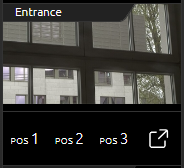
Compact representation of the camera element in the CUBEVISION visualisation Instant Control Panel (ICP):
-
Image Preview Image,
-
The first three defined positions of the camera to approach,
-
Icon to switch to the Extended Element View (EEV).
Extended display of the camera element in the CUBEVISION visualization in Extended Element View (EEV):
-
Video stream of the camera,
-
In the picture the control symbols for right, left, up and down,
-
In the picture the symbols for the zoom function "+" and "-",
-
The position fields to move to the respective positions 1 to 4.