
The Text Display element is used to display DPT 16.* (EIS 15) text strings in the CUBEVISION.

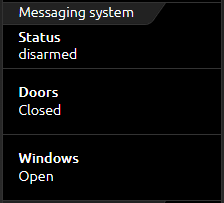
This control element has the following configuration fields (see figure on the left):
Labelling: The label is displayed in the title bar of the element.
Text Inputs: The element can display several text inputs.
The text inputs are managed by Add to, Duplicate, Change or Delete.
A new window opens to configure the text inputs properties of the values.
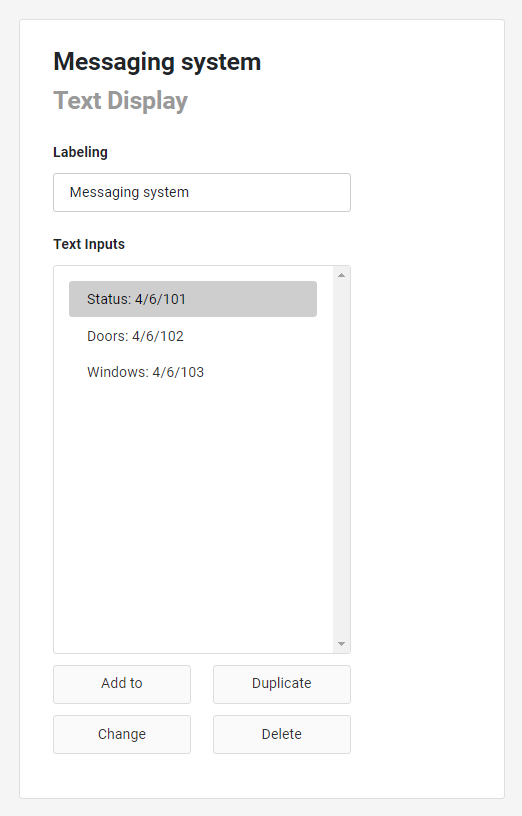
This control element has the following configuration fields (see figure on the left):
Labelling: The label is displayed in the title bar of the element.
Text Inputs: The element can display several text inputs.
The text inputs are managed by Add to, Duplicate, Change or Delete.
A new window opens to configure the text inputs properties of the values.
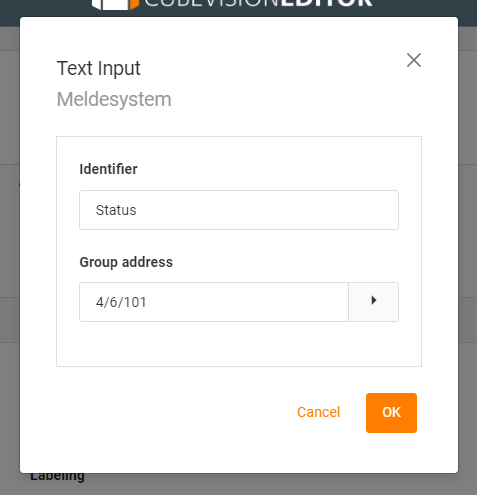
TEXT INPUT
Identifier: The identifier is displayed as the heading for the received text.
Group address: The address on which the text string is sent.