
The Color Picker simplifies the selection of RGB color values.
The selected color is automatically assigned to the three consecutive DMX channels representing Red (R), Green (G), and Blue (B).
To open the Color Picker, right-click the first RGB DMX channel.
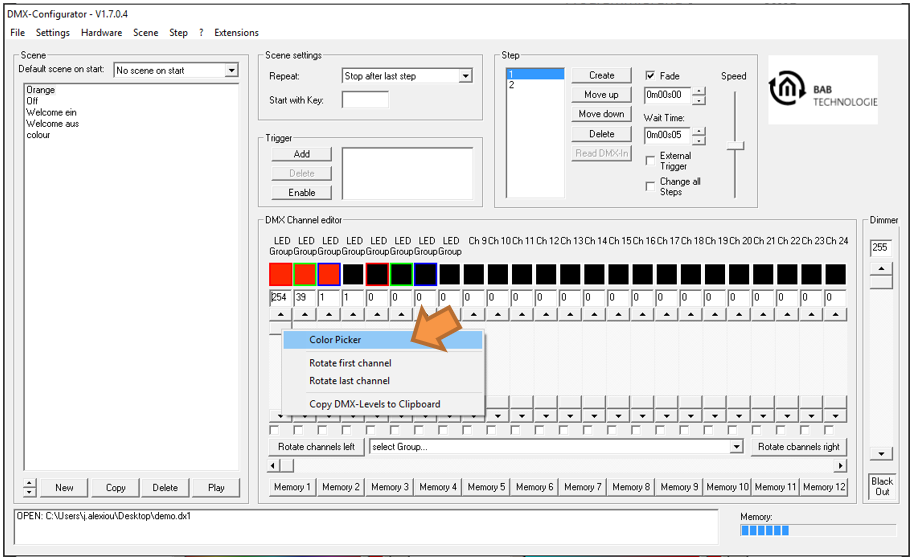
A context menu appears. Select "Color Picker" (orange arrow) using the left mouse button.
Color Picker Views
The Color Picker provides two different display modes:
-
Normal Style
-
Round Style (color wheel)
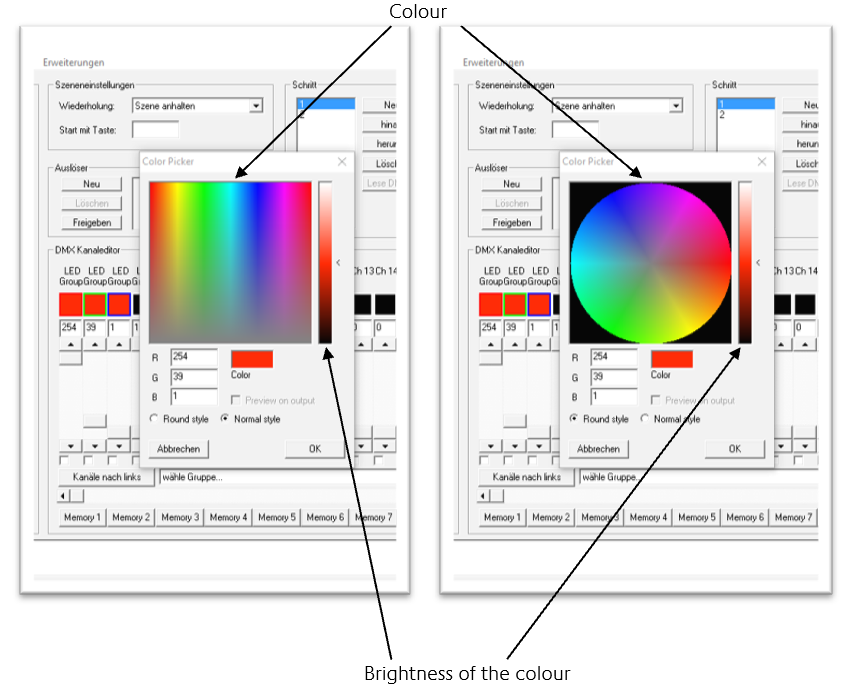
Selecting a Color
To select a color:
-
Choose the desired color.
-
Adjust the required brightness.
-
Click "OK" to confirm.
The corresponding RGB values are automatically assigned to the associated DMX channels.
Note
Right-clicking the brightness slider automatically sets it to 50%.
///