
Open the general DMX Configurator settings via:
"Settings" → "Application Settings"
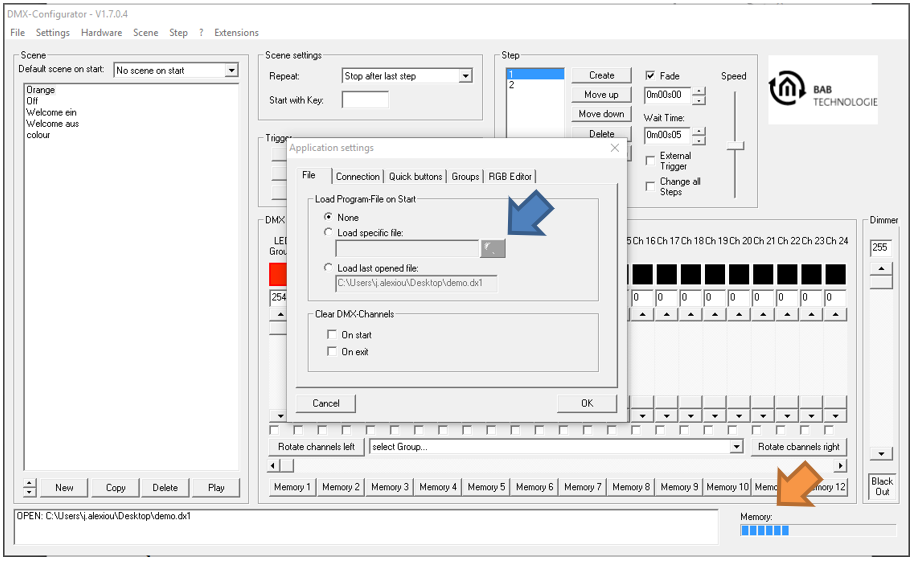
The Application Settings are divided into several sections.
Load Project at Startup
The "Load File at Startup" option determines whether a project is automatically opened when the DMX Configuratorstarts.
The following options are available:
|
Option |
Description |
|---|---|
|
None |
No project is loaded automatically. |
|
Load Specific File |
The selected project is opened automatically when the application starts. The project file can be selected using the file selection field (blue arrow). |
|
Load Last File |
The last project that was opened is loaded automatically when the application starts. |
///