
To have sufficient storage space in the EIBPORT available for the applications and for data archiving on external storage media, the EIBPORT has been expanded with disk management. So that the storage media will be easily accessible, the accessory SDMODULE should be used.
Behind a protective cover the SDMODULE is connected to the USB interface. The user has access to the storage medium through the SD card slot on the front panel without removing the cover from the distribution panel.
When an SDMODULE is connected, this is recognized by the EIBPORT. As well the EIBPORT also recognizes the used memory card. For use in the EIBPORT the memory card must be formatted accordingly. The data storage on the memory card takes place in encrypted form.
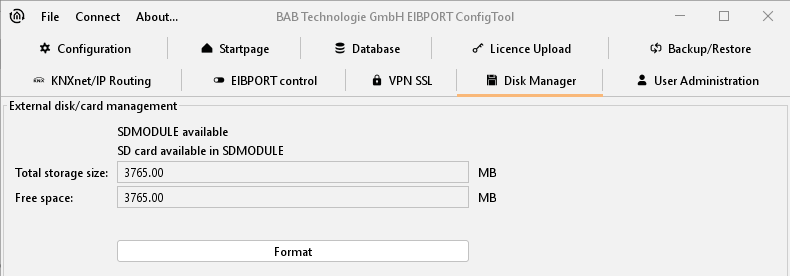
After formatting, the memory card is ready prepared for use, e.g., as camera archives. It is now necessary to assign directories and memory space on the memory card by using the logic editor. The LOGIKEDITOR can be reached via the EIBPORT homepage. Its functions are described in separate documentation "LOGIKEDITOR documentation". Please have a look at our website, on the enclosed CD or contact info@bab-tec.de.