
KNX Group Address Management
To control the two DMX interfaces of the DUODMX GATEWAY via KNX, the configured DMX channels and scenesmust be linked to KNX group addresses.
This assignment is not required when controlling the device using the DUODMX APP.
There are two ways to make KNX group addresses available:
-
Create group addresses directly in the DMX Configurator.
-
Import group addresses from an ESF file.
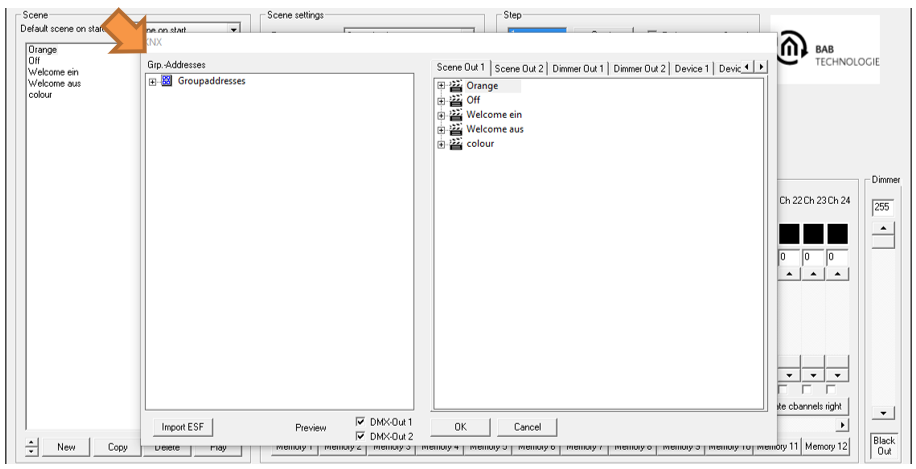
Creating Group Addresses in the DMX Configurator
If no suitable ESF file is available, the required group addresses can be created directly in the DMX Configurator.
1. Create a Main Group and a Middle Group
-
Select "Group Addresses".
-
Right-click in the empty group address area.
-
Create a new Main Group and assign a name.
-
Right-click the newly created Main Group and create a Middle Group.
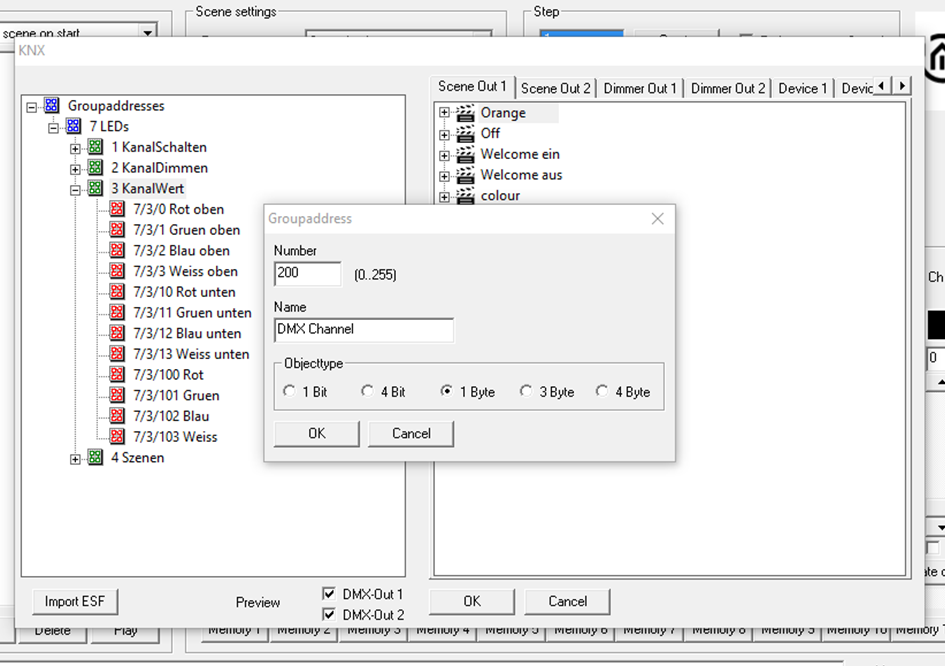
2. Create a Group Address
-
Right-click the desired Middle Group.
-
Select "New Group Address".
-
Enter the following parameters:
-
-
Address
-
Name
-
Object Type. The following KNX data point types are supported:
-
|
Data Type |
DPT |
Description |
Value Range |
|---|---|---|---|
|
1 Bit |
DPT 1.001 (EIS 1) |
Switching |
0 / 1 |
|
4 Bit |
DPT 3.007 (EIS 2) |
Relative Dimming |
Brighter, Darker, Stop |
|
1 Byte |
DPT 5.001 (EIS 6) |
Percentage Value |
0–100% (0.4% resolution) |
|
3 Byte |
DPT 232.600 |
RGB |
R: 0–255, G: 0–255, B: 0–255 |
|
4 Byte |
DPT 12.001 |
RGBW (Unsigned Integer) |
Byte 1 = R, Byte 2 = G,
|
3. Deleting Entries
To delete an entry, select it and press the Delete (Del) key on your keyboard.
Importing ESF Data
Alternatively, KNX group addresses can be imported from an ESF file (group address file with the .esf extension).
The ESF file must first be exported from ETS or EIBPORT.
The following KNX data point types are supported by the DUODMX GATEWAY:
|
Data Type |
DPT |
Description |
Value Range |
|
1 Bit |
DPT 1.001 (EIS 1) |
Switching |
0 / 1 |
|
4 Bit |
DPT 3.007 (EIS 2) |
Relative Dimming |
Brighter, Darker, Stop |
|
1 Byte |
DPT 5.001 (EIS 6) |
Percentage Value |
0–100% (0.4% resolution) |
|
3 Byte |
DPT 232.600 |
RGB |
R: 0–255, G: 0–255, B: 0–255 |
|
4 Byte |
DPT 12.001 |
RGBW (Unsigned Integer) |
Byte 1 = R, Byte 2 = G,
|
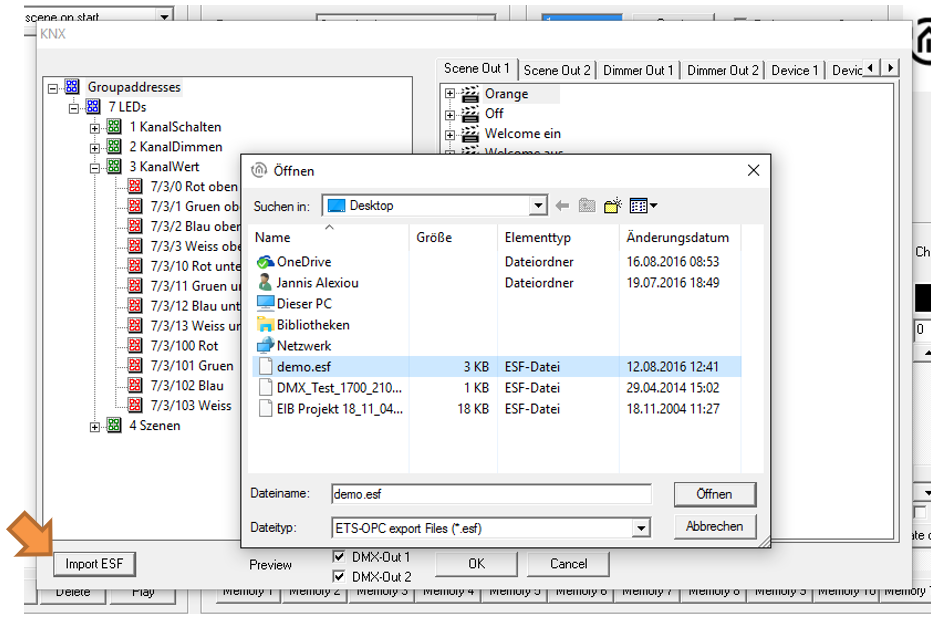
Importing an ESF File
To import an ESF file:
-
Open the following menu in the DMX Configurator:
"Extensions" → "KNX" → "Import ESF"
-
Select the desired ESF file.
-
After the import, the KNX Group Address Tree is displayed in the left pane.
-
Use the "+" and "−" buttons to expand or collapse the different levels of the group address tree.
///