
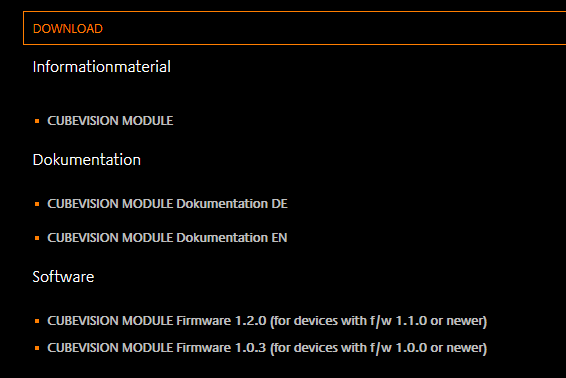
In general, all CUBEVISIONMODULE firmware, version 1.0.1 and higher, can be updated. There are two hardware versions for which different firmware images are available:
-
Devices with f/w 1.0.1 or higher: All firmware files with the number 1.0.X can be used
-
Devices with f/w 1.1.0 or higher: All firmware files with the number 1.1.X can be used
The firmware update is free of charge. The current firmware files can be found on the BAB homepage. In order to update the device, please proceed as described below:
-
Download the current firmware image in the download section www.bab-tec.de
-
Unpack the file in any folder
Generate a new backup including all apps and app instances before you launch the update (see “Backup the settings”). The update process restores the factory settings.
-
Open "Configuration" – "System"
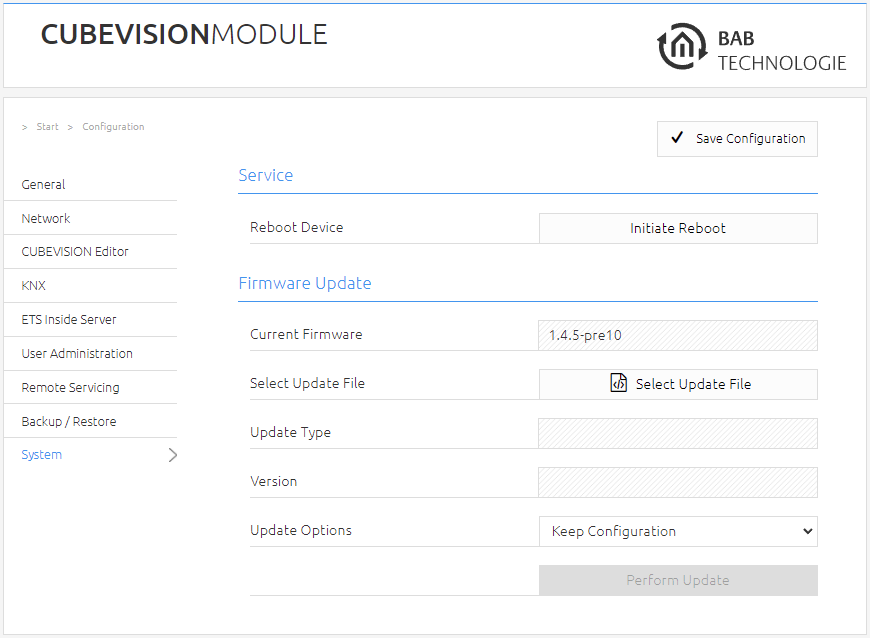
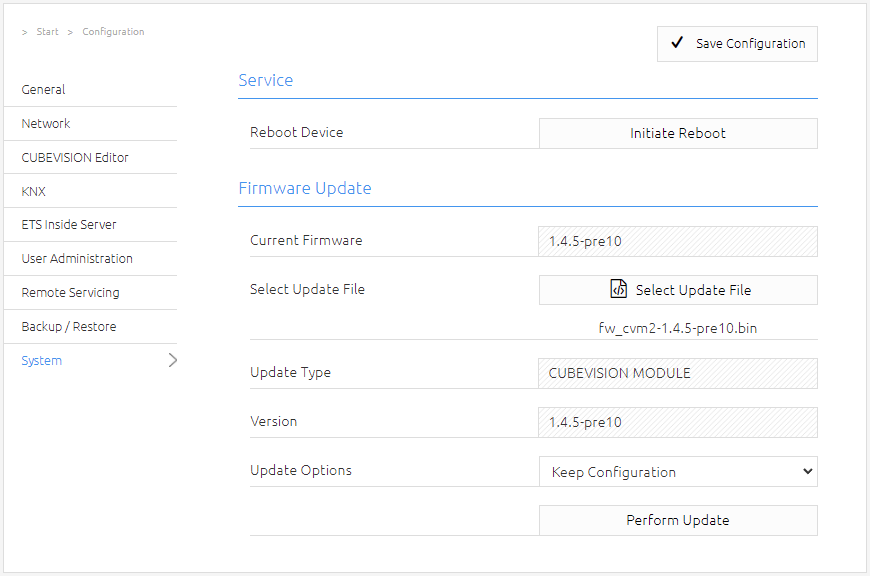
Select the firmware image file (ending *.bin) via the "Select Update File" dialogue. The type and version of the update are shown
-
Decide how to perform the update. The following option can be selected:
-
Keep Configuration: restores the configuration after the update. PLEASE CREATE FOR SECURE ALWAYS A BACKUP.
-
Keep Network Setting: keep your current network settings after the update.
-
Reset Configuration: set the CUBEVISIONMODULE after the update to the factory settings.
-
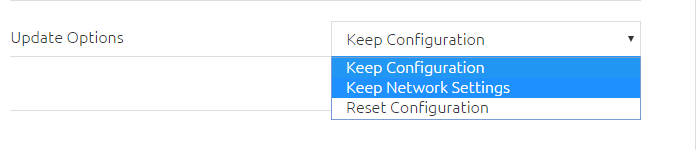
If the "Reset configuration" option is selected, the CUBEVISIONMODULE can be reached under the default IP address after the update process. (for factory settings, see "Initial operation")
-
Start the update process by clicking on "Perform Update".

-
Wait until the update process has been completed. The web interface is updated automatically if the process has been completed successfully.
///