
For safety reasons, the configuration data of the CUBEVISIONMODULE should be backed up at regular intervals in order to ensure that the current configuration status can be restored at any time. A current backup is also required for firmware updates.
Creating a backup
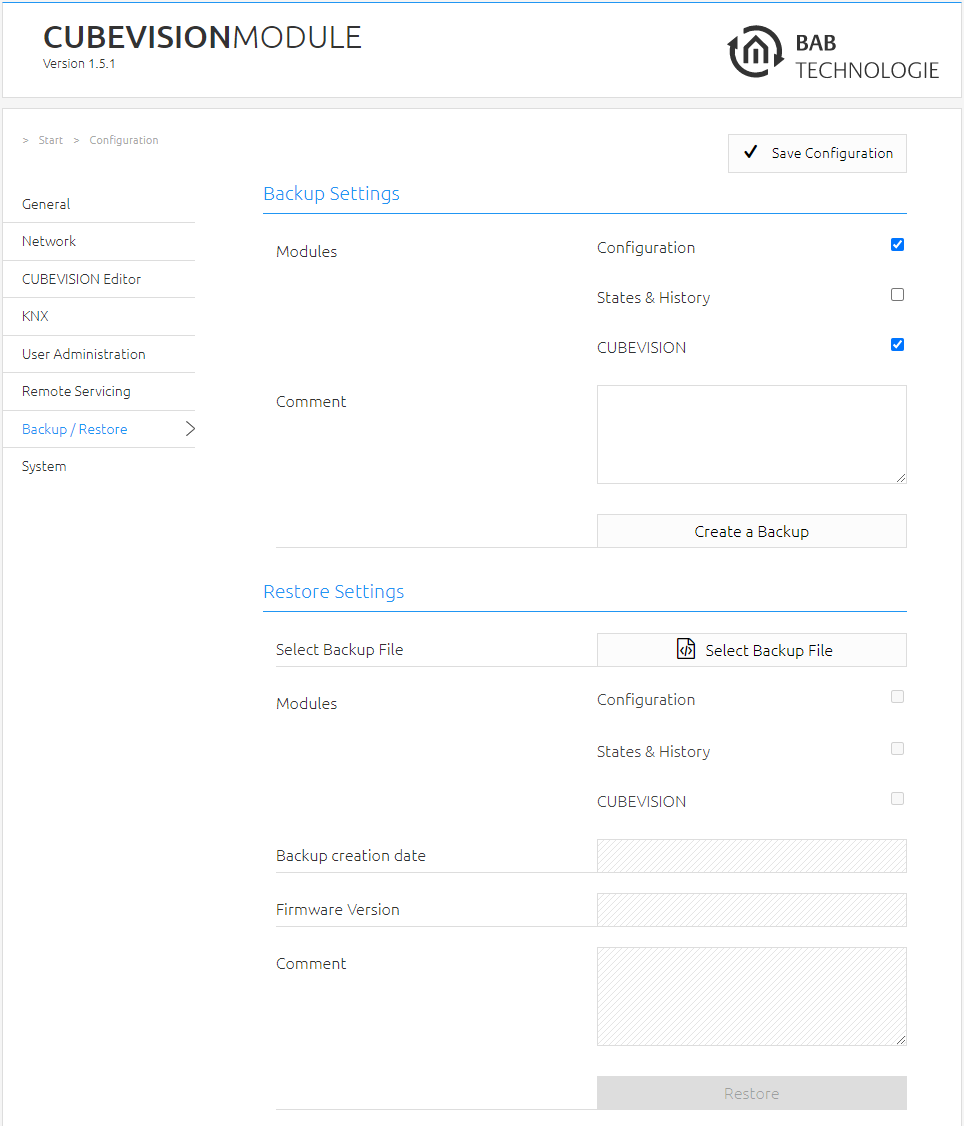
By activating the check boxes in the "Modules" section, you determine which part of the configuration data is backed up
-
Configuration: All configuration data except for the CUBEVISION configuration data.
The network settings are not backed up but depend on backup data.
-
States & History: The Address State Table and History Table are backed up. This is important in order to receive status information of the saved project after a restoration.
-
CUBEVISION: Backs up the CUBEVISION configuration.
In the "Comment" field, comments on the backup can be added.
-
Click on "Create a backup" to initiate the backup process.
-
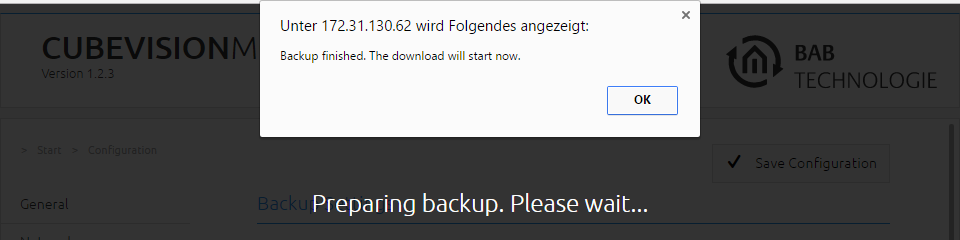
The backup file is created by the system and offered automatically for download in the form of the download dialogue.
Restoring a backup
-
Choose a CUBEVISIONMODULE backup file via the "Select Backup File" button. The files have the ending "*.cvm.bkp".
-
In the "Backup creation date", "Firmware Version" and "Comment" sections, information about the currently chosen file is shown.
-
In the "Modules" section, it is shown which modules are available in the chosen backup file. Using the check boxes, it is also possible to determine which modules are to be restored.
-
Configuration: All configuration data except for the CUBEVISION configuration data.
The network settings are not part of the backup file.
-
States & History: The Address State Table and History Table are restored. This is important in order to receive status information in the CUBEVISION after a restoration.
-
CUBEVISION: Restores the CUBEVISION configuration data.
///