
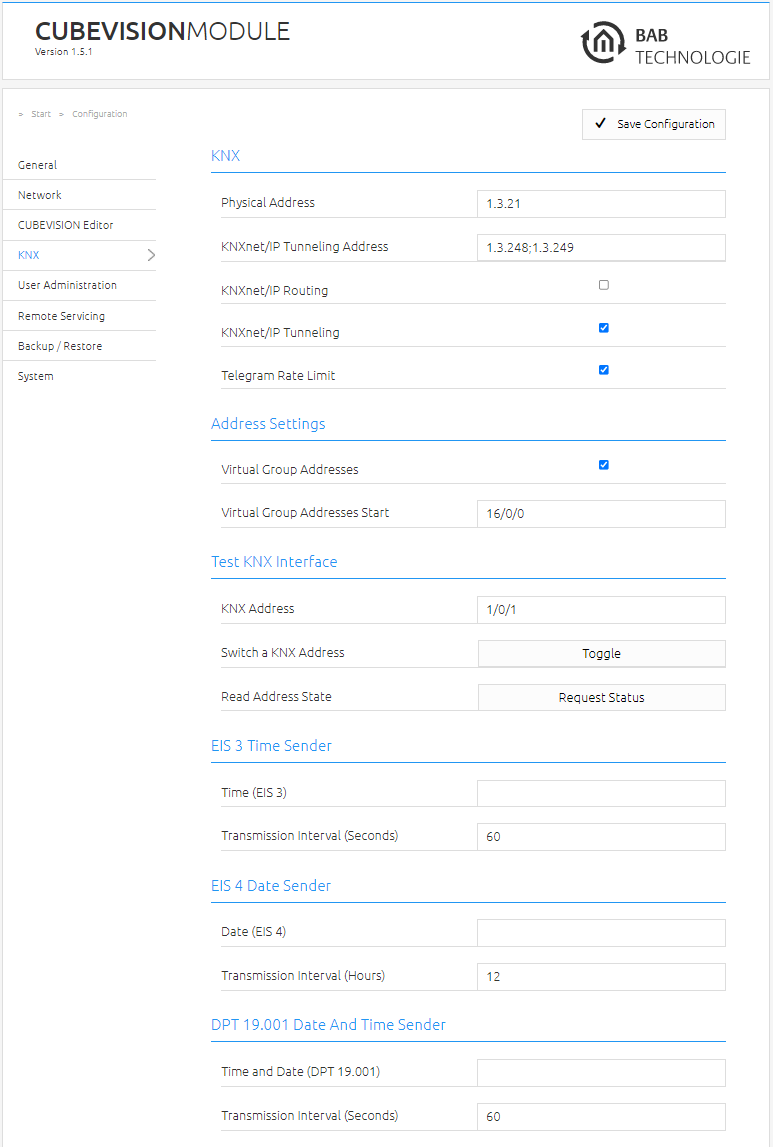
The KNX-specific settings of the CUBEVISIONMODULE are made in the "KNX" menu. The KNX settings are available both for a CUBEVISIONMODULE KNX/TP (10561) and for a CUBEVISIONMODULE EnOcean (13560). In the case of a CUBEVISIONMODULE EnOcean, they are used for the parameterization of the KNXnet/IP server.
|
Physical address: |
Here, you can determine the physical address to be used by the CUBEVISIONMODULE in the KNX network. Please make sure that the physical address corresponds to the installation site and does not occur twice. |
|
KNXnet/IP
|
This address is used by the internal KNXnet/IP server for a KNXnet/IP tunneling connection established to the device (using the CVM as a programming interface). Please note that this address must not be the same as the physical address (see above) and that it must not be used by any other participant in the line either. |
|
KNXnet/IP
|
Activates KNXnet/IP routing for the coupling of lines and areas via IP. Can only be activated if the physical address corresponds to that of a line or area coupler. KNXnet/IP routing is based on multicast and all participants send a multicast group 224.0.23.12. Since multicast packages are usually not transferred by routers, "routing" only works within a subnet. |
|
KNXnet/IP
|
Activates the KNXnet/IP tunneling access to the device. This connection can be used to program KNX devices or to exchange data. The CUBEVISIONMODULE is the server. The above-mentioned address is used as the physical address for the connection. For each address, only one connection can be established at any one time. On the TCP/IP layer, the connection is made by means of unicast to UDP port 3671. |
|
Telegram Rate
|
The telegram rate limiter limits the telegrams sent by the CUBEVISION MODULE to 10 telegrams per second. This prevents the KNX bus from being overloaded. If more than 10 telegrams are generated per second, the telegrams run in a buffer memory and are sent from this in small steps of max. 10 telegrams to the KNX bus. The buffer memory can store up to 1000 telegrams. If the buffer memory is full, new telegrams are rejected until the buffer memory has released memory again (telegrams are sent to the KNX bus). The telegram rate limiter is disabled as default. |
-
Click on "Save configuration" to save the settings..
Address Settings (virtual group addresses)
This section regulates the use of the "virtual group address area".
The virtual group address range can be completely deactivated. In addition, if the virtual group address range is activated, it can be determined from which group address the virtual group address range begins.
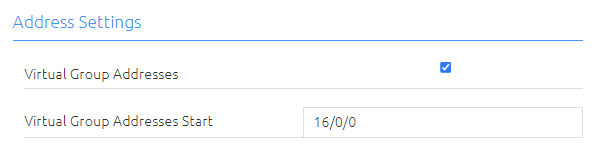
The virtual group addresses start by default (factory setting) with the group address 16/0/0 and go up to 31/7/255.
If the "virtual group addresses" checkbox are activated, the range of the virtual group addresses can be set individually if required.
To do this, enter the first KNX group address for the virtual group address range in the "Start of virtual group addresses" field.
This makes sense on the one hand if more KNX group addresses are required which can be sent on the KNX bus - but at the same time not to do without the virtual group address range in order to keep the telegram load on the KNX bus low.
For example, the start of the "virtual group addresses" can be set to 31/0/0. In this configuration, the CUBEVISIONMODULE sends all group addresses up to 30/7/255 on the KNX bus and from group address 31/0/0 to 31/7/255 only internally.
If the virtual group addresses are deactivated ("Virtual group addresses" checkbox), the CUBEVISIONMODULE sends all group addresses (from 0/0/0 to 31/7/255) to the KNX bus without exception.
Information: Telegrams from the virtual address range are not sent to the KNX bus, but can be used for internal communication in the CUBEVISIONMODULE.
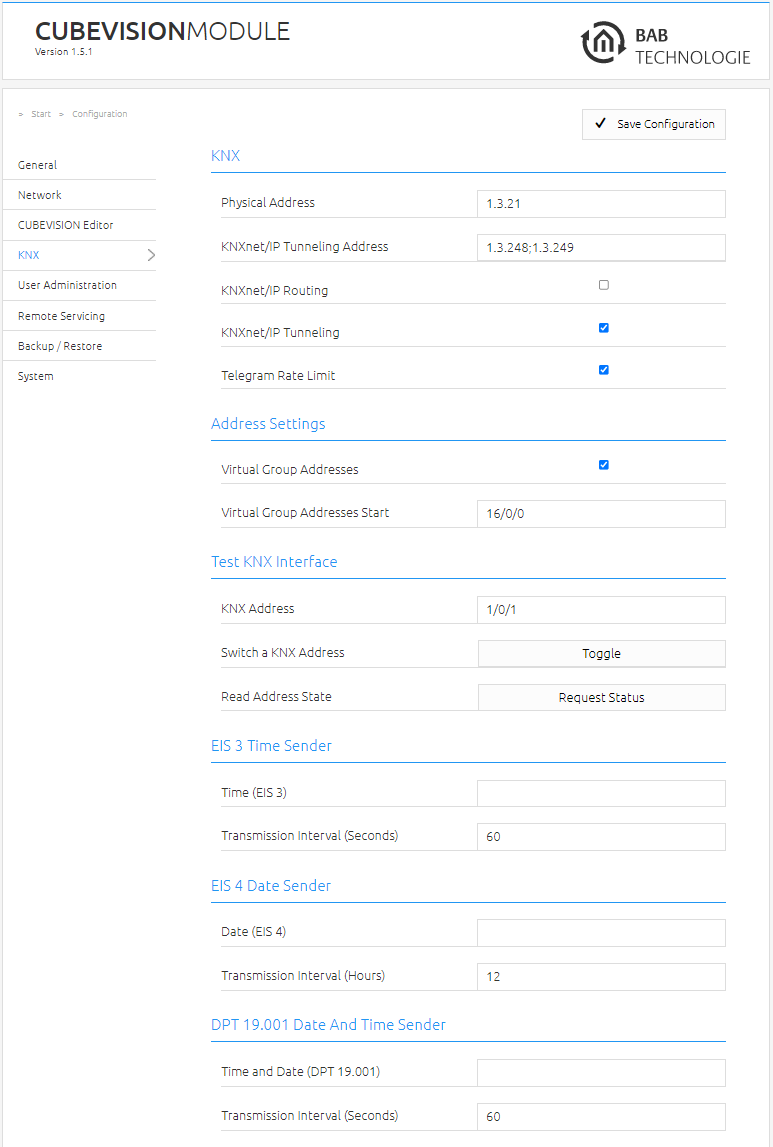
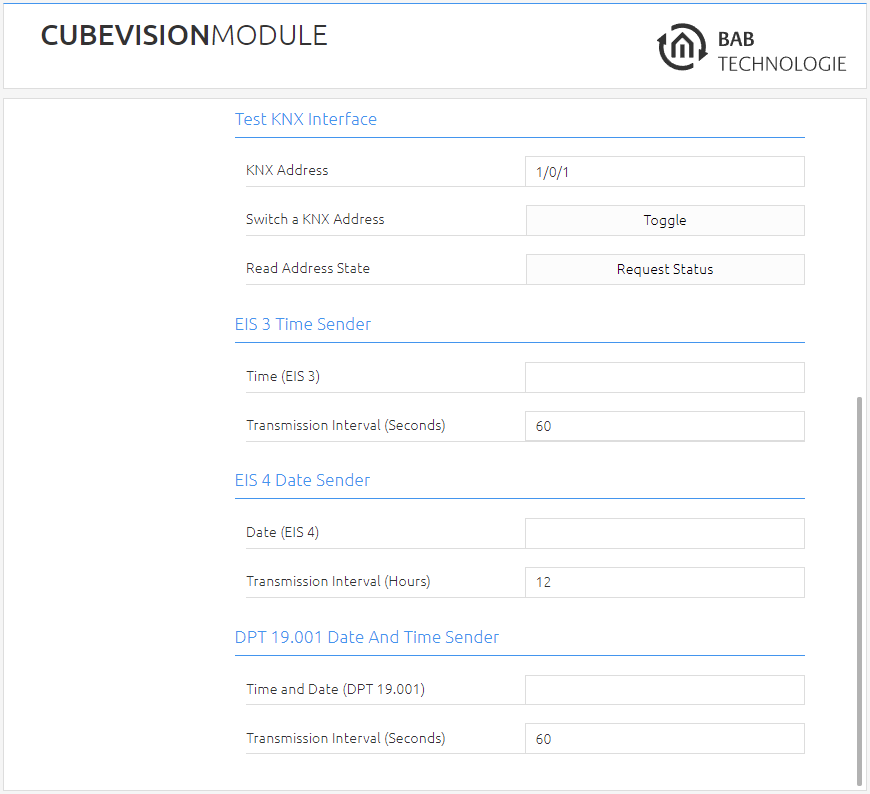
Test KNX Interface
|
KNX Address |
Enter the desired Group address here |
|
Switch a KNX Address |
With this Button you can toggle a telegram on the desired group address |
|
Read Address State |
By clicking “Request Status” the group address state of the desired group address is requested and is shown in Pop-up window |
EIS3 Time Sender
With the set transmission interval (in seconds), the CUBEVISIONMODULE cyclically transmits the current time on the entered KNX group address.
EIS4 Date Sender
The CUBEVISIONMODULE sends the current date to the entered KNX group address with the set transmission interval (in hours).
DPT19.001 Date-and Time Sender
The CUBEVISIONMODULE sends the time and date in a KNX telegram to the KNX group address entered here cyclically with the set transmission interval (in seconds).
///