
Preparing Lights and Scenes
The lights are configured and the scenes are created using the DMX Configurator. This information is automatically loaded by the DUODMX APP when it connects to the DUODMX GATEWAY.
To control lights and scenes using the app, it is also necessary to specify which DMX output (DMX universe) each light or scene should use.
This information is not available automatically and must therefore be assigned once by the user.
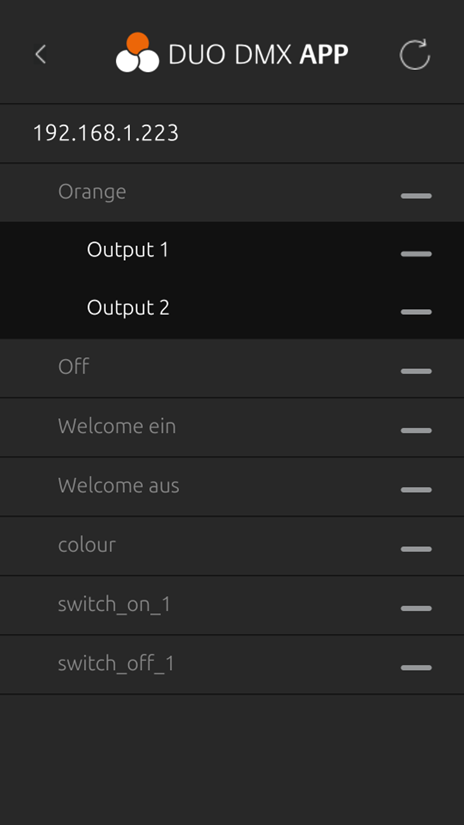
When a Light or Scene is selected for the first time without an assigned DMX output, a selection dialog automatically opens, allowing the desired DMX output to be assigned. Figure 65: Assigning a DMX Output to a Scene
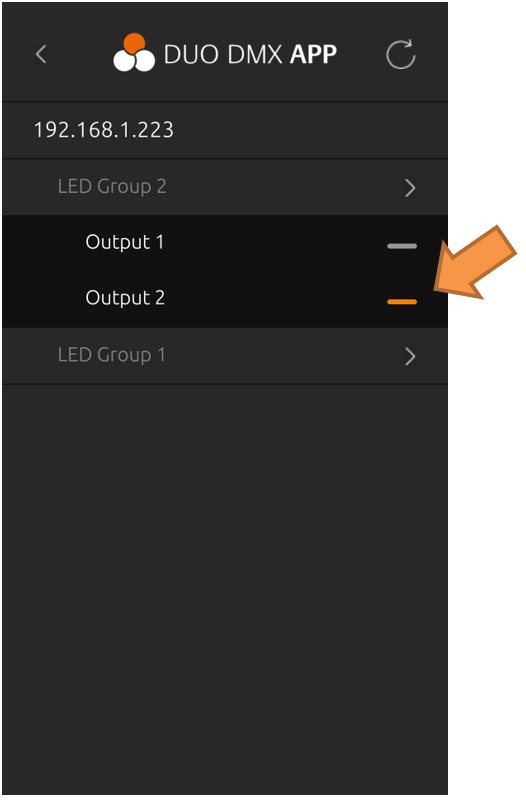
The following figures show the assignment process for both lights and scenes.
The available options are:
-
Output 1 – DMX Output 1
-
Output 2 – DMX Output 2
of the DUODMX GATEWAY.
The currently selected output is highlighted with an orange indicator.
Note
To change the assigned DMX output later, press and hold the corresponding light or scene. The selection dialog will open again, allowing a different DMX output to be selected.
///