
The Remote Maintenance section can be used to enable temporary remote access to the LOGIKMODULE.
First, select a duration between 2 and 12 hours. After this period has expired, remote maintenance access is automatically disabled.
Remote maintenance access is also automatically terminated when the LOGIKMODULE is restarted. This applies regardless of the previously selected duration.
Warning
Enable remote maintenance access only after consulting BAB TECHNOLOGIE Support.
Enable Remote Maintenance Access
Click Enable Remote Maintenance Access to start remote maintenance mode.
Establishing the connection may take a few seconds.
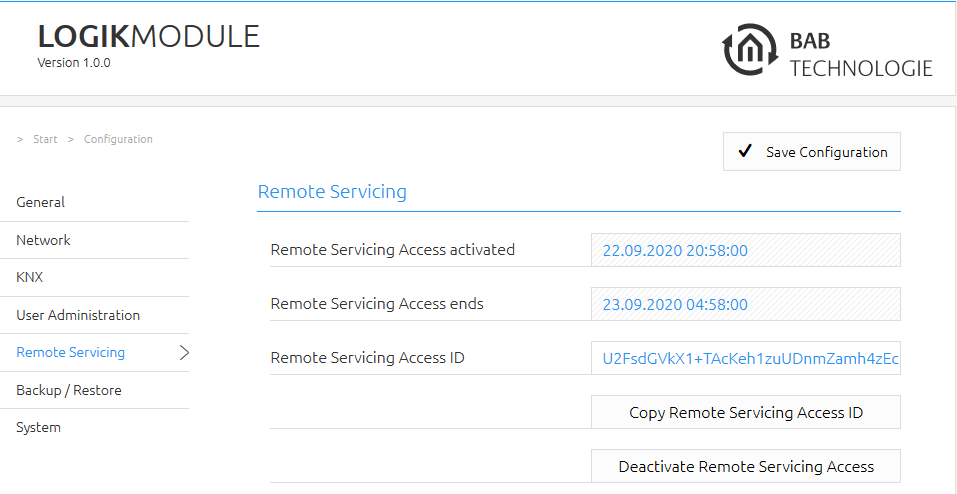
After successful activation, a Remote Maintenance ID is displayed.
Copy this ID and send it to BAB TECHNOLOGIE Support:
Disable Remote Maintenance Access
Remote maintenance access can be terminated manually at any time.
To do this, click Disable Remote Maintenance Access.
Note
Remote maintenance access is automatically disabled:
-
after the selected duration has expired,
-
after restarting the LOGIKMODULE,
-
or when disabled manually.
///