
The configuration data of the LOGIKMODULE should be backed up regularly.
An up-to-date backup makes it possible to restore the configuration state if required, for example after configuration changes or in a service case.
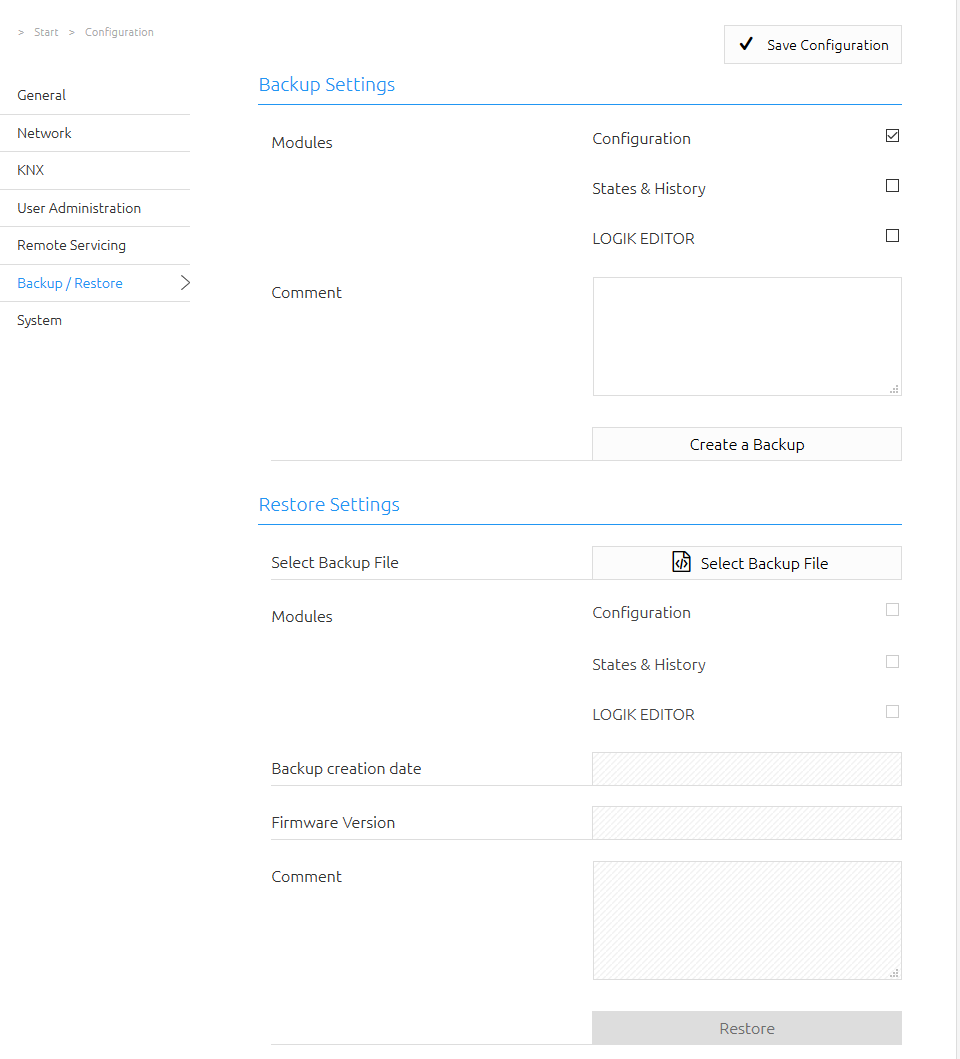
Creating a Backup
In the Modules section, you can define which data is included in the backup.
The following areas can be selected:
Configuration
Backs up the configuration data of the LOGIKMODULE.
Note
The network settings are not included in the backup and are managed independently of the backup data.
States & Recording
Backs up the address state table and the recording table.
These data are required if the existing state information is to be available again after a restore.
If these data are not backed up or restored, the state information is rebuilt based on the current telegram traffic.
Comment
A description of the backup can be entered in the Comment field.
This can be used, for example, to document the configuration state or the purpose of the backup.
Downloading the Backup
Click Create Backup to start the backup process.
The backup file is then created by the system and offered for download via the browser's download function.
Note
Store backup files in a secure location and create an up-to-date backup especially before making major configuration changes.
Restoring a Backup
Click Select Backup File and choose a backup file of the LOGIKMODULE.
Backup files use the following file extension:
*.lom.bkp
After selecting a valid backup file, the following information is displayed:
-
Backup Created On
-
Firmware Version
-
Comment
-
included Modules
The Modules section shows which data are contained in the selected backup file.
Use the corresponding checkboxes to define which areas are to be restored.
Configuration
Restores the configuration data contained in the backup file.
Note
The network settings are not part of the backup file and are therefore not changed during a restore.
States & Recording
Restores the backed-up address state table and recording table.
This makes the state information available again as it existed at the time the backup was created.
Warning
Before restoring, check that the selected backup file matches the required configuration state and the firmware version in use.
Restoring a backup replaces the selected current data with the contents of the backup file.
///