
Under the menu item “System” / “Data Points” / “Modbus TCP”, you can manage your Modbus TCP devices and the associated Modbus TCP data points. Changes are only applied to the working copy when you click the Save button.
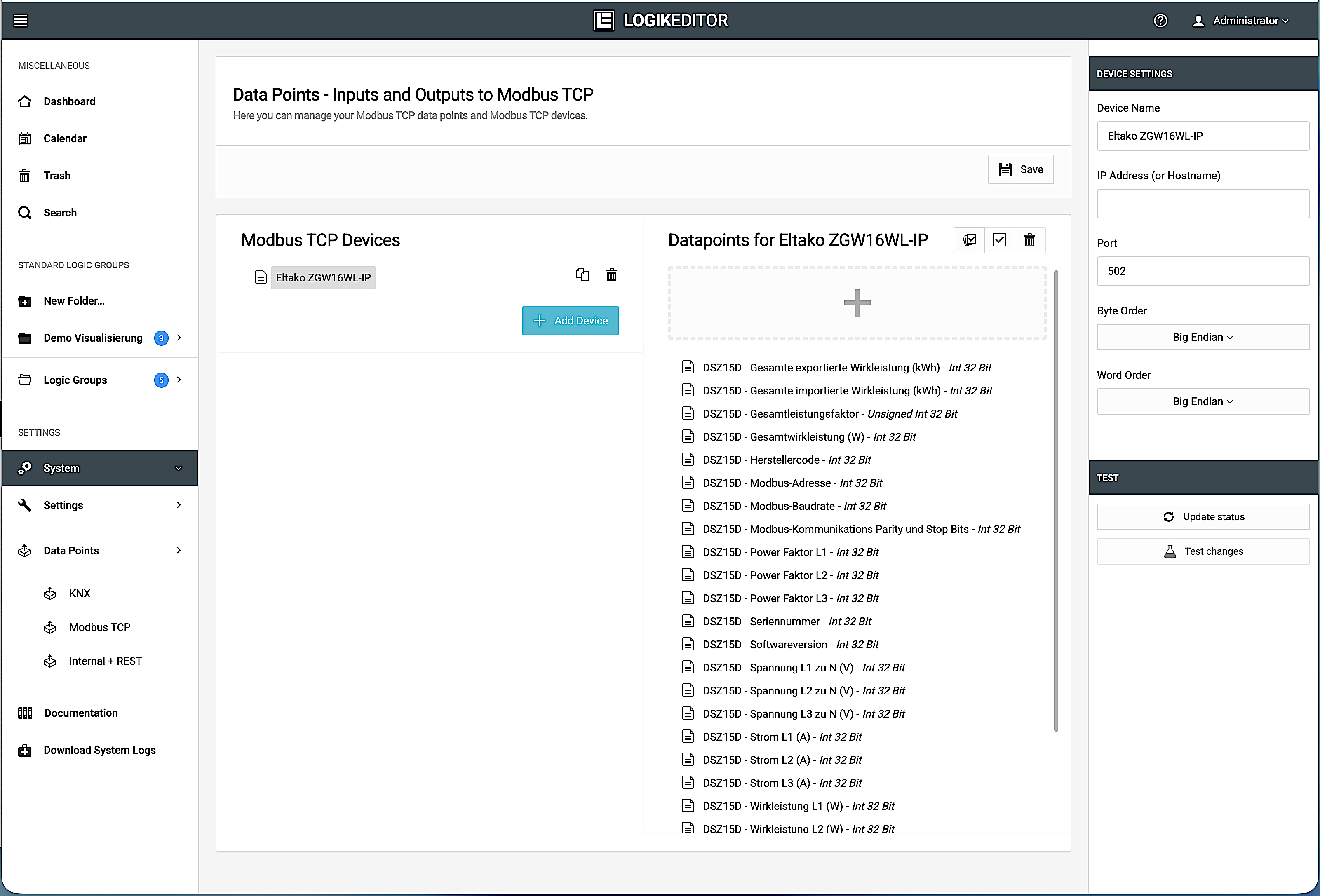
Global Modbus settings
In the left-hand view, “Modbus TCP Devices”, you can manage all the Modbus TCP devices that have been created.
The right-hand view, “Data points for [device name]”, displays and allows you to edit the data points for the currently selected device.
Clicking on a Modbus TCP device or a Modbus data point opens the respective device or Modbus register settings in the outer column on the right.
///