
A Modbus TCP device contains the connection settings for a Modbus device. Multiple data points can be created for each device.
Clicking the “+ Add Device” button creates a new entry in the list of Modbus TCP devices.
No more than 20 Modbus TCP devices can be added.
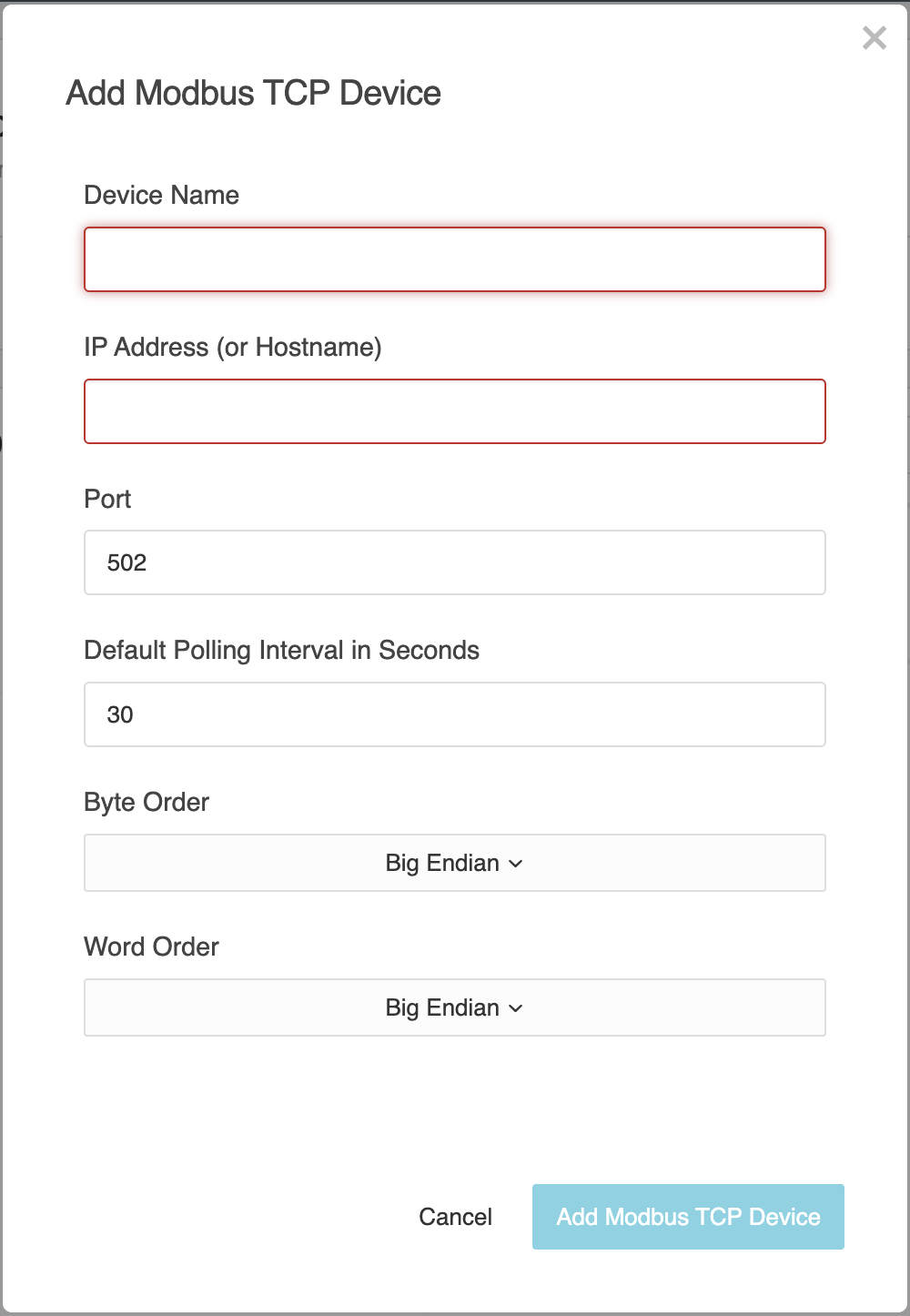
A Modbus TCP device is only valid and can be saved if the device name, host and port have been entered correctly.
Device Name
Enter a unique name for the Modbus TCP device here to make it easier to identify in the overview.
This name is also used in the drop-down list for the logic editor elements “Modbus TCP Value Input” and “Modbus TCP Value Output”.
IP Address (or Hostname)
Enter the IP address or hostname of the Modbus TCP device to which you wish to connect.
Port
Enter the port of the Modbus TCP device used to establish the connection (default: 502).
Default Polling Interval in Seconds
This parameter specified the default polling interval for the Modbus data points associated with the Modbus TCP device.
The polling interval determines the time interval at which the configured data points are read. The value is specified in seconds.
The configured default interval is used by default for all associated Modbus data points, provided that no individual polling interval has been defined for a data point.
A shorter polling interval allows values to be updated more quickly, but results in a higher telegram load.
Byte Order
Select the byte order (endianness) for processing Modbus data here.
This setting determines the order in which the bytes are interpreted and must match the configuration of the Modbus device.
The options “Big Endian” and “Little Endian” are available.
Word order
Select the order of the 16-bit words here when processing 32-bit or 64-bit values.
This setting determines the order in which the words are interpreted and must match the configuration of the Modbus device.
The options “Big Endian” and “Little Endian” are also available here.
Administration
“+ Add Device”
You can create a new Modbus TCP device by clicking on “+Add device”.
“Copy”
Mit Clicking the copy icon copies the relevant Modbus TCP device. It is created as a new Modbus TCP device with the suffix “Copy of…” in its name.
When copying an existing Modbus TCP device, its data points are transferred; however, the IP address (or hostname) is cleared and must be re-entered for the new Modbus TCP device.
“Delete”
Clicking the bin icon will remove the selected Modbus TCP device.
Before deletion, LOGIKEDITOR checks whether the Modbus TCP device is being used in any logic groups.
If it is being used in an active online logic group, it cannot be deleted. If it is only being used in a working copy, deletion is possible but will affect those logic groups.
This action will delete all associated data points for this Modbus TCP device.
///