
The integrated test function allows for easy verification of the configured Modbus TCP devices and their data points.
This enables communication with the devices to be tested and the accuracy of the created data points to be verified.
The data points also allow you to check directly whether the selected register type, register address and data type are returning the expected value. Without any additional effort.
This allows configurations to be validated quickly and potential sources of error to be ruled out.
Function
There are two buttons available for the test function. These are:
“Update status” and “Test changes”
Only one of these two buttons is active at any one time.
The difference between the functions is that “Update status” tests the currently saved configuration or retrieves the values of existing data points.
“Test changes”, on the other hand, allows you to check changes to the configuration that have not yet been saved. This enables you to test parameters directly without first having to save the configuration and activate the logic group.
This is helpful because saving the configuration is not required, allowing parameters to be “tried out” with minimal effort.
Test Modbus TCP device
This function allows you to check the connection and availability of the Modbus TCP device.
The system checks whether the device is accessible on the network. It also indicates whether the Modbus TCP device is currently connected. This means that it is being used in an active logic group.
The number of data points configured for this Modbus TCP device is also displayed.
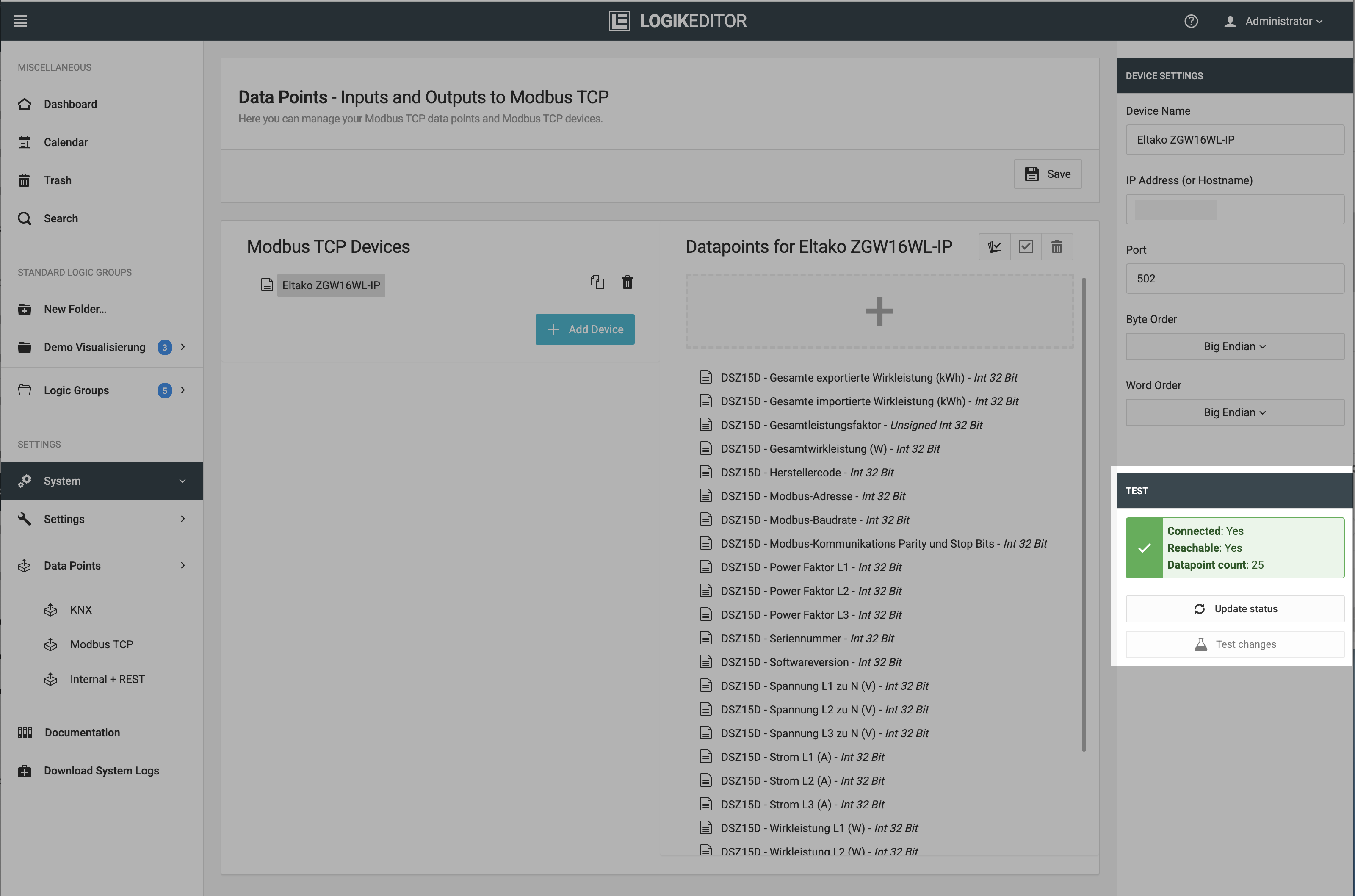
The test can be restarted at any time by clicking the “Update status” button.
If the test is unsuccessful, any changed parameters can be checked using the “Test changes” function without having to save the entire Modbus TCP configuration.
Querying Modbus TCP data points
This function allows you to retrieve the values of the data points configured for a Modbus TCP device.
The system checks whether the device is accessible on the network. It also indicates whether the Modbus TCP device is currently connected. This means that it is being used in an active logic group.
The number of data points configured for this Modbus TCP device is also displayed.
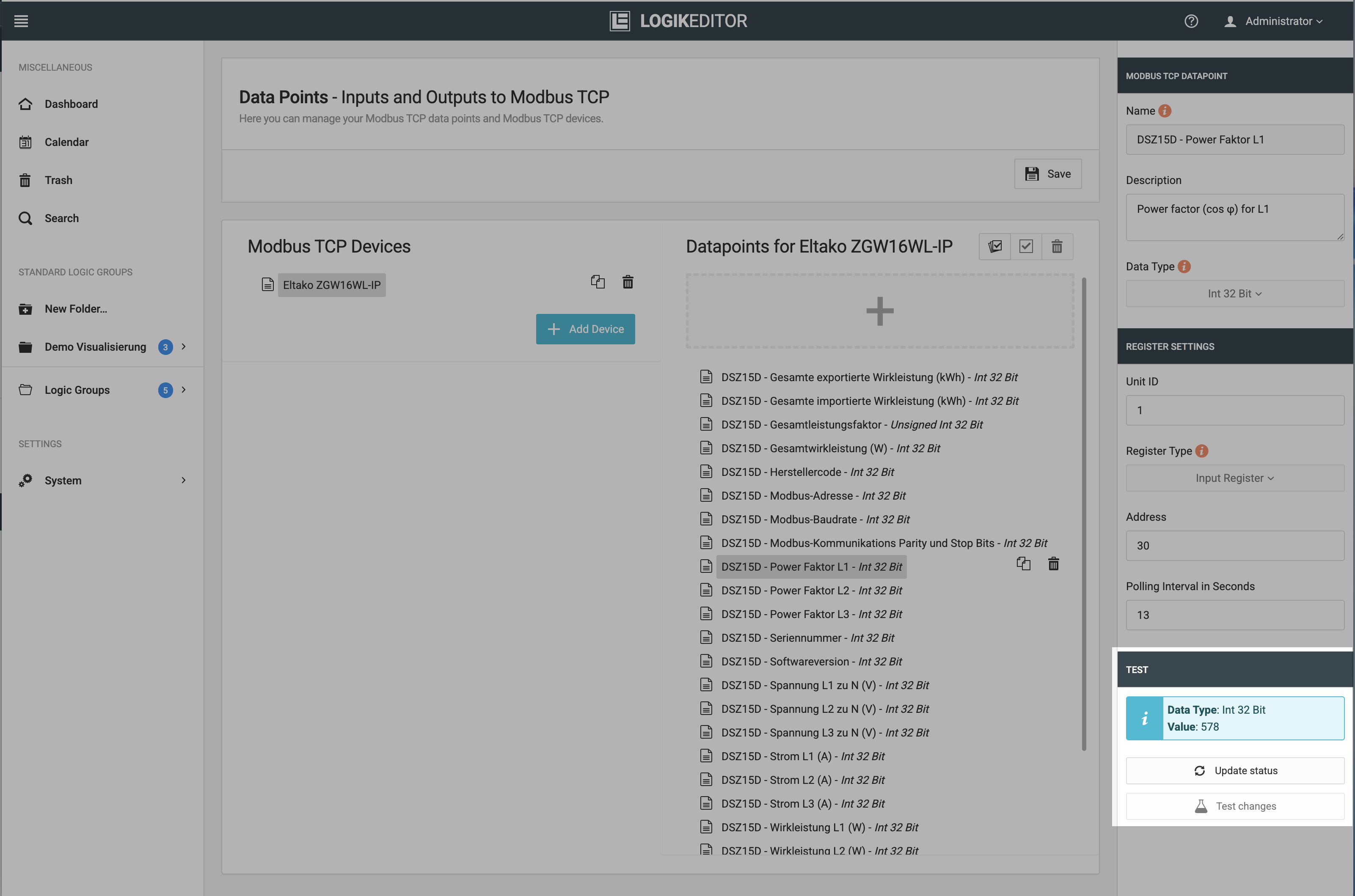
You can run the check again at any time by clicking the “Update status” button.
If the test is unsuccessful or the expected value is not read, modified parameters (e.g. for register address, register type or data type) can be queried again using the “Test changes” function.
This allows a new query to be made without having to save the entire Modbus TCP configuration.
///