
If you want to transfer the group addresses from your ETS project onto your EIBPORT, you must export it via the OPC Export of the ETS Software. By this all-group addresses which are related to the project are exported.
Export from the ETS5
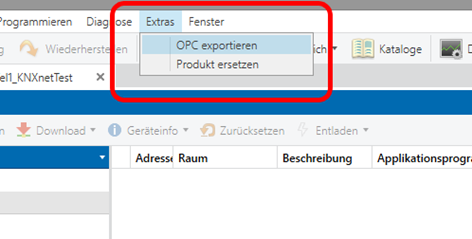
To export the group addresses from the ETS5, proceed as follows:
-
Open the relevant project.
-
Open the menu "Extras" > "Export OPC" and select the desired storage location.
Export from the ETS 4
To initiate the *.esf export from the ETS 4, the desired project has to be opened first. The menu "Extras" > "Export OPC" in the project overview can then be used to store a *.esf file at any location.
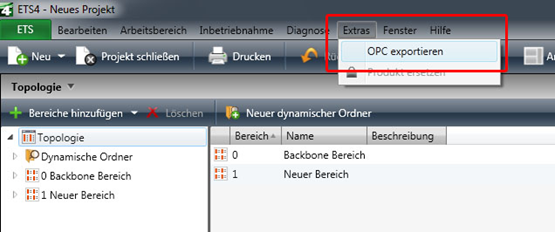
The ESF file can be uploaded to the EIBPORT in the editor via "Upload ESF & data management". The entry can still be modified there, if required.
Export from the ETS 3
To export the group addresses from the ETS3, proceed as follows:
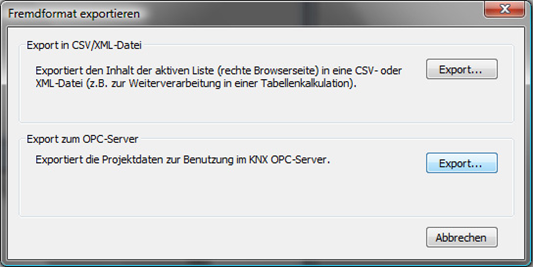
Select File -> Data exchange (e. g. OPC) in the menu. The dialog "Export foreign format" appears. Select the second option Export ... under "Export to OPC server" and specify a storage location. The result of the export is an *.esf file.
Address structure SINCE ETS 4
Limited compatibility since ETS4! From ETS4, please use only the two-level or three-level group address structure commonly used in the ETS2/3. Use with the extended group address range or the free group address structure is not possible.