
There is no ETS application for the CUBEVISIONMODULE KNX/TP (item no. 10561). All KNX-relevant settings are made via the web interface of the CUBEVISIONMODULE.
Please use a "dummy" application for the ETS project in order to document that the physical address of the CUBEVISION MODULE is used.
-
Call up the website of the CUBEVISIONMODULE and log in (See "Calling up the CUBEVISION MODULE web interface")
-
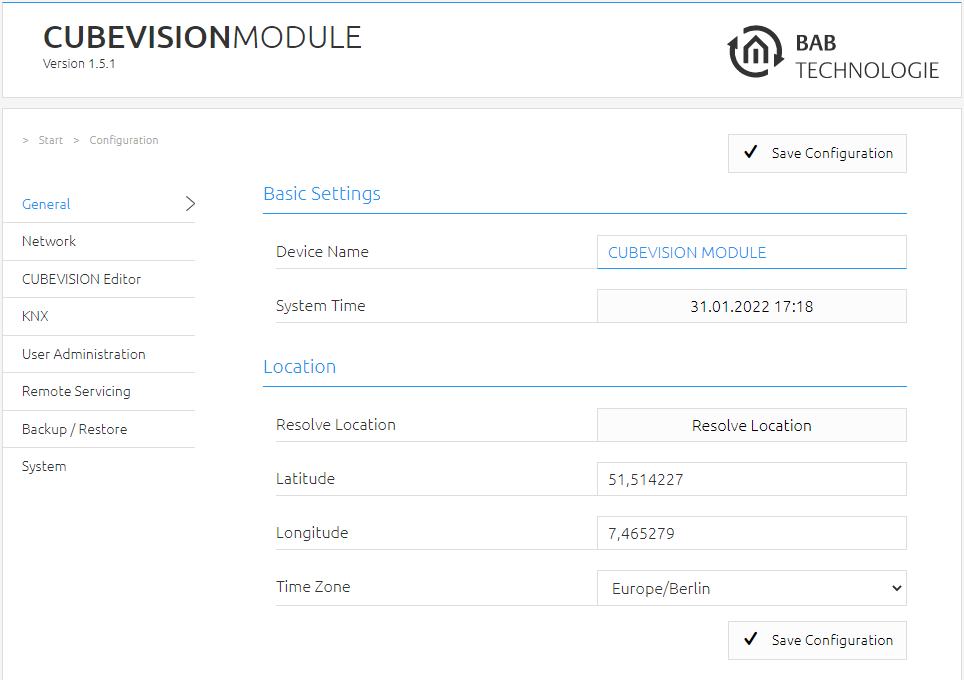
Switch to the "Configuration" menu > "KNX".
-
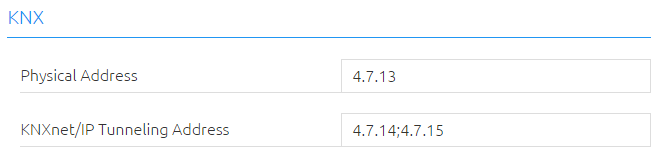
Change the "Physical address". Please observe the standards applicable to the assignment of physical addresses in a KNX system!
-
Assign at least two (2) physical addresses (which are not used in the respective line) for KNXnet/IP tunneling
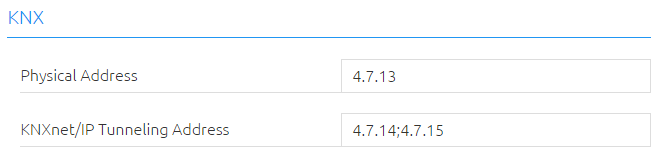
These addresses are required in particular to establish the connection of the initial operation software ETS in order to use the CUBEVISION MODULE as an interface to KNX. Since ETS 5, at least two (2) free addresses are required here.
-
Save the configuration

Further information on the KNX configuration and setup of KNXnet/IP can be found in chapter "KNX"
Initial operation of CUBEVISION MODULE EnOcean
Please connect the plug of the magnetic base antenna to the SMA connector at the housing. Without an antenna, the device has only low transmission and received powers. As soon as the device has started, the EnOcean interface can be used.
Further information on the teaching and controlling of EnOcean devices can be found in chapter "Usage of the EnOcean Editor"
Technical details about the EnOcean Interface
|
EnOcean (868 MHz): |
|
|
Operating frequency: |
868.3 MHz |
|
Range: |
300 m in the free field / 30 m in the building
|
|
Input objects: |
Any number |
|
Output objects: |
128 |
|
External antenna: |
2.50 m cable, magnetic base and SMA plug connector. |
///