
APPMODULE KNX commissioning
There is no ETS application for the APPMODULE KNX (item no. 10495). All KNX-related settings are made over the Web interface of the APPMODULE.
For the ETS project, please use a dummy application to record the use of the physical address of the APPMODULE.
-
Access the website of the APPMODULE and log on (see “Calling up the APP MODULE web interface”).
-
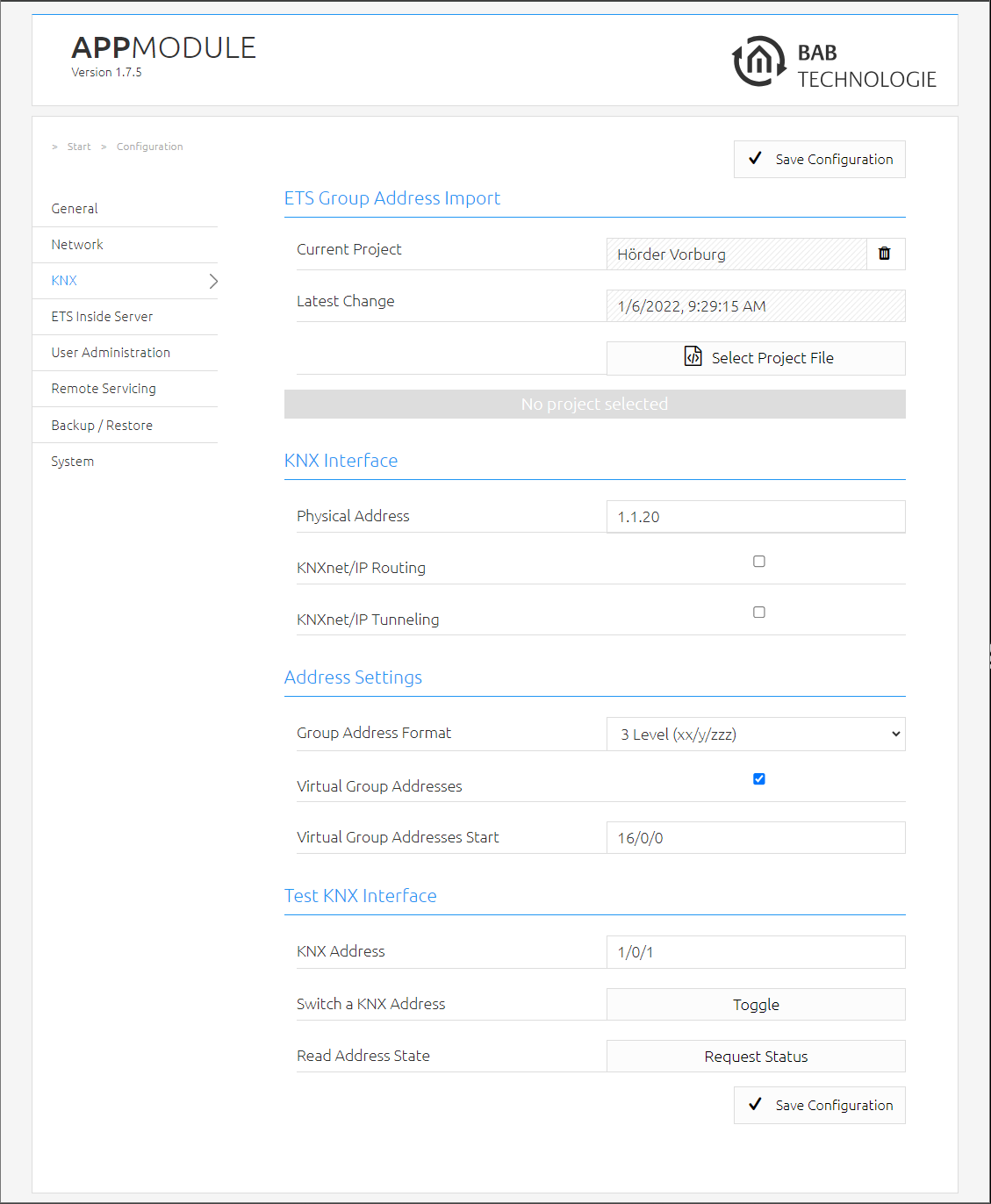
Switch to the “Configuration” > “KNX” menu.
-
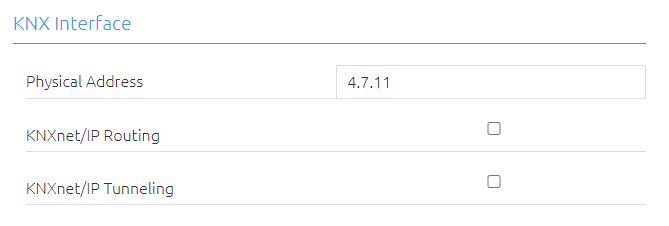
Change the “Physical address”. Please follow the rules for assigning physical addresses in a KNX system.
-
Assign at least 2 physical addresses (not used in the relevant line) for KNXnet/IP Tunneling.
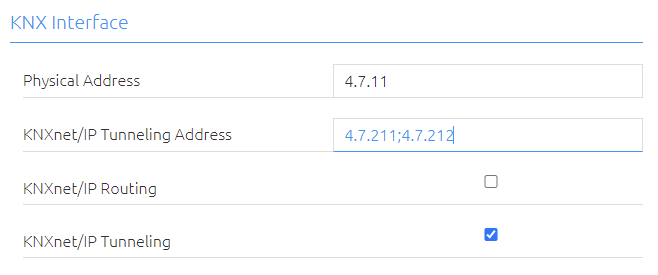
These addresses are required for establishing a connection for the commissioning software ETS for use of the APPMODULE as an interface to KNX. As of ETS 5, at least 2 free addresses are required here.
-
Save the configuration.
KNX configuration
The KNX-specific settings of the APPMODULE are made in the “KNX” menu. The KNX settings are available both for a APPMODULE KNX (10495) and for the APPMODULE EnOcean (13501) & APPMODULE IP (10491). For the APPMODULE EnOcean & APPMODULE IP, the settings are used to configure the KNXnet/IP server.
|
Pysical Adress: |
Here, you can determine the physical address to be used by the APPMODULE in the KNX network. Please make sure that the physical address corresponds to the installation site and does not occur twice. |
|
KNXnet/IP Routing: |
Activates KNXnet/IP Routing for coupling lines and areas via IP. Can only be activated if the physical address corresponds to that of a line or area coupler. KNXnet/IP Routing is based on multicast and all devices send to a multicast group 224.0.23.12. Since multicast packages are usually not transferred by routers, “routing” only works within a subnet. |
|
KNXnet/IP Tunneling: |
Activates KNXnet/IP Tunneling access to the device. This connection can be used to program KNX devices or to exchange data. The APPMODULE is the server. The above address is used as the physical address for the connection. For each address, only one connection can be established at any one time. On the TCP/IP layer, the connection is made by means of unicast to UDP port 3671. |
|
KNXnet/IP Tunneling Addresses: |
After activating the KNXnet/IP Tunneling, the input field for the Tunneling addresses is displayed. This address is used by the internal KNXnet/IP server for a KNXnet/IP Tunneling connection established to the device (use of the APPMODULE as programming interface). Please note that this address must not be the same as the physical address (see above) and that it is not used by any other device in the line. These addresses are used to establish a connection with the ETS commissioning software to use the APPMODULE as an interface to KNX. Since ETS 5, at least 2 free addresses are required here. |
-
Click “Save configuration” to apply the settings.
The KNXnet/IP app for EnOcean is available in the APP MARKET for the APPMODULE EnOcean (13501).
Address Settings (virtual group addresses)
Setting the limit for the virtual group addresses.
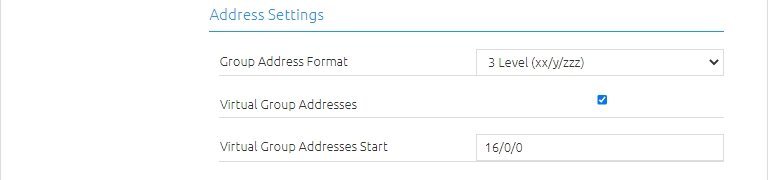
The virtual group addresses start by default (factory setting) with the group address 16/0/0 and go up to 31/7/255.
If the "virtual group addresses" checkbox is activated, the range of the virtual group addresses can be set individually if required.
To do this, enter the first KNX group address for the virtual group address range in the "Start of virtual group addresses" field.
This makes sense on the one hand if more KNX group addresses are required which can be sent on the KNX bus - but at the same time not to do without the virtual group address range in order to keep the telegram load on the KNX bus low.
For example, the start of the "virtual group addresses" can be set to 31/0/0. In this configuration, the APPMODULE sends all group addresses up to 30/7/255 on the KNX bus and from group address 31/0/0 to 31/7/255 only internally.
If the virtual group addresses are deactivated ("Virtual group addresses" checkbox), the APPMODULE sends all group addresses (from 0/0/0 to 31/7/255) to the KNX bus without exception.
Information: Telegrams from the virtual address range are not sent to the KNX bus, but can be used for internal communication in the APPMODULE.
///