
The IP APPMODULE (10491) is an IP for EIBPORT available thanks to the facility coupling protocol implemented. A KNXnet/IP server is also implemented.
Connecting the APPMODULE IP to EIBPORT
Before the APPMODULE can communicate with EIBPORT, facility coupling needs to be set up.
For facility coupling between EIBPORT and the APPMODULE to work, communication over UDP with port 1735 (or another port if set) is required. Security installations in more complex networks can prevent this communication.
Setting up the connection in the APPMODULE
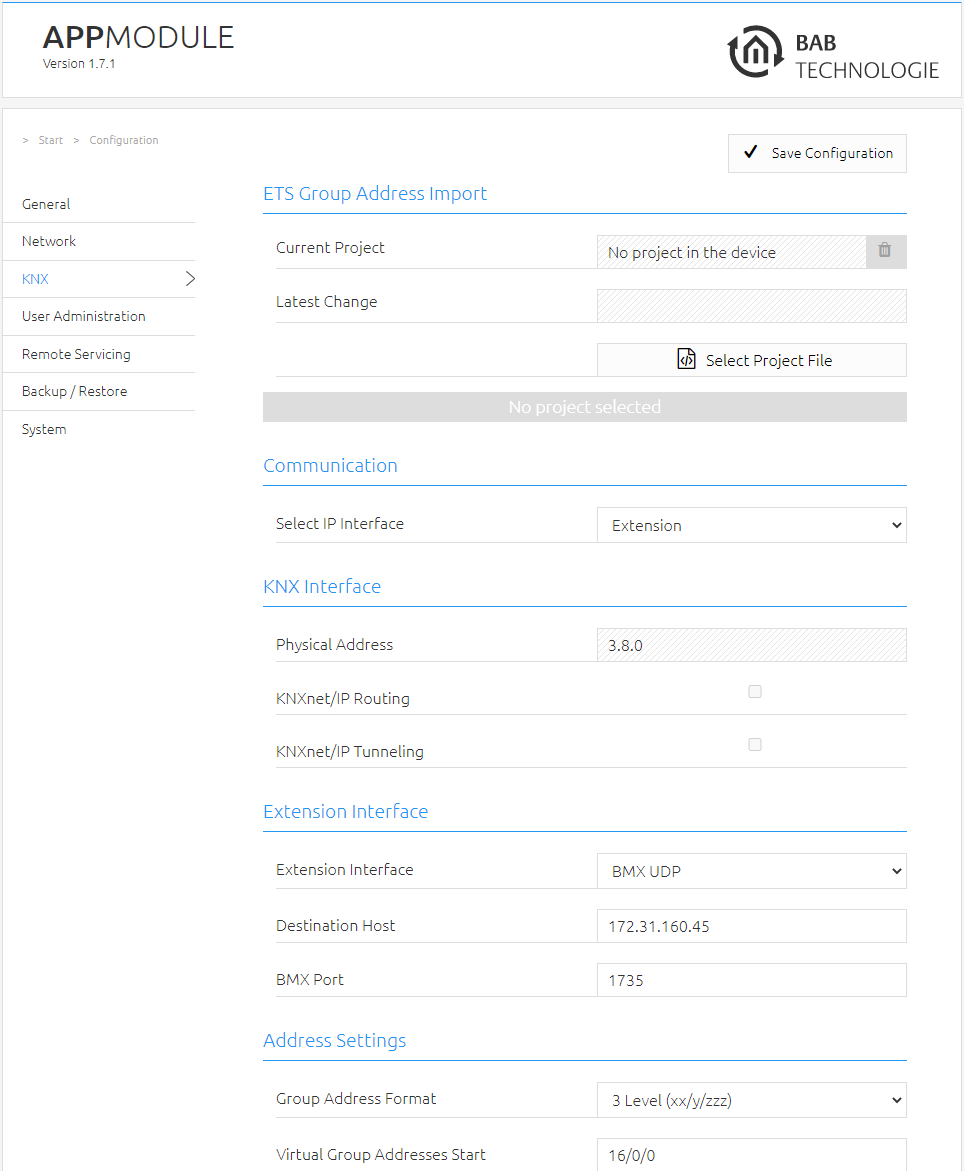
In the APPMODULE, go to the “Configuration” -> “Module” menu. Information on accessing the APPMODULE Web interface can be found in “Calling up the APP MODULE web interface”.
-
Select “Extension” under “Select IP Interface”. This enables the “Extension interface” section.
-
Target host: For “Target host”, enter the address of the required EIBPORT (e.g. 192.168.1.222).
-
BMX UDP port: In the standard scenario, the facility coupling in EIBPORT is set to BMX port 1735 (you can check this in EIBPORT under “System” – “Configuration” – “Advanced EIB (yabus) settings” – “BMX UDP port”).
-
Group address format: Not relevant here. Enter “3 Level (xx/y/zzz)”.
This sets up communication from the APPMODULE to EIBPORT. Communication from EIBPORT to the APPMODULE must be set up at the EIBPORT end.
Setting up the connection in EIBPORT
To set up the connection in EIBPORT, you will need the EIBPORT “Facility coupling” job. For detailed information on the job, please see the EIBPORT documentation.
-
In EIBPORT, open the “Job editor” (“Editor” – “Window” – “Job editor”) and add a new “Facility coupling” job.
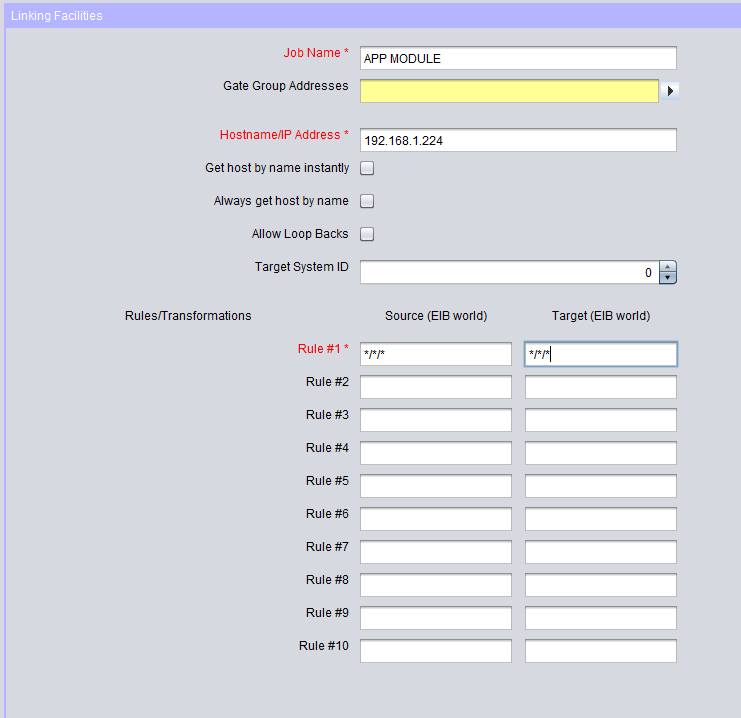
The following fields must be configured:
-
Host name / IP address: Enter the address of the APPMODULE to which you wish to connect here (e.g., 192.168.1.224).
-
Target system ID: Please do not change this value. The system ID must be “0”.
-
Rule #1: Enter the wildcard rule “*/*/*” in both fields (source & target). This rule transfers all group addresses.
The job is active as soon as you save and the group addresses are transferred.
Using KNX net/IP in the APPMODULE IP
The IP APPMODULE contains a complete KNXnet/IP server. KNXnet/IP Routing can be used for a connection to KNX (must be provided by another device with a KNX interface, e. g. a KNX-IP-Router) and KNXnet/IP Tunneling as an interface for ETS.
Proceed as follows to set up the KNXnet/IP server:
-
Open the “Configuration” – “Module” and select “KNXnet/IP” under “Select interface”. This enables the “KNX interface”.
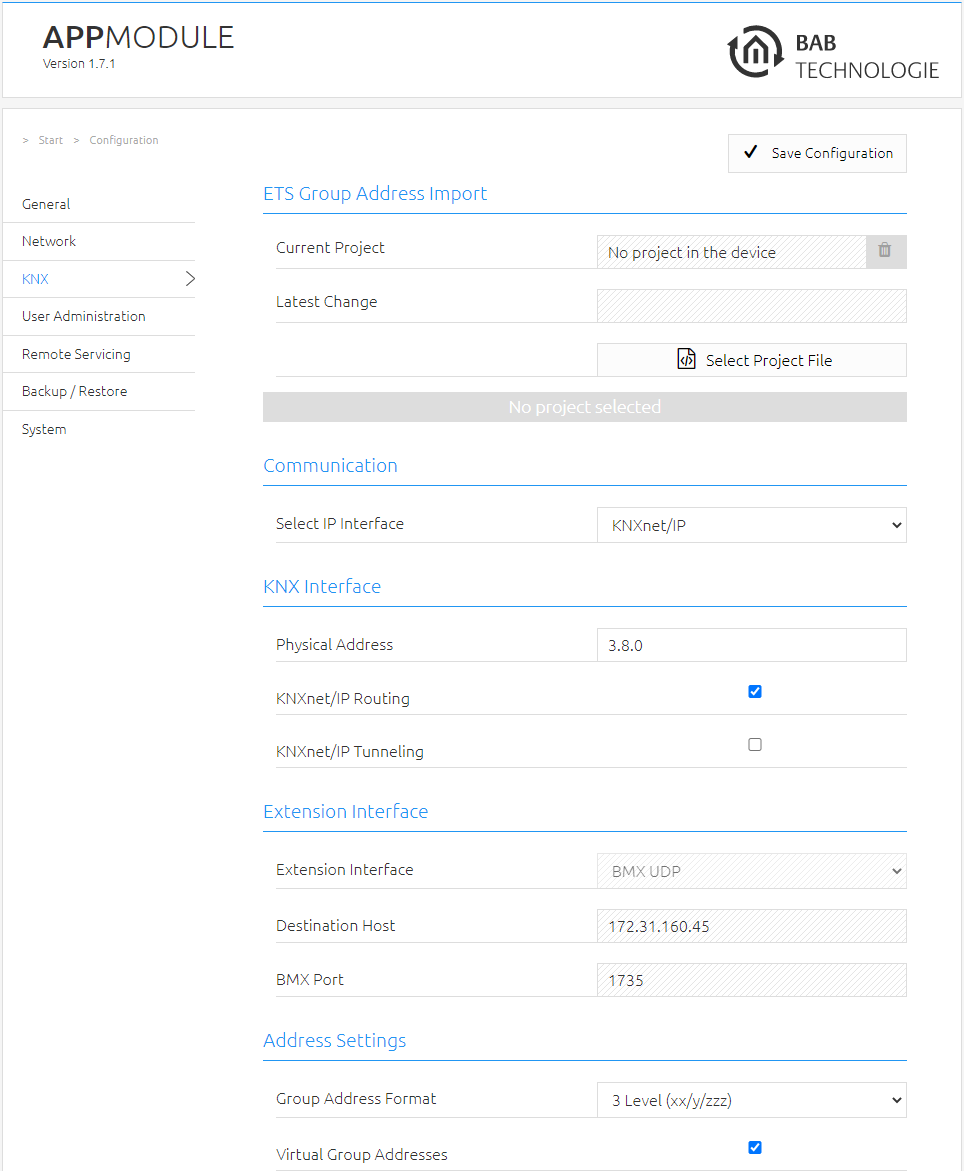
More information on KNXnet/IP setup can be found in “KNX configuration”.
///