
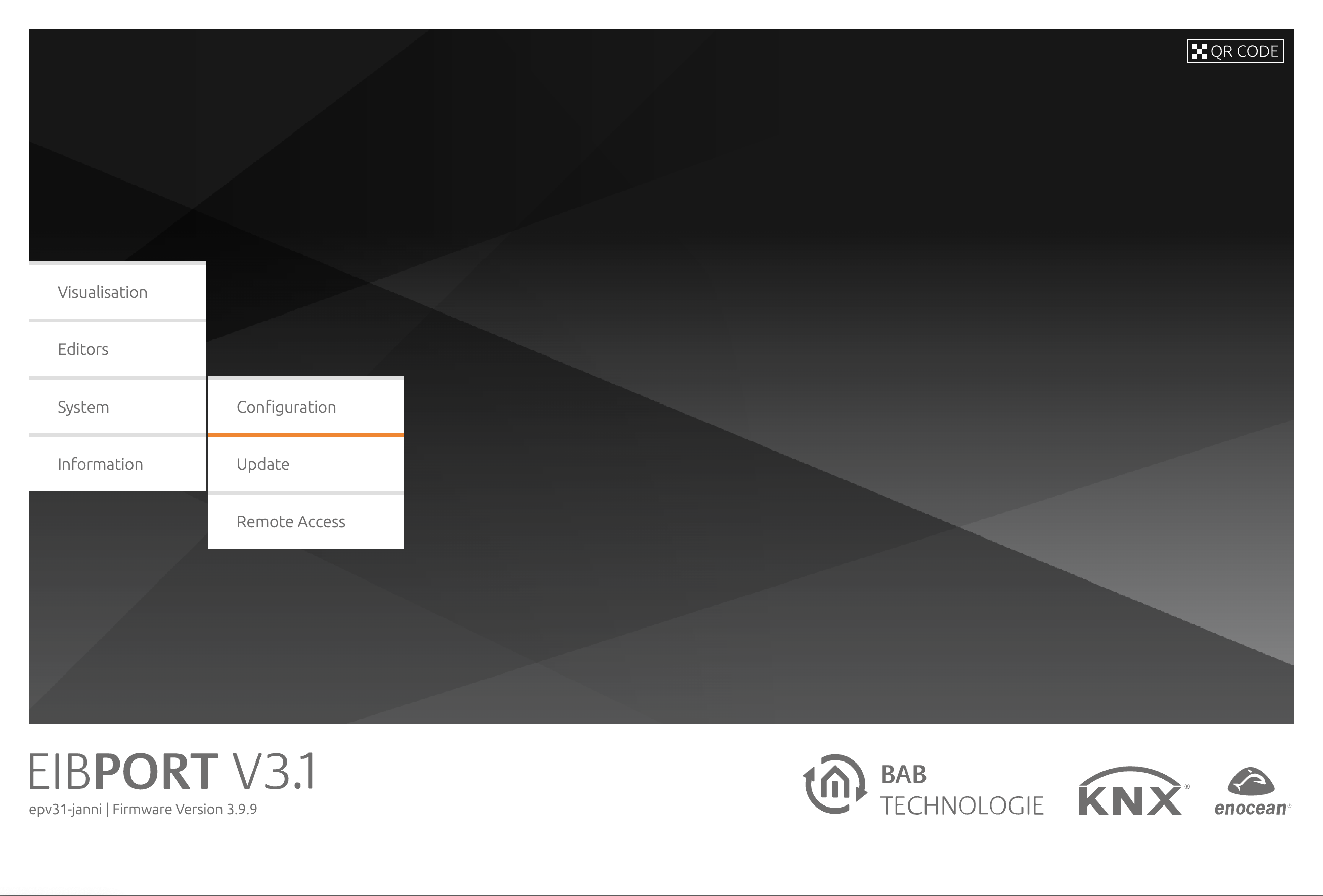
With firmware version 3.5.0 an update mechanism via an integrated web page is available in the EIBPORT. The update mechanism can be accessed via the BAB STARTER (from version 1.1.1) or via the start page. The update completely resets the EIBPORT to the delivery status. All settings and projects will be lost! Please be sure to make a backup to be able to restore your settings and projects.
All ports are again in the delivery status and the EIBPORT-editor and the LOGIKEDITOR are only with the delivery projects or example projects. The IP address, standard gateway and DNS server addresses remain. After the firmware update of the EIBPORT, please delete the browser cache of your web browser.
-
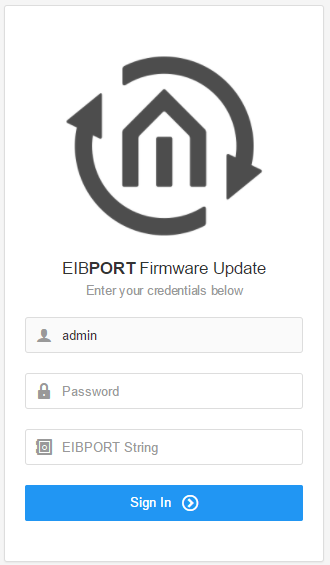
Click "Update" to go to the web update. You will be greeted with a login prompt.
-
Enter the password for user "admin" and the EIBPORT string. You will find the string in the accompanying short manual or on the back of your device.
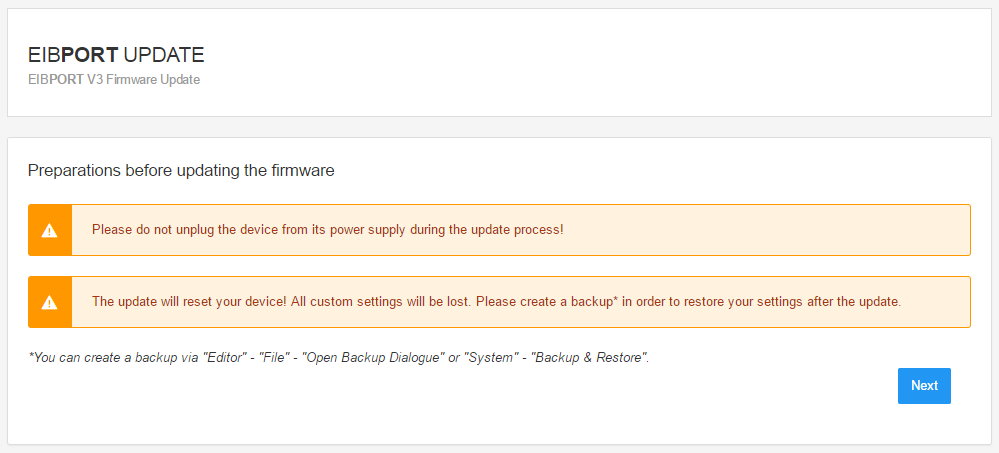
Please note: Please read the notes on the "Preparations" page.
-
If you have not already done so, please back up your settings and project, since the EIBPORT will be completely reset to the delivery status during the update process. You can create a backup via "Editor" - "File" - "Open Backup Dialogue" or "System" - "Backup & Restore".
-
Please note: Due to the update also the standard port configuration is restored. If your device is only available over different port configuration, it will be not after the update!
-
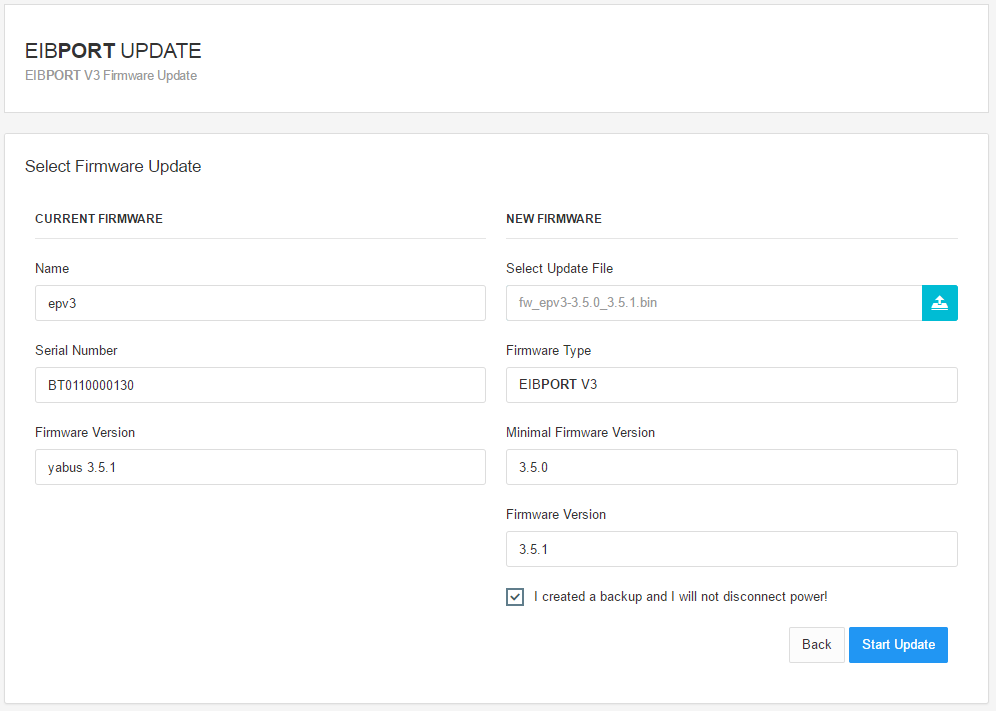
Now select the update file.
Please note: The new update mechanism allows, for the first time, incremental firmware updates. This leads to a drastically shortened update process. As an incremental update must build up on a previous version, it is important to define a minimal firmware version that the update requires in your device. This information is processed when you select the update file and checked against the current firmware version of your device. Incremental updates are possible since version 3.5.0.
-
Please confirm that you will not unplug the device and that you have created a backup to be able to start the update. You can only restore the configurations and projects after the update with your backup! Next you will be shown an overview of the update process status and progress.
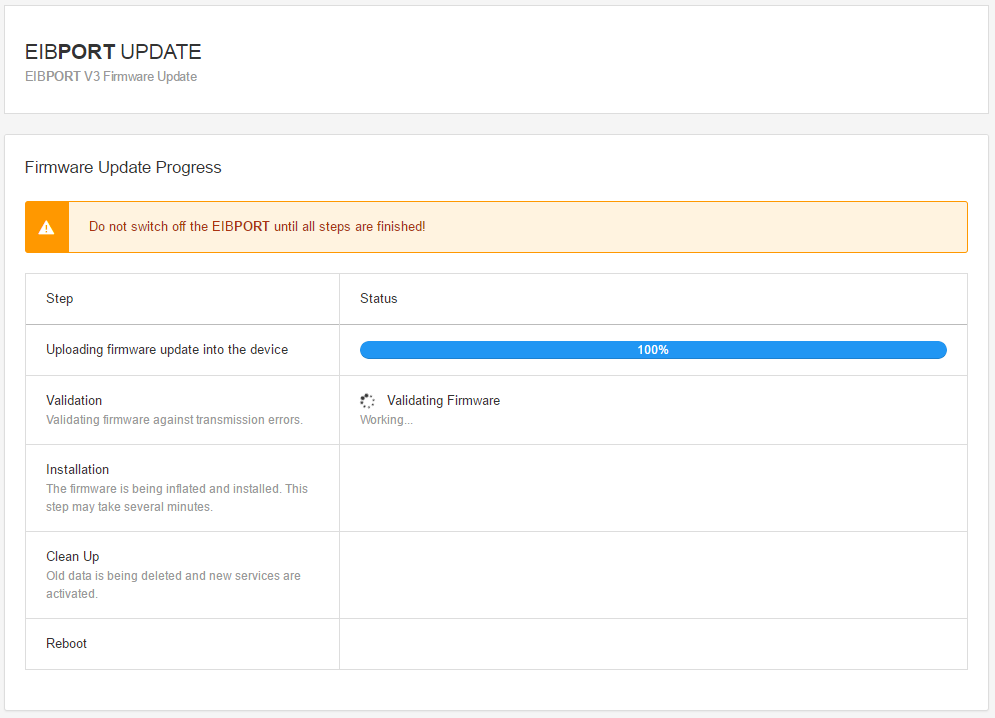
-
Once the process is complete, you can press "Next" to reach a final page with notes.
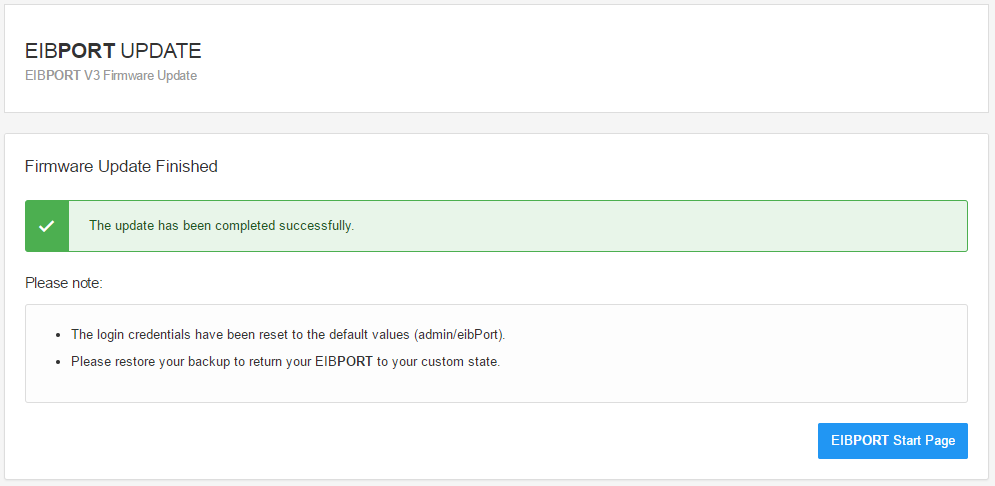
Please note: Due to the update, the EIBPORT has been completely reset to factory settings. The login credentials are once again: user = admin, password = eibPort. The IP address, default gateway and DNS server addresses remain. To restore your settings, please go to "System" - "Backup & Restore".
Note: After the firmware update of the EIBPORT please delete the browser cache of your web browser.
In the browser cache, the web browser temporarily stores data and cookies from web pages and images, so that this data does not have to be downloaded again from a web server in the event of frequent accesses. This allows web pages, for example the visualization, to be displayed more quickly. During the firmware update of the EIBPORT, files are updated in the software that a web browser may cache in the browser cache. To avoid problems when updating to a new firmware version, it is therefore recommended to clear the browser cache after the firmware update.