
The integrated test function can be used to check configured MQTT connections and their data points.
This makes it possible to determine whether the MQTT broker is reachable and whether the configured MQTT data points provide the expected values.
The following settings in particular can be checked:
-
Topic
-
Quality of Service (QoS)
-
Transformer Type
-
Data Type
This helps identify configuration errors at an early stage and allows settings to be checked before they are permanently applied.
Function
Two buttons are available for the test function:
-
Refresh Status
-
Test Changes
Depending on the current state of the configuration, only one of the two buttons is active at a time.
Refresh Status
Refresh Status checks the currently saved configuration.
This can be used to:
-
update the status of the MQTT connection,
-
check whether the MQTT broker is reachable,
-
display the last known values of existing MQTT data points.
Note
The status of an MQTT data point can only be queried if the associated MQTT connection is saved, connected, and reachable.
In addition, at least one active logic group must use the corresponding MQTT data point.
Test Changes
Test Changes can be used to check configuration changes that have not yet been saved.
This allows modified parameters to be tested directly without first saving the configuration or activating a logic group.
This is useful, for example, when changing:
-
broker address or hostname
-
port
-
protocol
-
credentials
-
certificates
-
topic
-
QoS
-
transformer type
-
data type
Note
Test Changes is particularly useful during commissioning and for checking new or modified settings before they are applied to the working copy using Save.
Testing an MQTT Connection
This function can be used to check the connection and reachability of the configured MQTT broker.
The following information is displayed, among other things:
-
whether the MQTT broker is reachable over the network,
-
whether the MQTT connection is currently connected,
-
how many MQTT data points are configured for the connection.
An MQTT connection is considered connected if it is used by an active logic group.
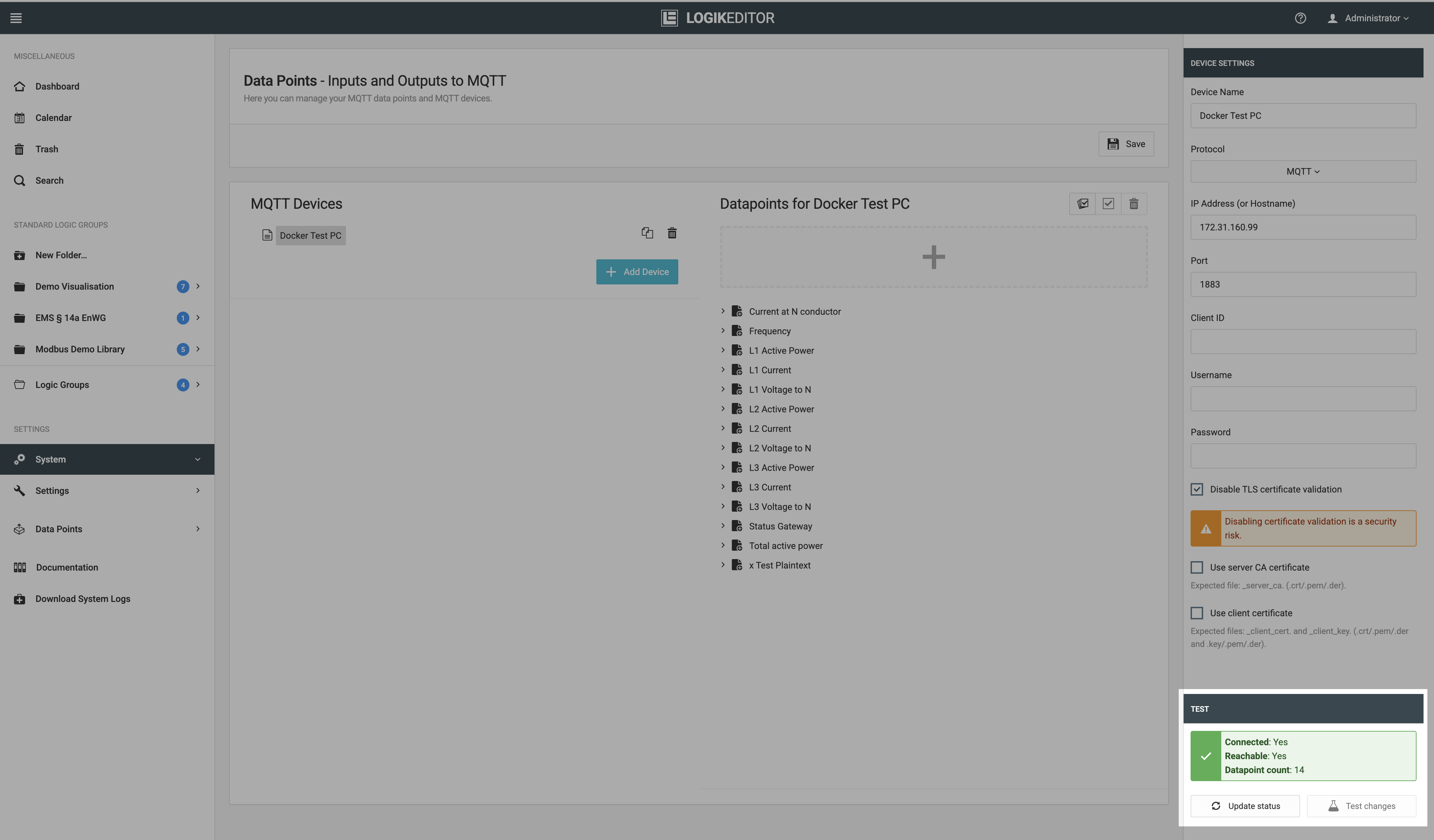
The status can be checked again at any time using Refresh Status.
If the test is unsuccessful, the connection settings can be changed and checked again using Test Changes without having to save the modified MQTT configuration first.
Testing MQTT Data Points
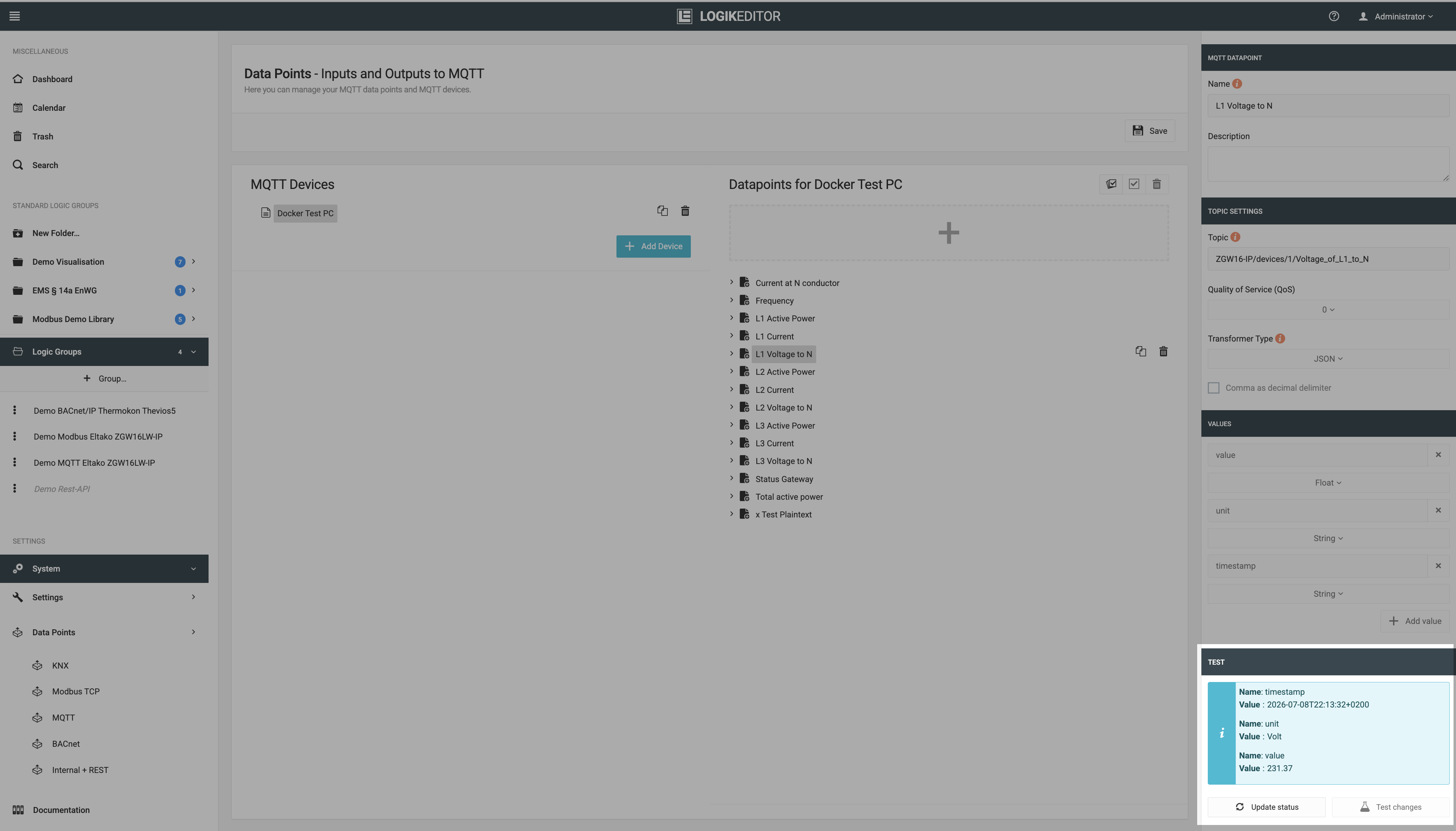
This function can be used to check the values of the data points configured for an MQTT connection.
It can be used to verify whether MQTT messages are processed according to the data point configuration for the configured topic.
A test can only be performed if the required settings are valid.
Invalid connection settings, missing required certificates, or invalid data point settings prevent the test from being executed.
The test result includes at least:
-
the test response,
-
the value read or multiple values read,
-
the duration of the test.
For longer plaintext values, the full content can be expanded or collapsed.
Plaintext and JSON values can, where available, be copied directly using the copy icon.
Querying the Saved Status
Use Refresh Status to load the current status of the saved MQTT data point.
The last known values are displayed.
If no value is available for a data point yet, this is indicated accordingly.
Note
The status can only be queried if the associated MQTT connection is saved, connected, and reachable.
To receive values and display them as the current status, at least one active logic group must use the corresponding MQTT data point.
Testing Modified Settings
If the received value does not match the expected result or the test fails, the relevant parameters can be changed and checked again using Test Changes.
This applies, for example, to:
-
topic
-
QoS
-
transformer type
-
data type
This allows different settings to be tested without having to save the MQTT configuration after every change.
///