
Smart Home App Settings - Alexa Skill
The Smart Home App "BAB Alexa" for the APPMODULE is the counterpart to the Alexa Skill »BAB TECHNOLOGIE EIBPORT V3 Skill«.
The "BAB TECHNOLOGIE Service" is used for a particularly comfortable setup of the system.
Like Amazon itself, it uses the "Log-In-With-Amazon" authentication to ensure a secure and unambiguous connection between the APPMODULE and Amazon.
You use one and the same account (access data) to register on Amazon as well as on the BAB service.
Proceed as follows to connect your APPMODULES with Amazon Alexa:
-
Go to the Amazon Alexa App and navigate to the "Smart Home" area.
-
In the "Set up Smart Home" area, select "Activate Skills".
-
Select the Alexa Skill »BAB TECHNOLOGIE EIBPORT V3 Skill« and activate it.
-
Now open the configuration interface of the APPMODULE and navigate to the Smart Home App "Alexa KNX Connect" in the "App Manager" area.
-
Now click on "Register APPMODULE" and log in to the "BAB TECHNOLOGIE Service".
-
Enter the serial number and registration key of the APPMODULE.
-
Copy the generated app token to the clipboard.
-
Now return to the configuration interface of the APPMODULE and insert the app token.
The connection of your APPMODULE is now set up and Alexa's voice commands are forwarded to your APPMODULE via the "BAB TECHNOLOGIE Service".
Continue now with the further configuration of the Smart Home App.
Devices configured in the APPMODULE are not recognized by Alexa until you search for new Smart Home devices in the Amazon Alexa App (e. g. on your smartphone).
You can start the search with the voice command "Alexa, search for new Smart Home devices".
To do this, create an instance with devices as described in the following chapter.
The Alexa Skill »BAB TECHNOLOGIE EIBPORT V3 Skill« only works with an Amazon account UK, Amazon account DE, Amazon account IT, Amazon account FR or Amazon account ES. In order to use the skill with the Amazon account UK, it is important that the device location in the Amazon app is set to UK and a valid UK postcode is entered.
Smart Home App-Token
The APPMODULE must be registered in the BAB TECHNOLOGIE Service "https://cs1.bab-tec.de:8085".
Serial number / Registration key
For registration you need the serial number of the APPMODULE (BTxxxxxxxxxxxxxxxx) and the registration key for the BAB APP MARKET. The serial number can be found on the rear side of the APPMODULE or - if you have logged in to the APPMODULE web interface - under Information. The registration key can be ound on the packaging and on the enclosed map of the APPMODULE. Log in to the BAB TECHNOLOGIE service with your Amazon account data.
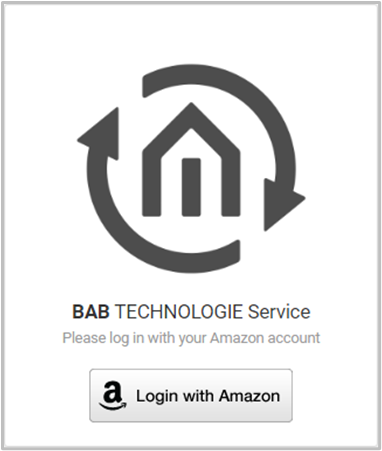
You will be redirected to a registration page of Amazon. Enter your Amazon account data here. Afterwards you will be redirected to the BAB TECHNOLOGIE Service page.
Now enter the serial number of the APPMODULE and the registration key.
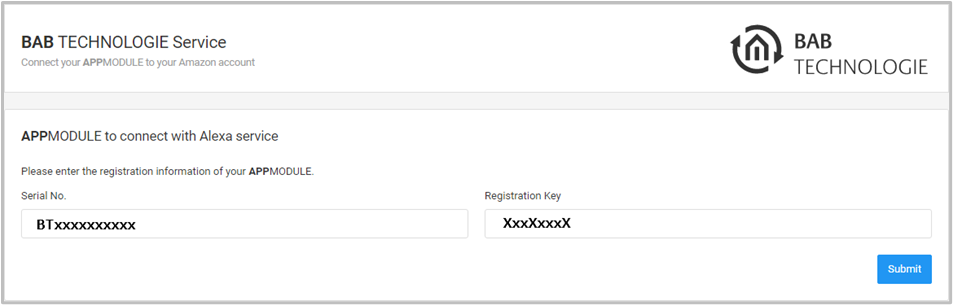
"Submit" completes the registration and creates the app token. Copy the app token into the clipboard.
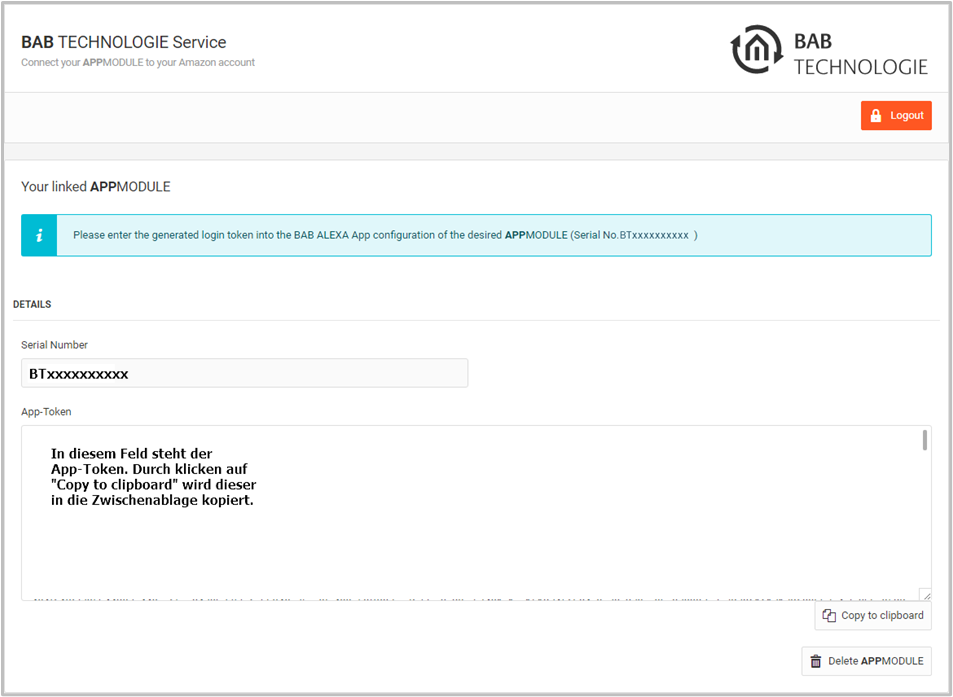
Insert the token from the clipboard into the corresponding field in the Smart Home App "Alexa KNX Connect".
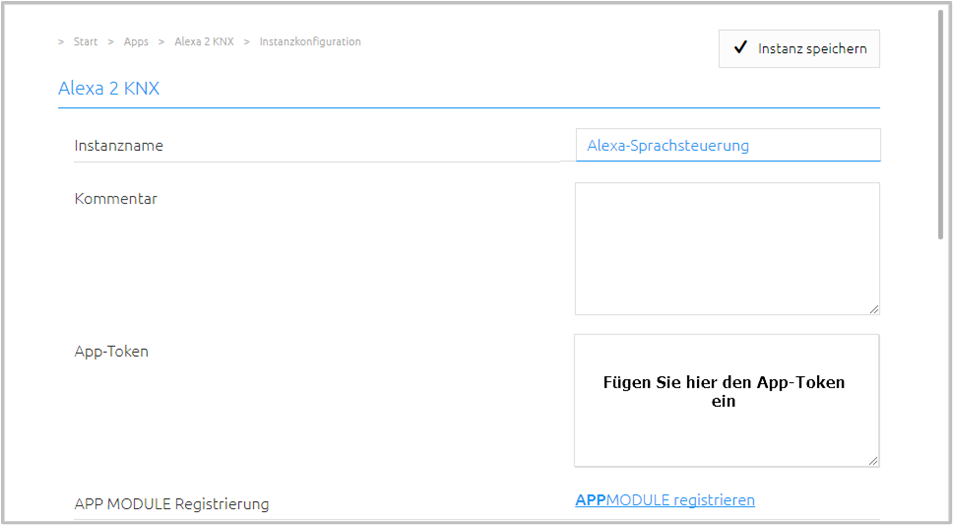
The registration process is completed by saving the instance.
///