
The BAB APPMODULE must first be registered with the BAB TECHNOLOGIE Service:
https://google1.home.bab-tec.de/
Serial Number / Registration Key
To complete the registration, you will need:
-
The serial number of the APPMODULE (BTxxxxxxxxxx)
-
The registration key for the BAB APP MARKET
The serial number can be found:
-
On the back of the APPMODULE, or
-
After logging in to the APPMODULE web interface under Information.
The registration key can be found:
-
On the product packaging
-
On the registration card supplied with the APPMODULE
Sign in to the BAB TECHNOLOGIE Service using your Google account.
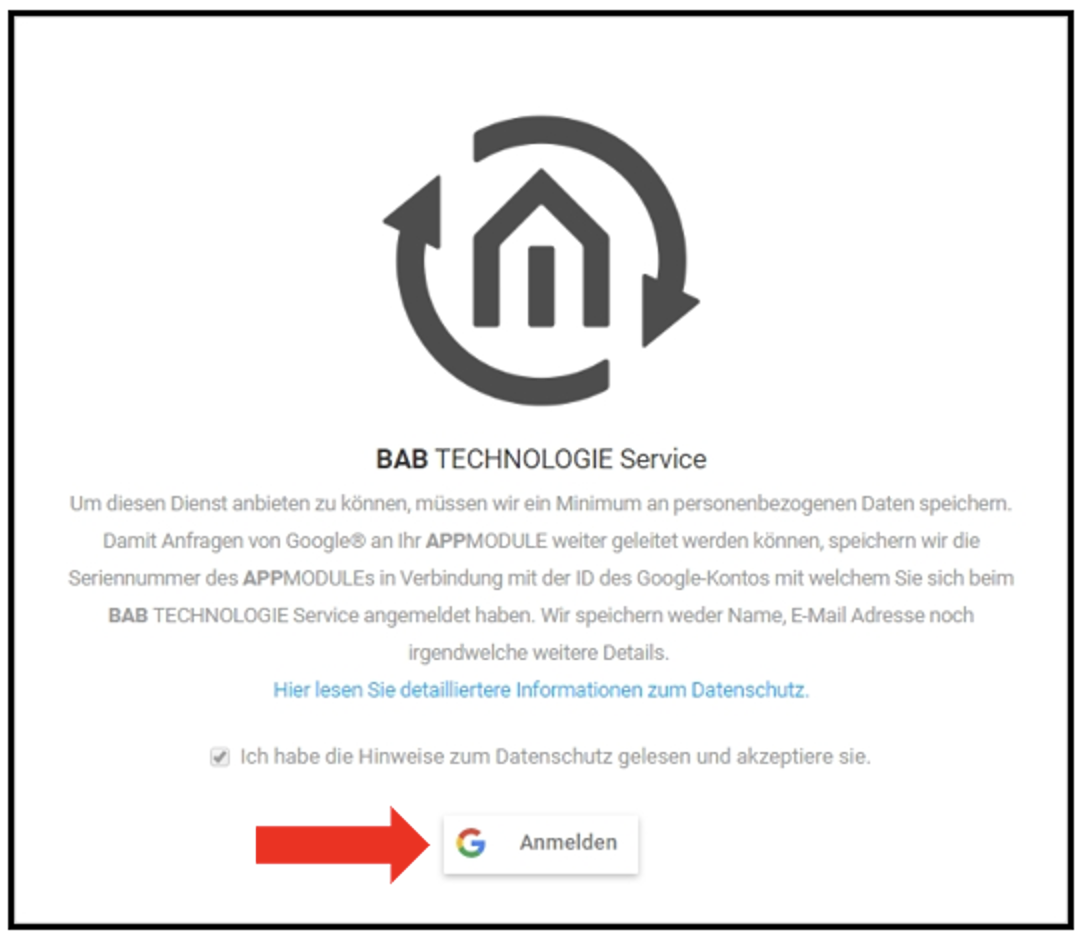
You will be redirected to the Google sign-in page. Enter your Google account credentials there. After successful authentication, you will automatically be redirected back to the BAB TECHNOLOGIE Service.
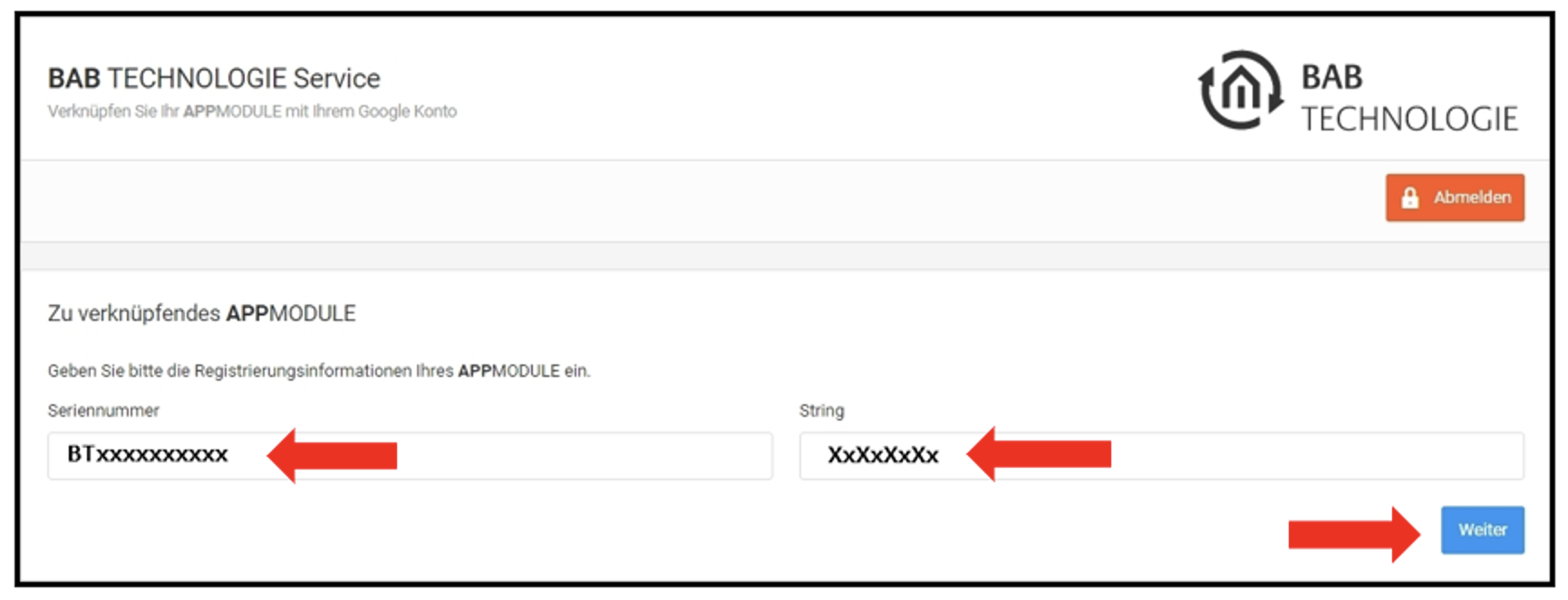
Enter the serial number of the APPMODULE and the registration key.
Click Next to complete the registration. An Access Token will then be generated.
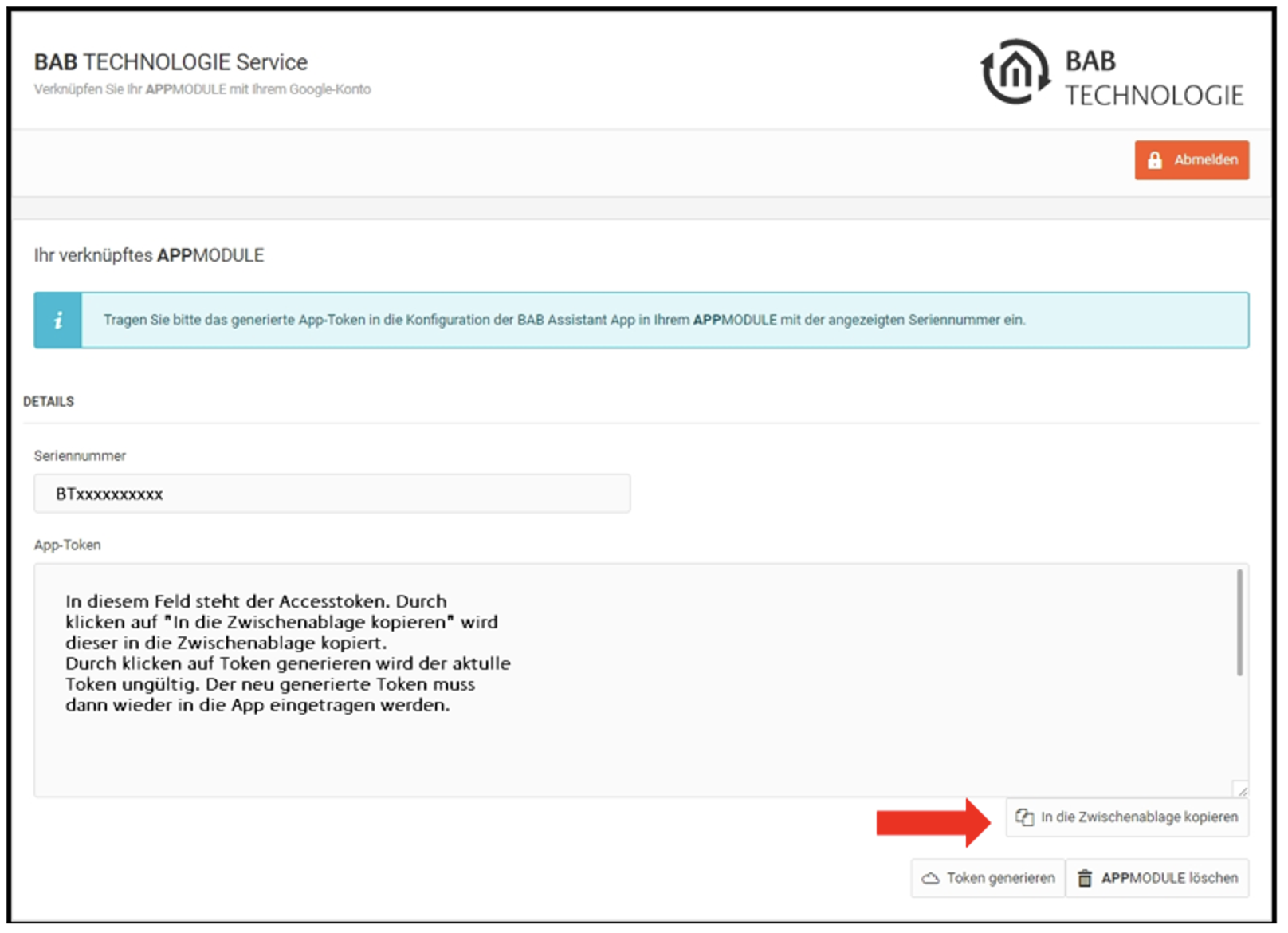
Copy the Access Token to the clipboard.
Paste the copied Access Token into the corresponding field of the BAB Assistant Smart Home App.
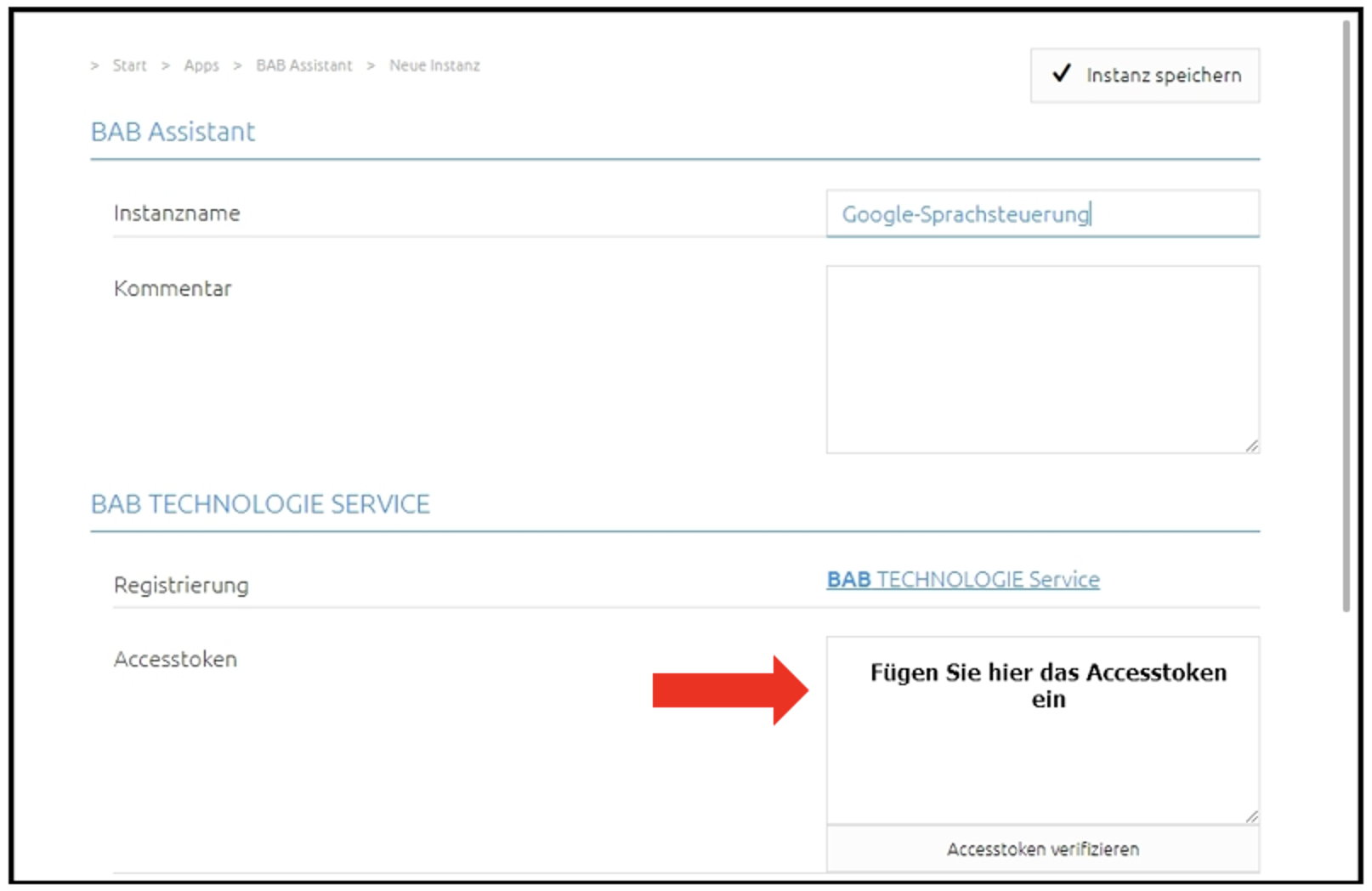
Save the instance to complete the registration process.
///