
To enter the user does not always have his access, there is the possibility of so-called "auto login" or "Remember Login" to use functions. Here, the application data when the visualization is transmitted to or stored on the client computer.
Autologin for Java Visualization
The user data parameters can be passed in the URL. For example, a bookmark is saved with the URL, which can itself be directly connected to the visualization. The following syntax must be adhered to:
http://<eibPort_IP>/bmxjava2/<Art der Startseite>?<Benutzername>&<Passwort>&<Autologin>
For "eibPort_IP"
Either enter the IP address or host name.
For "Startpage type", the following parameters are entered:
-
visu.php visualization open in a separate window.
-
visuPlain.php visualization open in the browser window.
(See also chapter "System"> "Home")
For "User Name":
The parameter must be added with username = username here. The username must be entered exactly as it is laid down in the user management.
For "Password":
The password is passed using password = password. The password is in plain text (!) Registered as such it has been defined in the user management.
For "Auto Login":
Can be either 'true' or 'false' value thus obtained. The parameter is passed with autologin = true / false. In the "auto login" is an optional parameter. Autologin = true means that no additional demand will be logged. Autologin = false means that the fields of the login dialog with the specified username / password is indeed completed but must be confirmed to the login still. So, at this point there is still a possibility with a different account to register. Here is the default value of "true".
The parameters are separated by "&" (ampersand "and") from each other, and with a "?" (Question mark) of the URL.
Example:
|
EIBPORT address: |
192.168.2.1 |
|
Type of Home: |
„Visualisierung im Browserfenster öffnen“ |
|
Username: |
xxx |
|
Password: |
yyy |
|
Autologin: |
true |
In the example, the URL is:
http://192.168.2.1/bmxJava2/visuPlain.php?username=xxx&password=yyy&autologin=true
"Remember login" for CONTROL L and CONTROL S
The user administration for your visualizations is described in the "Security settings" section. This allows access rights and login to be precisely defined. Depending on this, the login for the different versions of the visualizations takes place.
Login for CONTROL L
The login for visualisations in CONTROL L is called up via <eibPort_IP>/web.visu/ . The security settings configured in the EIBPORT Editor are entered in the login menu and can be saved at your browser by activating "Remember login". If this setting is no longer desired or if the current user is to be logged out of CONTROL L, these settings must be deleted from the browser cache.
The user data can be passed in the URL parameters. For example, a bookmark can be saved with the URL, which can be used to connect directly to the visualization. The following syntax must be observed for this:
http://<eibPort_IP>/web.visu/<startpage type>?<username>&<password>&<autologin>
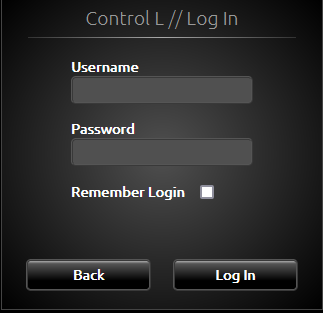
The CONTROL L login dialogue offers a ‘Remember login’ function. The user data is stored in the browser using cookies and is valid for 4 weeks.
Login for CONTROL S
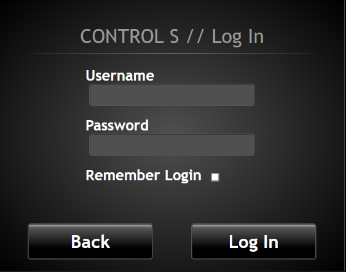
The login for visualisations in CONTROL S is called up via <eibPort_IP>/web/hic/. The security settings configured in the EIBPORT Editor are entered in the login menu and can be saved in the browser cache by activating "Remember login". If this setting is no longer desired or if the current user is to be logged out of CONTROL S, these settings must be deleted from the browser cache.
Logout for CONTROL L
If this setting is no longer required or if the current user is to be logged out of CONTROL L, the corresponding cookie must be deleted in the browser.
Logout for CONTROL S
For CONTROL S, a manual logout can be performed via the ‘CONTROL S’ lettering.